Roche Diagnostics
128 Operator’s Manual · Version 3.0
5 Operation Multiplate® analyzer
Performing a measurement
2
Define the start and end date of the period for which you want to export the
graphics.
q
The calendar is displayed in the language selected in the regional settings of the
Windows operating system.
3
Select Show curve as area, if required.
4
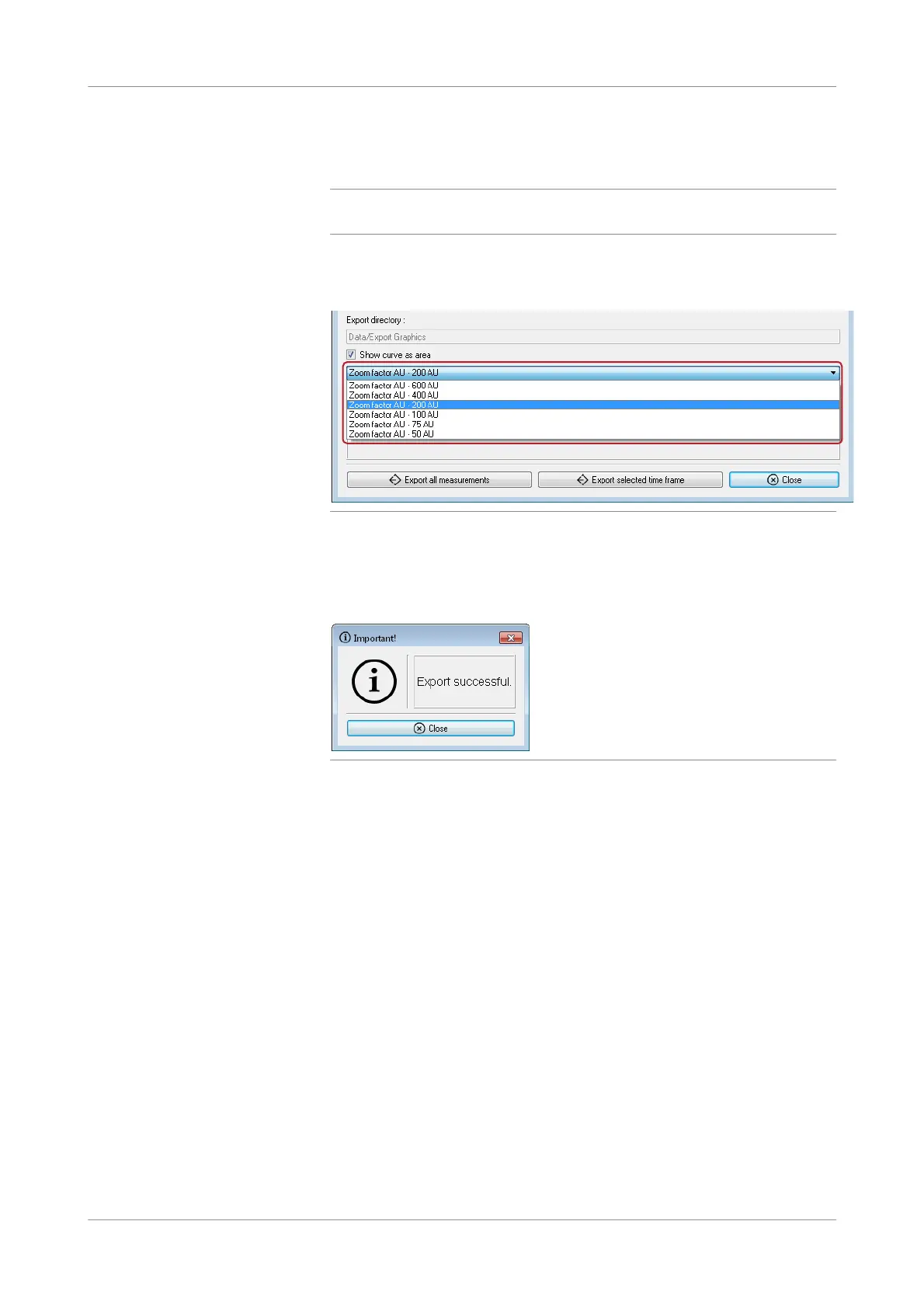
Select the required zoom factor.
Figure 5-40 Selecting zoom factors in export
5
Choose the Export measurements in selected time f r ame. button.
The data are exported to a file in the Export Graphics folder. (See Export Graphics
(p. 131)).
Figure 5-41 Indication that graphics export is complete
When the export is successfully completed, a comment is displayed.
6
Choose the Close button.
s
Sending results to LIS from measurements created on the analyzer
The worklist contains all results from the analyzer, not only results from orders that
are downloaded from the LIS. Therefore, you can use the worklist to send results to
LIS that origin from measurements that are created on the analyzer.
Measurements that are created on the analyzer do not have a patient or sample ID
assigned. Therefore, before sending the results of such measurements to the LIS, a
patient and sample ID has to be assigned so that the results can be identified.
p To send results to LIS from measurements created on the analyzer
1
Choose Measurements > Worklist.
The Worklist window is displayed.











 To Next Page