Roche Diagnostics
Operator’s Manual · Version 3.0 79
Multiplate® analyzer 4 Software
Menu options
Autopipette
f Measurements > Autopipette
The electronic pipetting function simplifies and standardizes the measurement
process, particularly sample handling, sample assignment, and pipetting. The
operator is guided through the procedure by several “next pipette step” instructions.
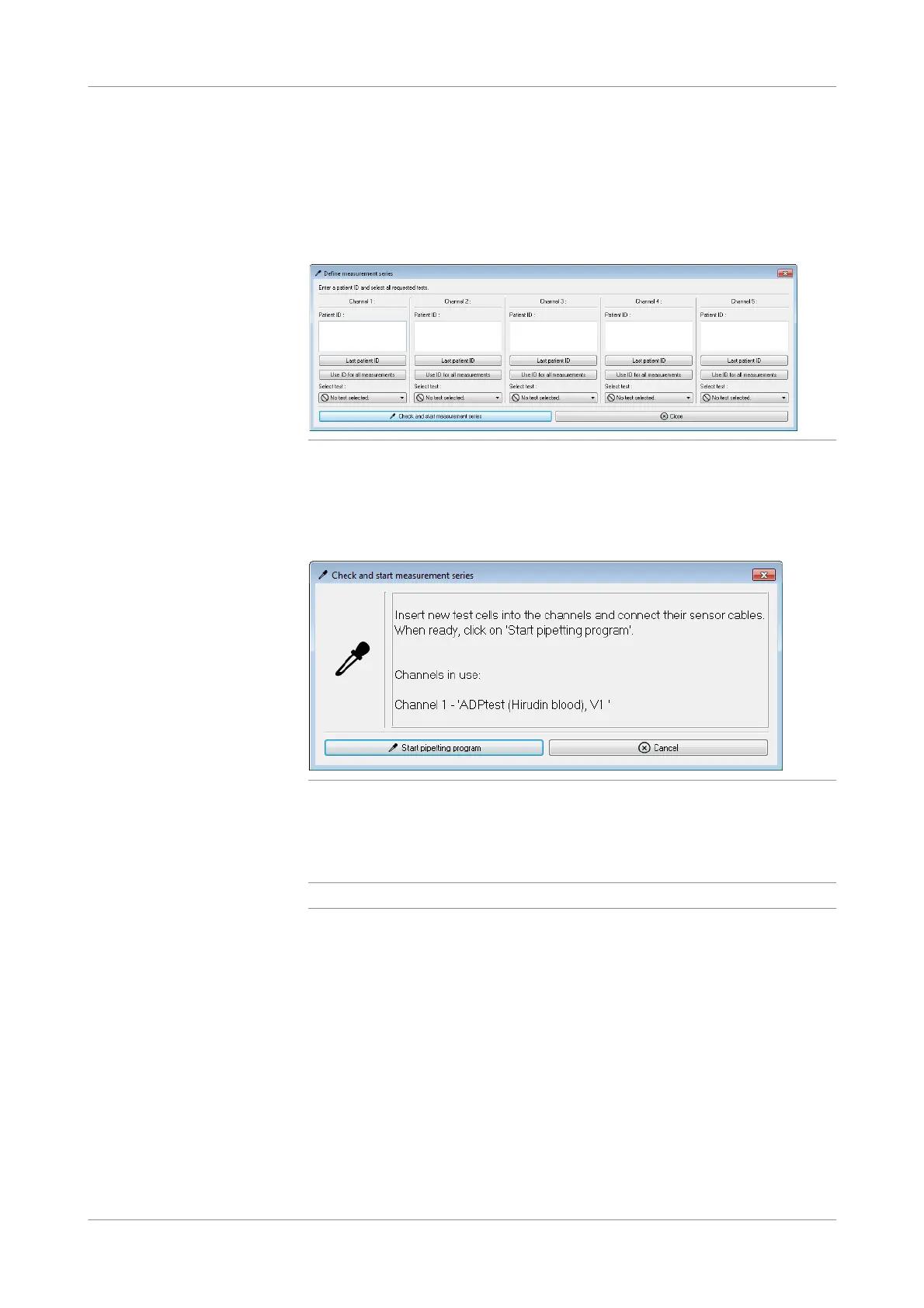
Figure 4-15 Define measurement series window
Click in the Patient ID field and type the patient ID. Use Last patient ID to enter the
patient ID you used last. To use the entered patient ID for all free channels, choose
the Use ID for all measurements button. Then choose a test for each channel and
start the measurement by selecting the Check and start measurement series button.
Figure 4-16 Check and start measurement series window
Select Start pipetting progr am in the Check and start measurement series window.
The Process measurement series window is displayed, guiding you through the
pipetting workflows.
q
The patient ID can have up to 135 characters.
You can add further channels when the pipetting program is closed and processing is
in progress.











 To Next Page