Roche Diagnostics
158 Operator’s Manual · Version 3.0
6 Configuration Multiplate® analyzer
Editing test parameters
Editing test parameters
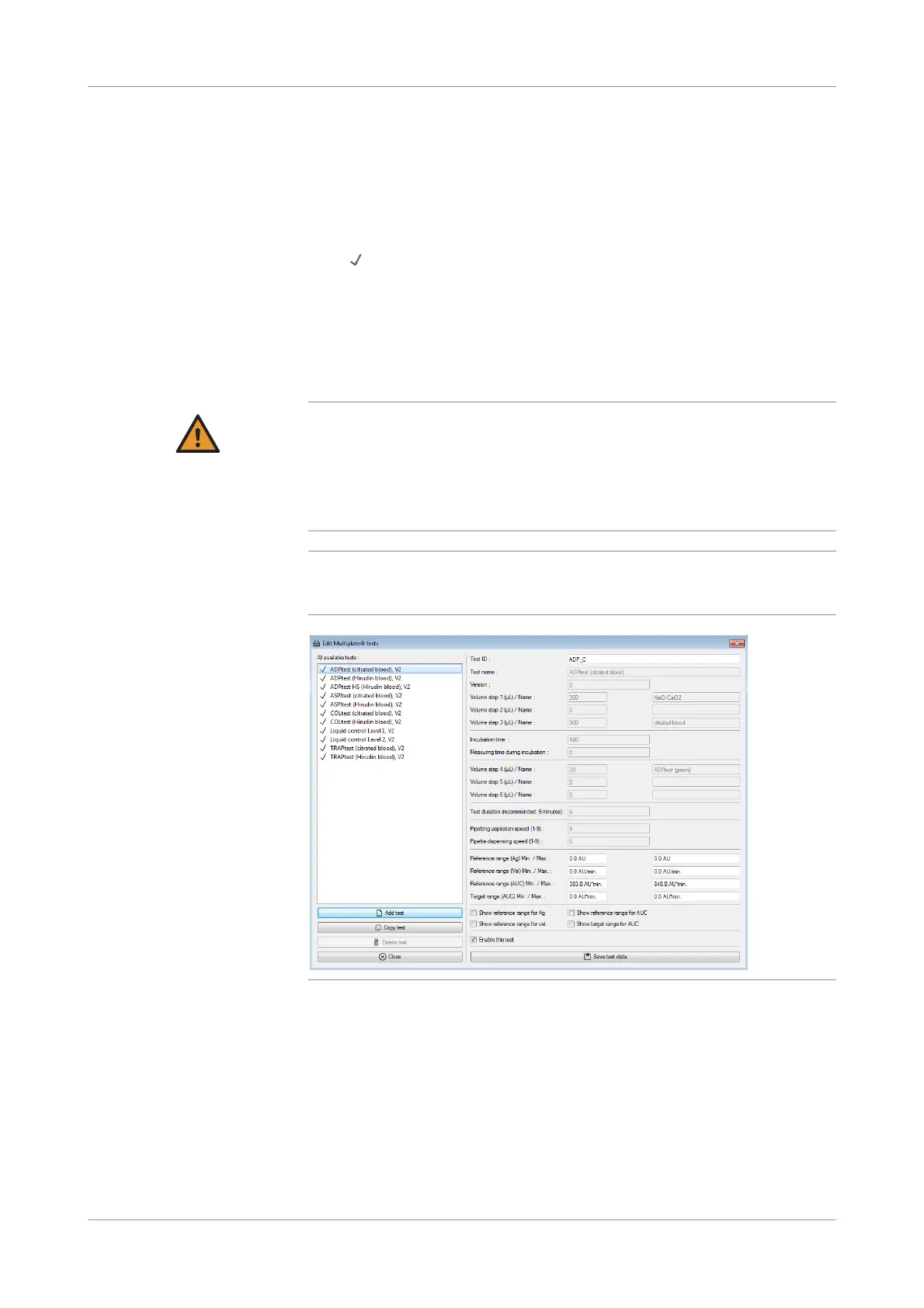
f Configurati on > Edit tests
To view the parameters of a test, select it in the list. Tests that are active have a check
mark ( ) in front of the test name in the test list.
There are manufacturer defined and user defined tests. Manufacturer defined tests
cannot be edited. Only reference and target ranges can be entered. User defined tests
are marked with [ud] in the test list. User defined tests are fully editable.
Choose the Add test button or the Copy test button to define a new test.
Changes must be confirmed by choosing the Save test data button.
WARNING
Incorrect results due to wrong test parameters after a language change
All test parameters are language dependent. Therefore, when changing the language, all
test parameters will change, too.
r Carefully check all test parameters after changing the language to make sure that they
are correct. User defined tests are language dependent, too and must be reentered
after a language change.
q
Make sure that user defined tests with non-Roche reagents are set up with care and are
approved by appropriate methods. Roche cannot made liable for any harm that results
from the use of non-Roche reagents on the analyzer.
Figure 6-12 Edit Multiplate tests window
Test ID Unique test ID used on the LIS.











 To Next Page