Roche Diagnostics
Operator’s Manual · Version 3.0 161
Multiplate® analyzer 6 Configuration
LIS configuration
LIS configuration
f Configuration > LIS configuration
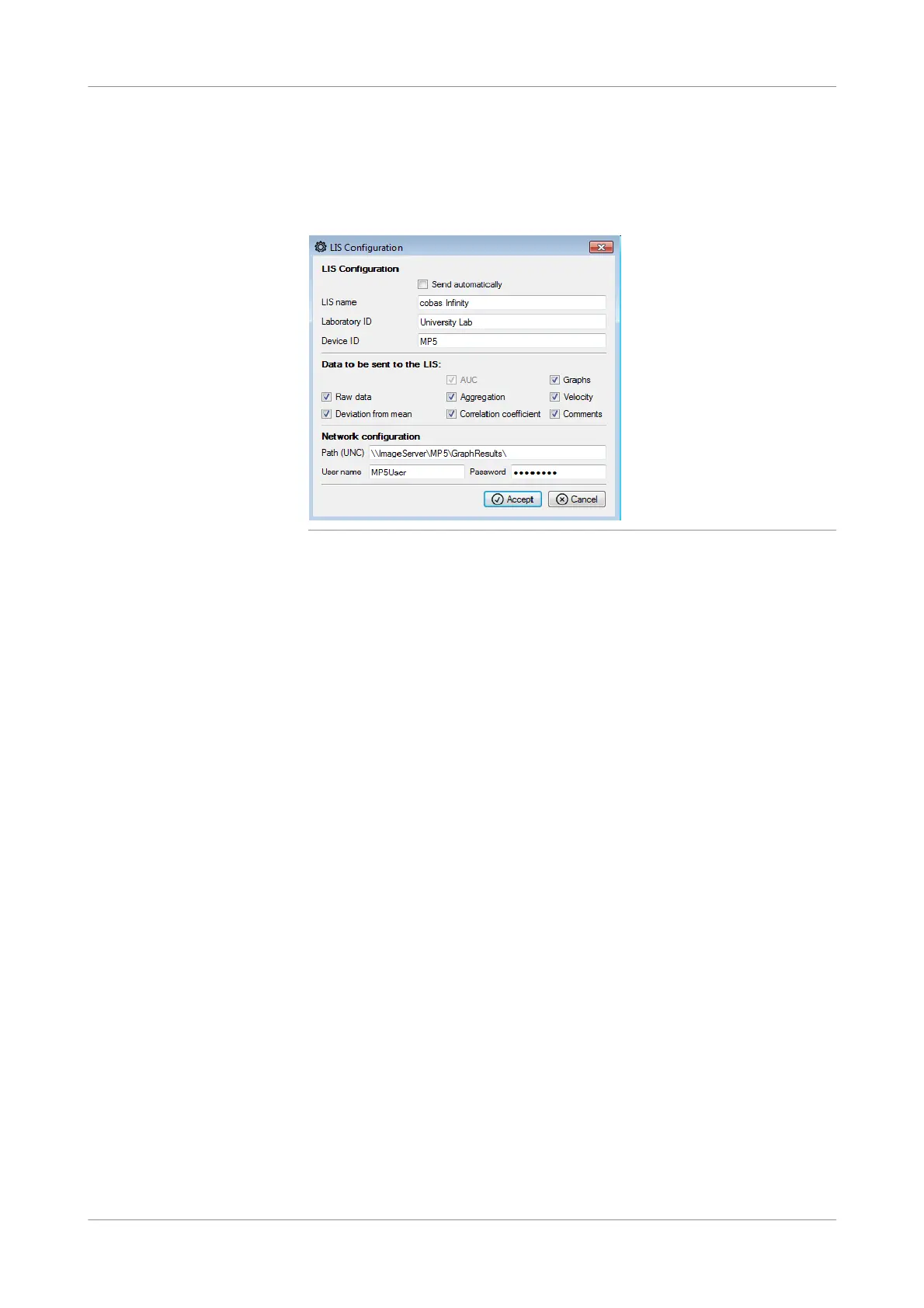
Figure 6-15 LIS configuration window
Send automatically Select this option if the results should automatically be sent to the LIS after the
channel is cleared.
If this option is disabled, the results have to be sent manually to the LIS.
LIS name Enter the LIS name or ID.
Laboratory ID Enter the laboratory ID that is sent to the LIS.
Device ID Enter the analyzer ID that is sent to the LIS. Default value is “MP5”.
Data to be sent to the LIS: Select the data that is sent to the LIS:
o AUC (The AUC value is always sent in Units)
o Graphs
o Raw data
o Aggregation
o Velocity
o Deviation from mean
o Correlation coefficient
o C omments
Network configuration Enter the network path where the result graphs and raw data files are stored.
o Path (UNC)
o User name
o Password











 To Next Page