Roche Diagnostics
46 Operator’s Manual · Version 3.0
2 Installation Multiplate® analyzer
Installing the electronic pipette
Installing the electronic pipette
When using the electronic pipette the first time you have to insert the battery into the
electronic pipette, connect the electronic pipette to the analyzer, and start the
analyzer and monitor.
q
When inserting the battery for the first time into the electronic pipette, the battery must be
fully charged before the electronic pipette can be used. When the battery icon on the
display stops blinking, the electronic pipette is ready for use. This can take up to 3.5 hours.
p Inserting the battery
1
For details, see Inserting or changing the battery (p. 169)
s
p To connect the electronic pipette to the analyzer
1
Make sure that the analyzer is switched off.
2
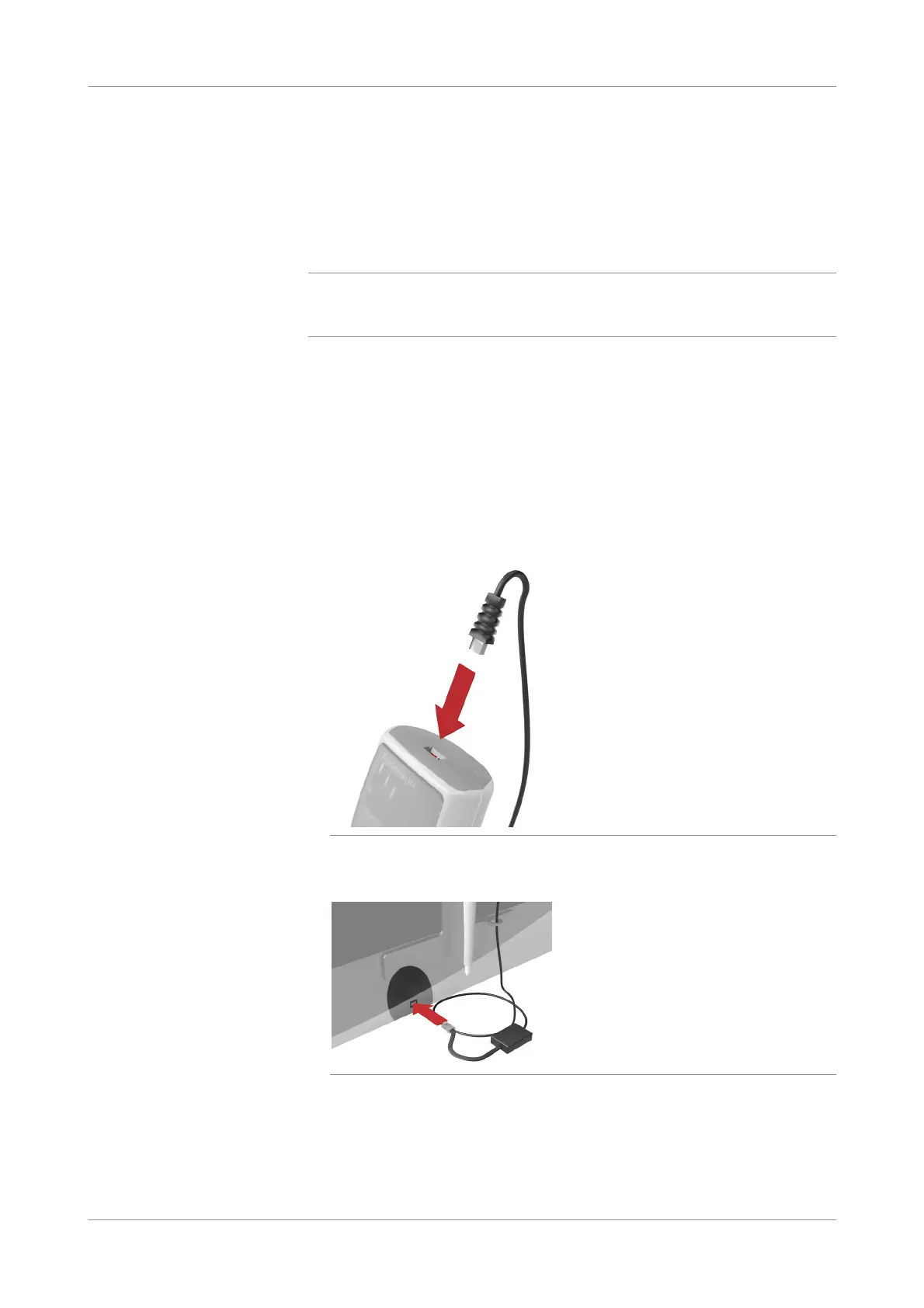
Connect the pipette cable to the electronic pipette.
Figure 2-31 Connecting the pipette cable to the electronic pipette
3
Connect the pipette cable to the analyzer.
Figure 2-32 Connecting the pipette cable to the analyzer











 To Next Page