Roche Diagnostics
Operator’s Manual · Version 3.0 31
Multiplate® analyzer 2 Installation
Installing the analyzer
Installing the analyzer
Preparation o First unpack all required components.
o Prepare the monitor as described in its manufacturer’s documentation.
o Prepare the printer as described in its manufacturer’s documentation.
p To install the analyzer
1
Place the analyzer on a stable and flat surface.
Allow at least 10 cm space around the analyzer to ensure good ventilation.
2
Place the monitor on the rear of the analyzer.
3
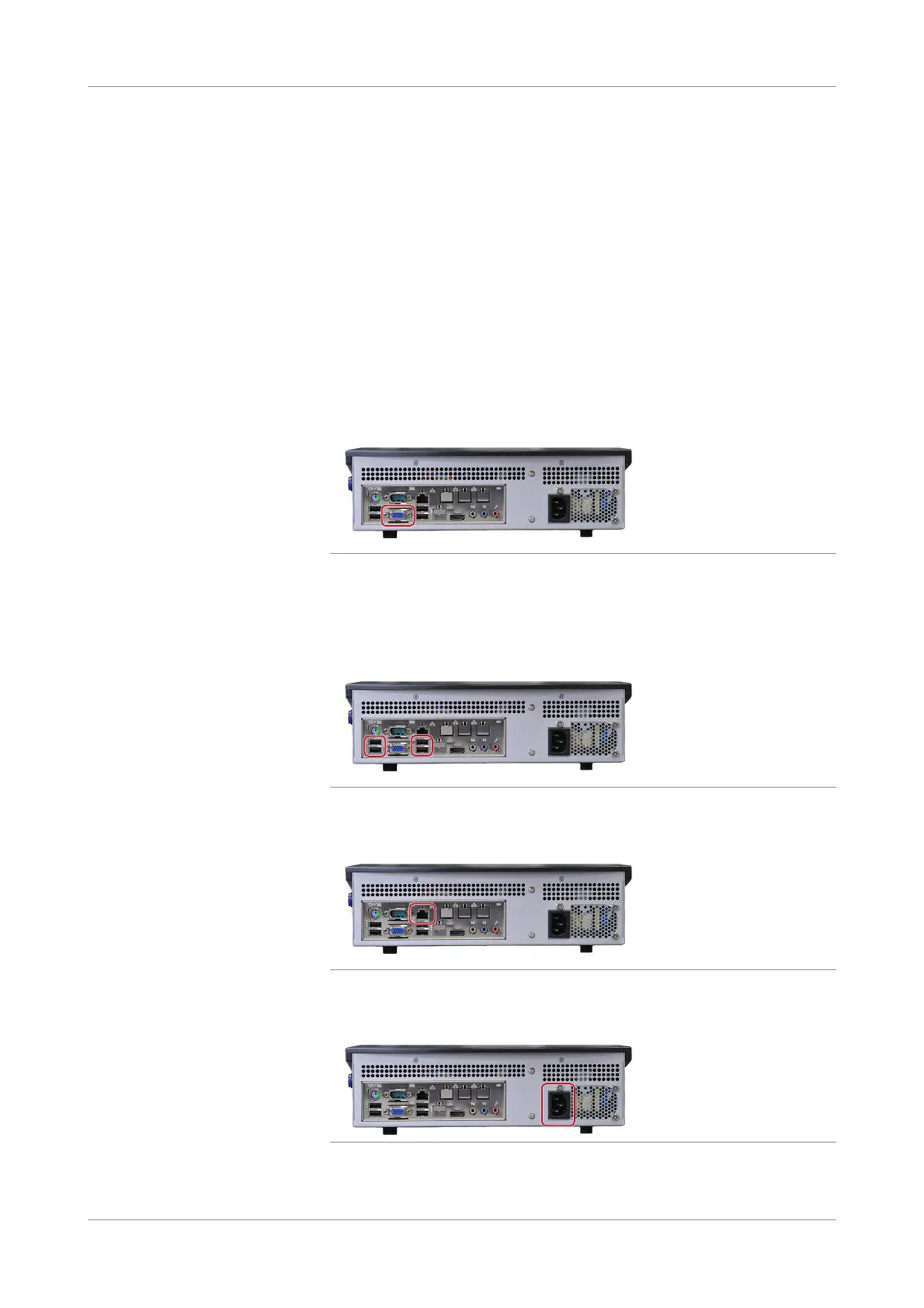
Connect the monitor to the analyzer.
Figure 2-1 Connecting the monitor
4
Connect the keyboard, mouse, and barcode reader to the analyzer.
The printer cable is connected later during printer installation.
u Installing the printer (p. 48)
Figure 2-2 Connecting the keyboard, mouse, and barcode reader
5
Connect the Roche-provided firewall, using the Ethernet cable.
Figure 2-3 Connecting the Roche-provided firewall
6
Connect the analyzer to the mains power.
Figure 2-4 Connecting the power











 To Next Page