Roche Diagnostics
Operator’s Manual · Version 3.0 69
Multiplate® analyzer 4 Software
Main screen
Main screen
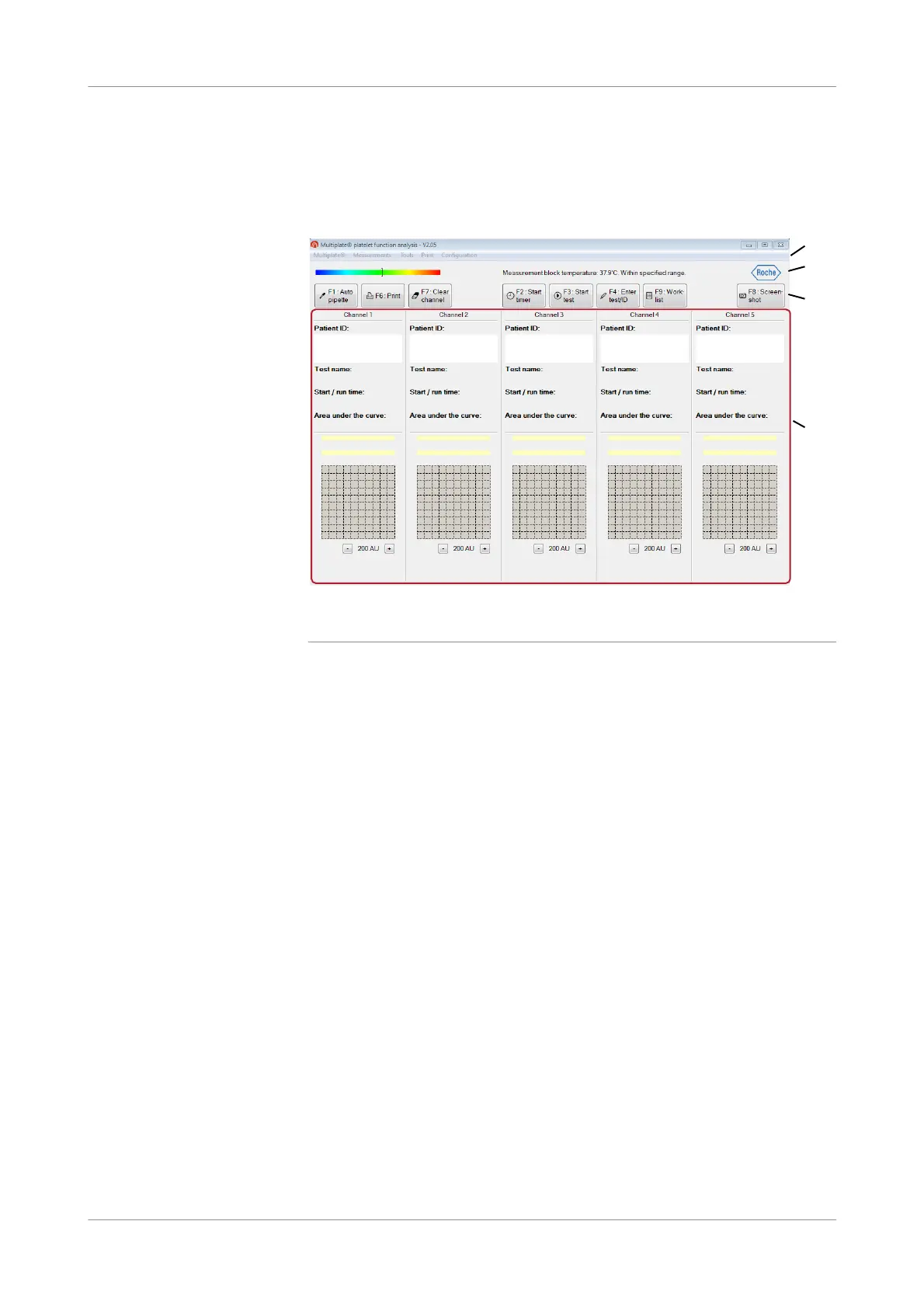
After start-up of the analyzer the main screen is automatically displayed.
Figure 4-1 Main screen
Menu bar Contains commands and menus.
Status bar Displays the temperature status of the measurement block, the system status, and the
timer countdown, when the timer was started.
Quick access buttons Contain the essential commands for using the analyzer.
Channel display The channel display shows data, graphics, patient and sample ID, and test
identification for each channel.
Menu bar
The menu bar consists of the menus Multiplate®, Measurements, Tools, Print, and
Configuration.
u For further information, see Menu options (p. 76).
A Menu bar C Quick access buttons with main functions
B Status bar D Channel display for 5 channels
A
B
C
D











 To Next Page