Roche Diagnostics
Operator’s Manual · Version 3.0 77
Multiplate® analyzer 4 Software
Menu options
Measurements menu
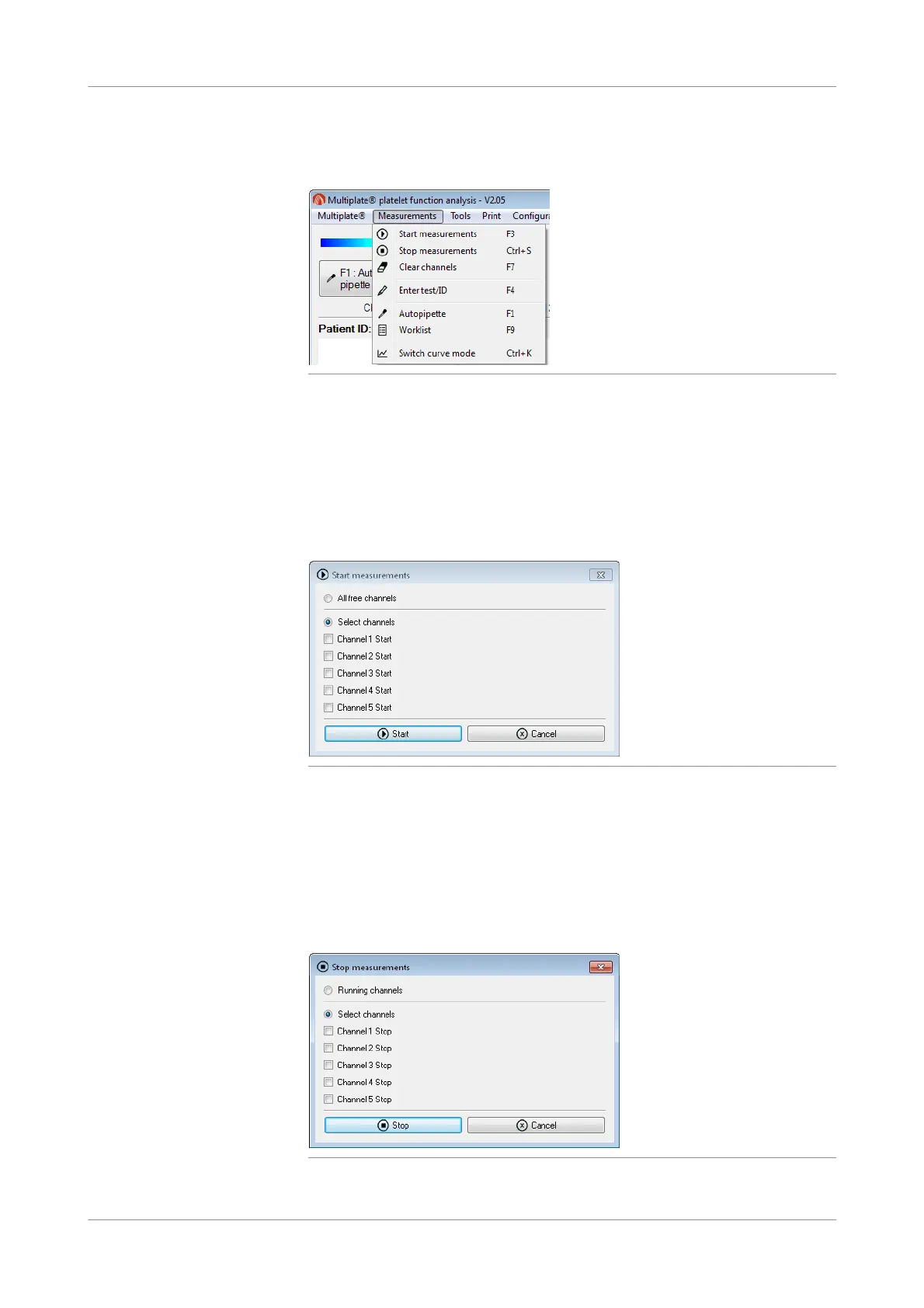
Figure 4-10 Commands in the Measurements menu
Start measurements
f Measurements > Start measurements
Use Start measurements to start processing when working with manual pipetting.
Select individual channels, or use All free channels to select all channels that do not
contain a measurement (cleared channels).
Figure 4-11 Start measurements window
Stop measurements
f Measurements > Stop measurements
Use Stop measurements to stop processing before the test is complete.
Select individual channels, or use Running channels to stop processing for all
channels that are currently used.
Figure 4-12 Stop measurements window











 To Next Page