Roche Diagnostics
Operator’s Manual · Version 3.0 35
Multiplate® analyzer 2 Installation
Setting up the software
Windows setup tasks
The following sections deal with language related setup tasks and describe how to
define the system time.
Adjusting the system language
The analyzer in its standard version is equipped with an English keyboard layout (US
international). If different keyboard layouts and languages are required to adapt the
analyzer to specific customer requirements, the language settings within the
Windows operating system have to be adjusted.
q
The following instructions show you how to change the language and the keyboard layout
of the Windows 7 operating system to French.
p To adjust the system language as administrator
1
Switch on the analyzer and log on to the Windows operating system as
administrator.
u For details, see Passwords for operating system (p. 149)
If you have trouble entering either user name or password, see Troubleshooting
system language issues (p. 41).
2
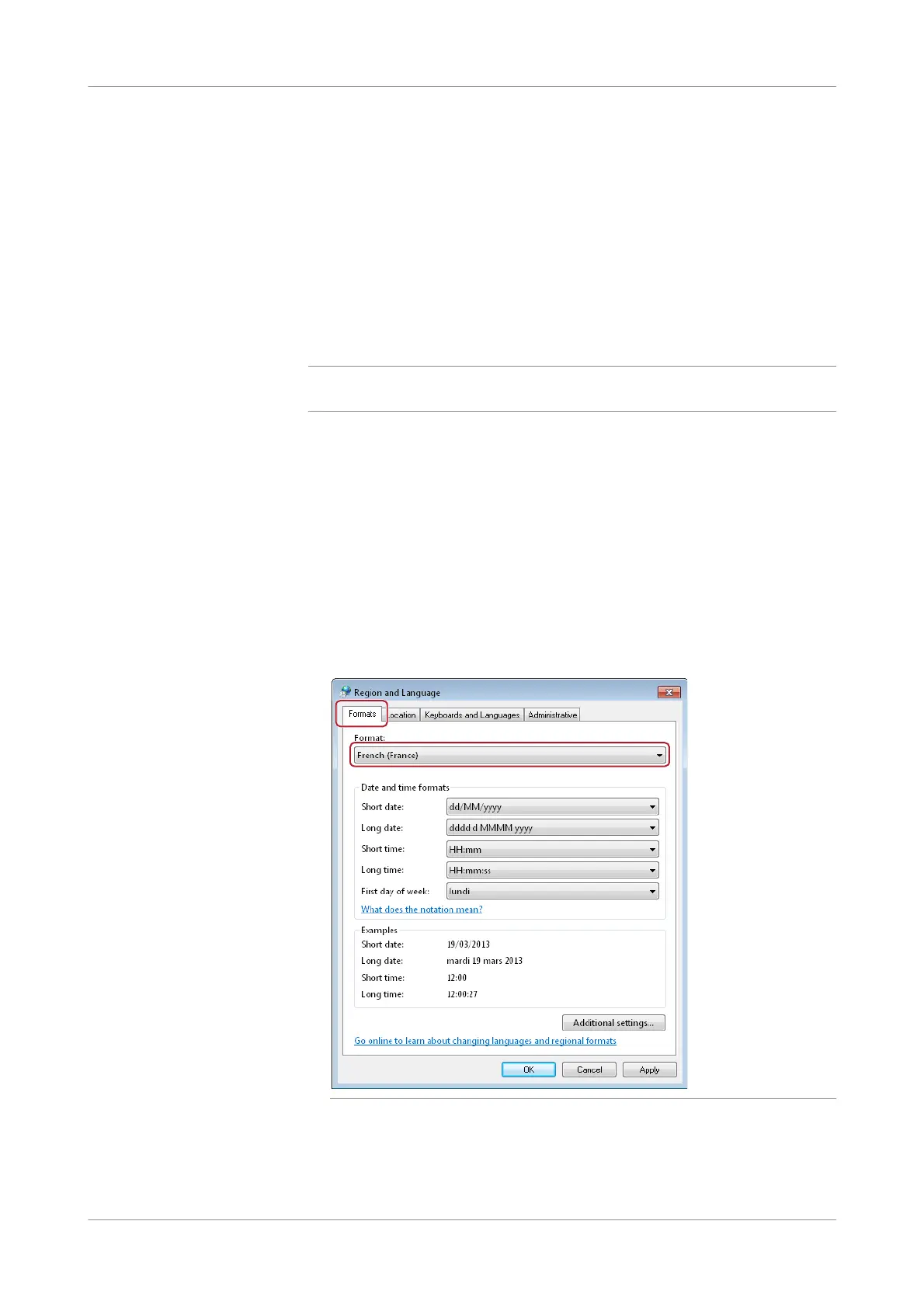
Choose Start > Control Panel > Region and Language.
The Regi on and Language window is displayed.
3
In the Formats tab, select French (France) from the drop-down list.
Figure 2-9 Defining the format options











 To Next Page