Roche Diagnostics
84 Operator’s Manual · Version 3.0
4 Software Multiplate® analyzer
Menu options
Tools menu
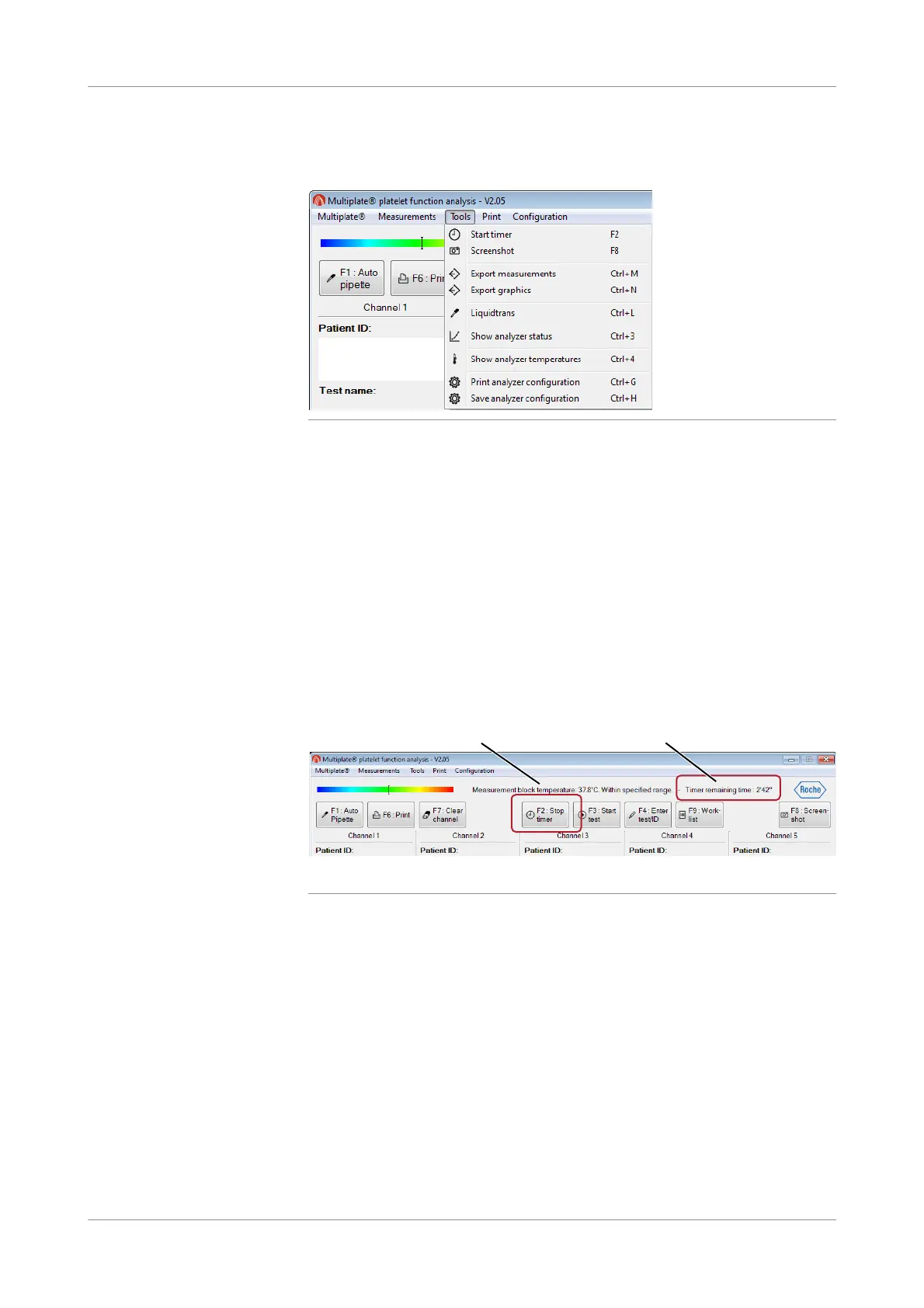
Figure 4-20 Commands in the Tools menu
Start timer, Stop timer
f Tools >Start timer, Tools > Stop timer
Use this function to start the standard 3-minute incubation time required before you
can add reagent to the sample. This function is used with manual pipetting. The end
of this period is indicated by an acoustic signal. The timer countdown is displayed in
the status bar of the main screen. When the timer is started, the function changes to
Stop timer.
When the timer is elapsed, press the F2 function key to terminate the acoustic signal.
The incubation time can be changed in the Timer runtime option in Configuration
>E dit analyzer configuration > C onfigurations. Enter the new incubation time in
seconds.
Figure 4-21 Timer display in the main window
A Stop timer button B Timer countdown
B
A











 To Next Page