Roche Diagnostics
136 Operator’s Manual · Version 3.0
5 Operation Multiplate® analyzer
Reconstituting reagents and preparing aliquots
2
Enter the required volume (A).
You can pipette between 10 μL and 300 μL with one action. If the requested
volume is greater than 300 μL incremental steps must be performed, e.g. 1000 μL
would require four steps (300+300+300+100 μL). The electronic pipette sums up
the pipetted volume and displays it.
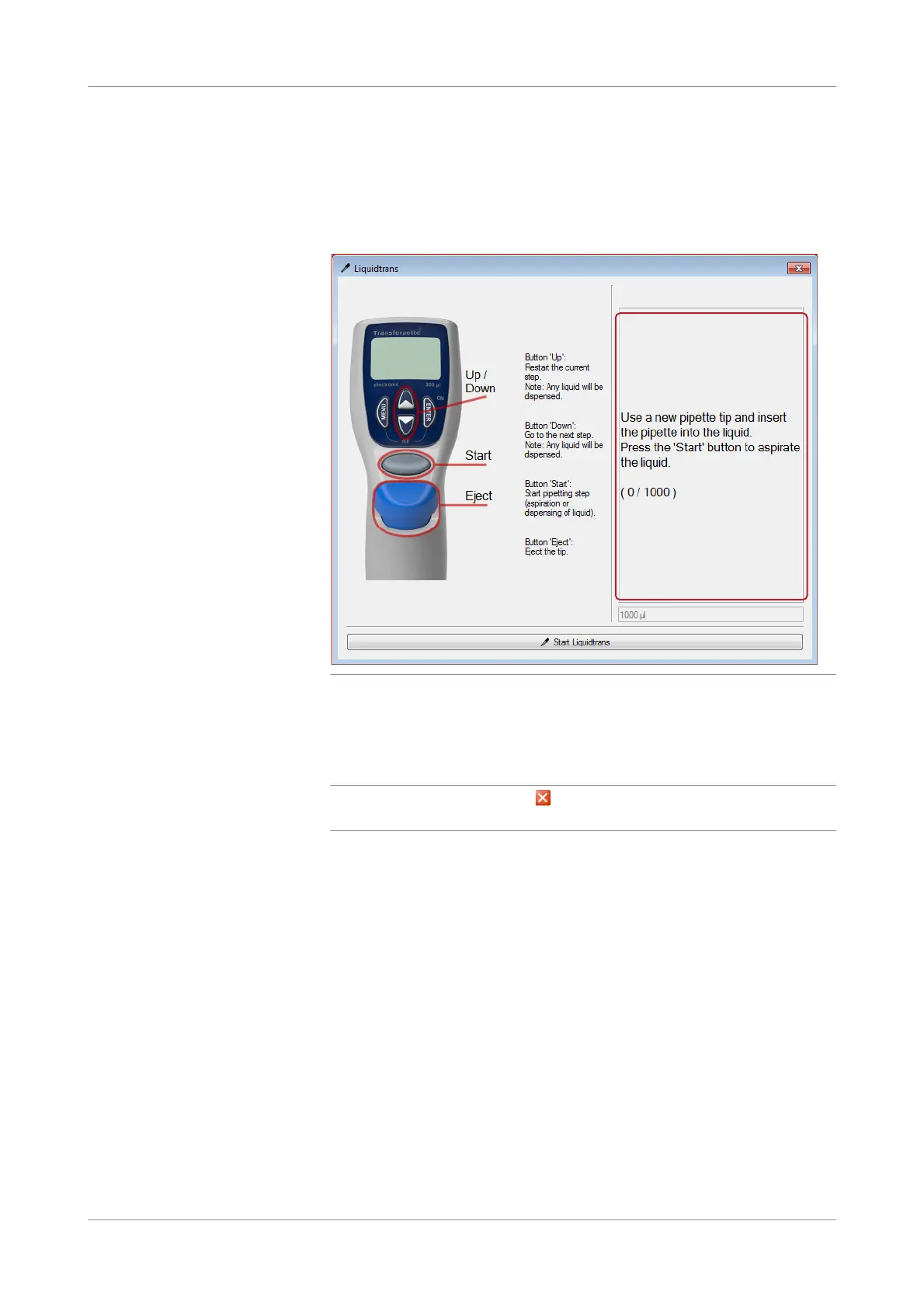
Figure 5-48 Instructions on the Liquidtrans window
3
Choose the Start Liquidtrans button.
Task completion is indicated by an acoustic signal. The Liquidtrans program is
ready to repeat the same task again.
q
To pipette a different amount click in the top right corner of the Liquidtrans
window to close the program and start again with step 1.
s











 To Next Page