Roche Diagnostics
60 Operator’s Manual · Version 3.0
3 Overview Multiplate® analyzer
Electronic pipette
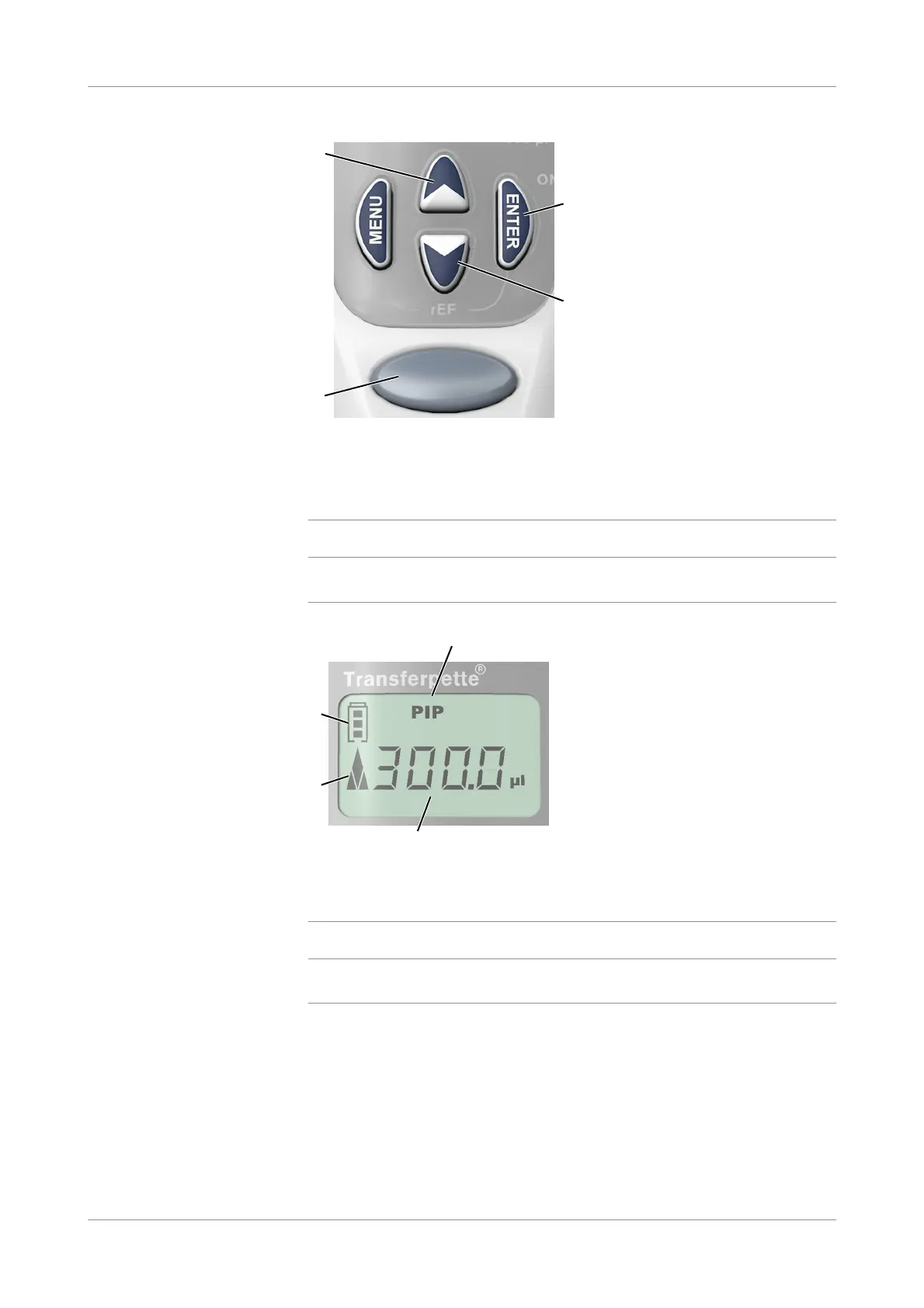
Key functions
Figure 3-4 Key functions
q
The MENU and ENTER buttons can only be used to perform the reference run when the
pipette is not connected to the analyzer.
Display
Figure 3-5 Display
q
When the electronic pipette is not performing an action, the display shows the volume that
was pipetted last.
Tip ejec tion To eject the tip, hold the pipette over a suitable waste container and press the Eject
button.
Use 300 μL BRAND tips only. Ensure that the tip is securely seated.
A Up button
Restarts the actual step in Auto Pipette
mode.
C Confirmation / Activation button
B Start button D Down button
Go to the next step in Auto Pipette mode.
A
B
C
D
A Battery charge indicator C Pipetting volume
B Arrow indicating liquid direction (aspiration,
dispensing)
D Pipetting mode (only displayed when the
pipette is not connected to the analyzer)
B
C
D











 To Next Page