Roche Diagnostics
82 Operator’s Manual · Version 3.0
4 Software Multiplate® analyzer
Menu options
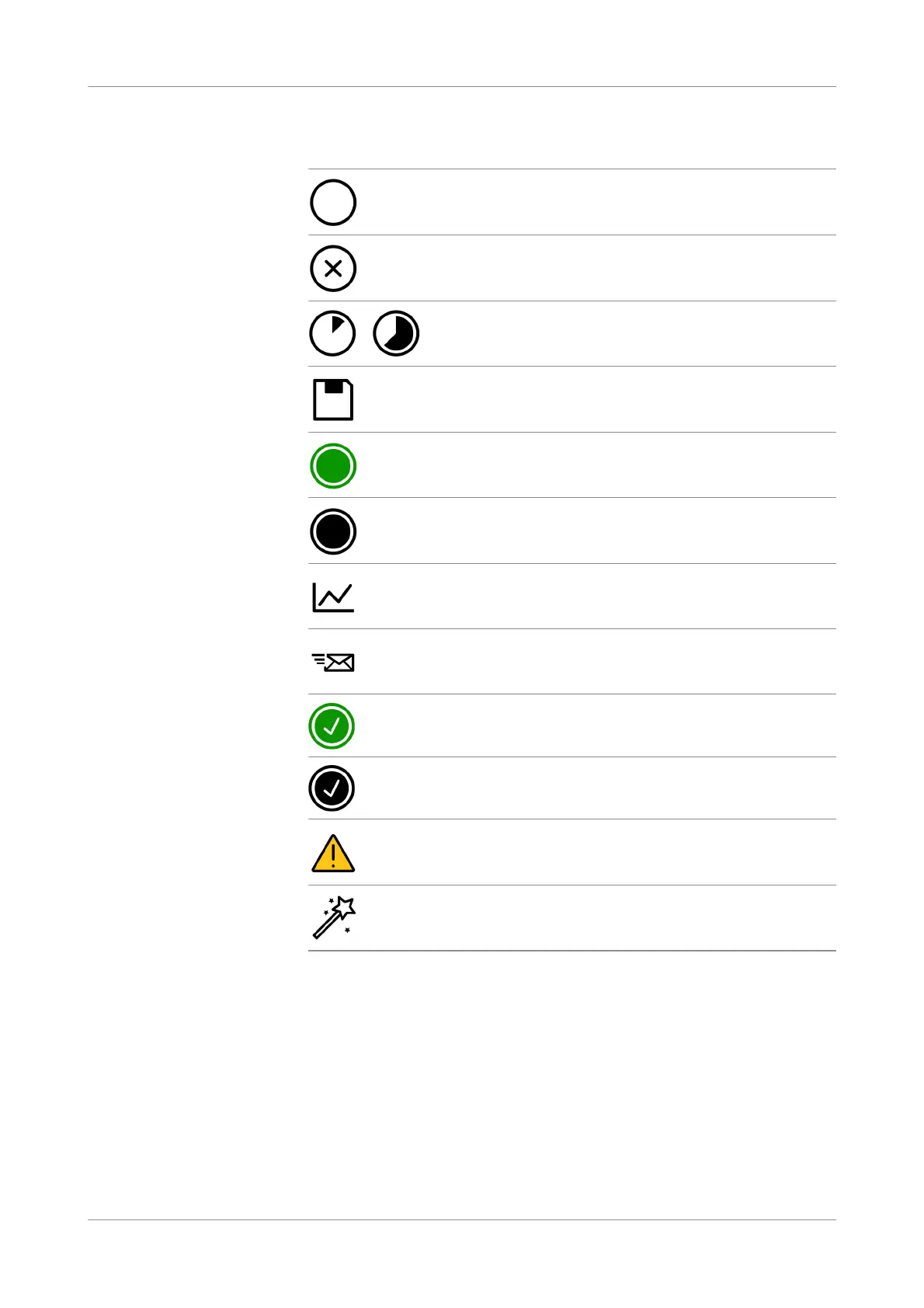
Order status The following icons are used to indicate the order status:
Assign orders to channels and star t
measurement
Select one or more orders and choose the Assign channel button to automatically
assign the selected orders to the available open channels.
To assign an individual order to a dedicated channel, use the Select channel drop-
down list.
After an order is assigned to a channel, choose the Autopipette button to start
measurement.
SendresultstotheLIS To manually send results to the LIS, select one or more orders and choose the Send
button.
To automatically send results to the LIS, set up the LIS configuration accordingly.
LIS order successfully downloaded. Measurement not started.
LIS order was discarded.
Measurement has been started. Measurement progress is indicated.
Saving measurement results.
Measurement has been completed without errors.
Measurement has been completed with a data alarm. The data alarm
was confirmed by the user.
Measurement is final and channel is cleared.
Sending results to LIS is in progress.
Results are successfully sent to LIS.
Results with a confirmed data alarm are successfully sent to LIS.
An error occurred.
Electronic pipette is in use on this channel.











 To Next Page