52 • secamVSA 535/seca mBCA 525
17-10-05-353-002g_10-2020 B
NOTE
Get the patient to sit quietly for 5 minutes before recording measured
values. The patient should remain relaxed and not talk during the
measurement.
You have the following options for continuing:
► ➔ Starting a single measurement
► ➔ Starting a multiple measurement
NOTICE!
Faulty operation, missing measuring results
Results from multiple measurements cannot be transmitted to EMR
systems or the
seca analytics 115 PC software.
► Switch to Single measurement, if necessary, if you want to transmit
blood pressure values to an EMR system or the
seca analytics 115
PC software ➔ Modifying presets.
NOTE
Your administrator will specify whether Single measurement or Multi-
ple measurement is available when the device starts up. You can
modify this and other presets for the current measurement procedure:
➔ Modifying presets. After this, the settings specified by the adminis-
trator will be active again.
Starting a single measurement
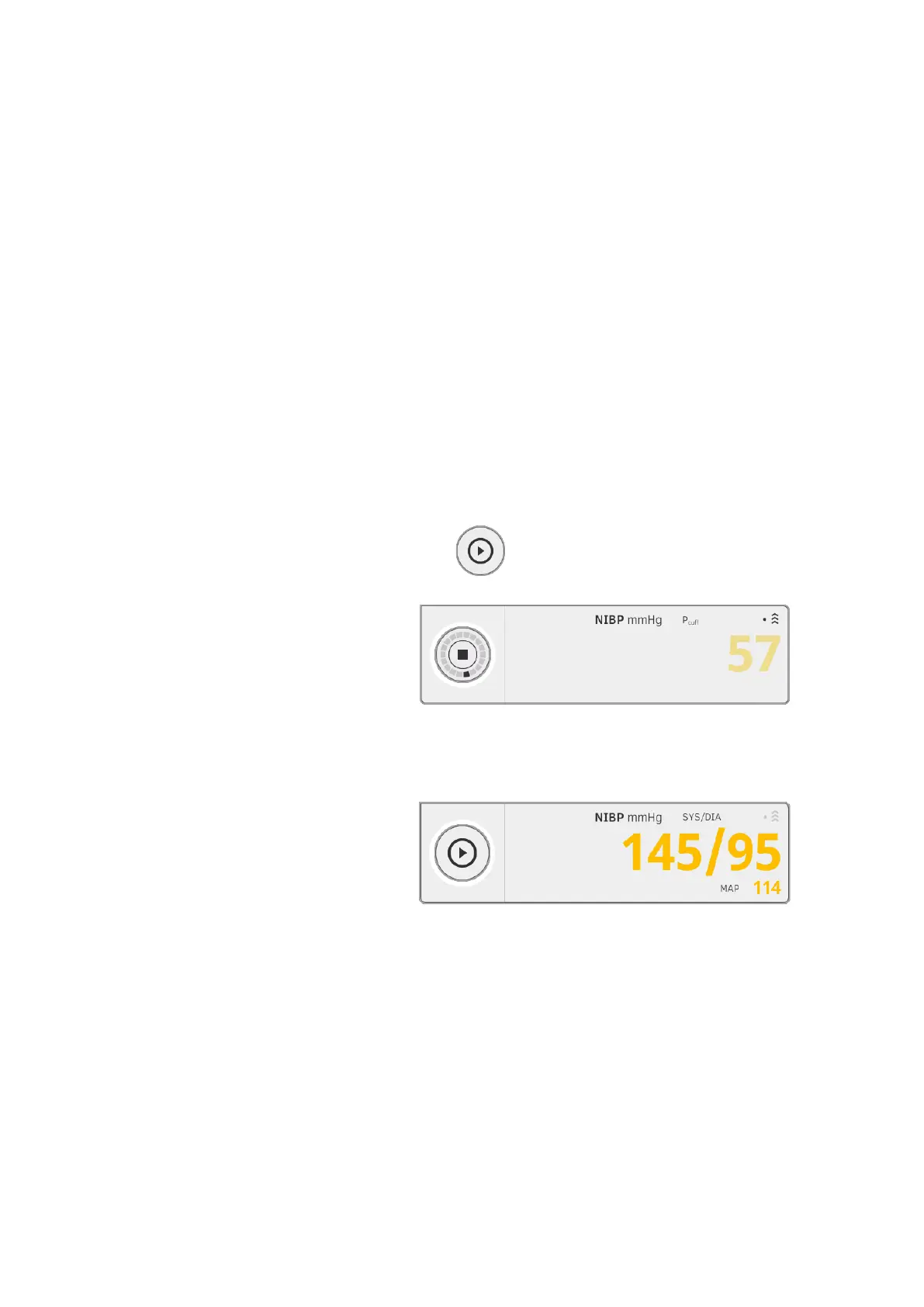
► Press the button on the monitor.
Blood pressure measurement starts:
Current cuff pressure is displayed.
The symbols for measurement procedure and measuring mode flash (in
this case: Single measurement, inflation).
Measurement stops automatically as soon as valid blood pressure values
are detected.
The values for systolic/diastolic blood pressure SYS/DIA and mean
arterial pressure MAP are displayed.
You have the following options for continuing:
► Measure more vital signs ➔ Measuring vital signs
► Measure bioimpedance ➔ Measuring bioimpedance
► Stop the measurement procedure ➔ Stopping a measurement
procedure
NOTE
• Using the Start button, you can cancel and restart blood pressure
measurement at any time.



 To Next Page