130
99
Connections and Communications with External EquipmentConnections and Communications with External Equipment
Points to Note
· If communications are to be performed with communication software installed onto the
personal computer, make sure the settings are made in accordance with the instructions for
that software. ^ [User Settings] (P.138)
· Programing that uses command codes is necessary to control the balance from a personal
computer. ^ [List of Commands] (P.133)
6.
Decompress the downloaded [Multi-Balance Collect] [Balance
Keys] le
Right-click on the file downloaded in Step 5, and then click on [Open All] or [Decompress].
7. Set up [Multi-Balance Collect] [Balance Keys]
See the instruction manual for the [Balance Keys Data Collection Software] decompressed in
Step 6 for details on set-up, start up the setup file (Setup.exe), follow the instructions displayed
to set it up, and then set the [Multi-Balance Collect] [Balance Keys] parameters.
8. Conrming operations
Refer to each instruction manual and simple PC connection manual for details on how to verify
that data from connected balances is being transferred to a PC.
A video is available which illustrates Multi-Balance Collect weighing data capture software
configuration methods and other information.
https://www.an.shimadzu.co.jp/balance/products/multi_balance_collect/movie.htm
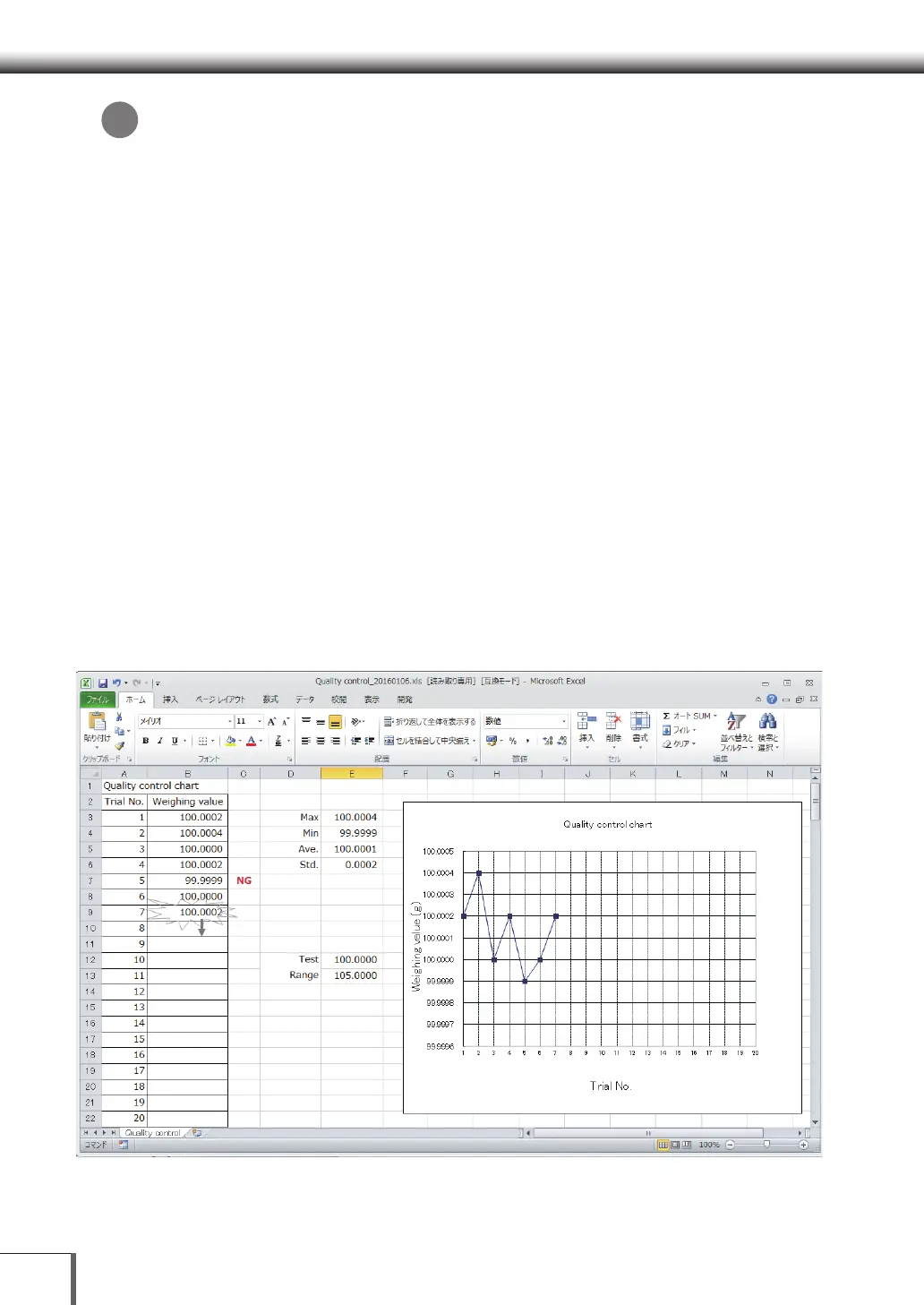
Example of balance data loaded onto an Excel worksheet
*



 To Next Page
 Loading...




