42
44 Basic OperationsBasic Operations
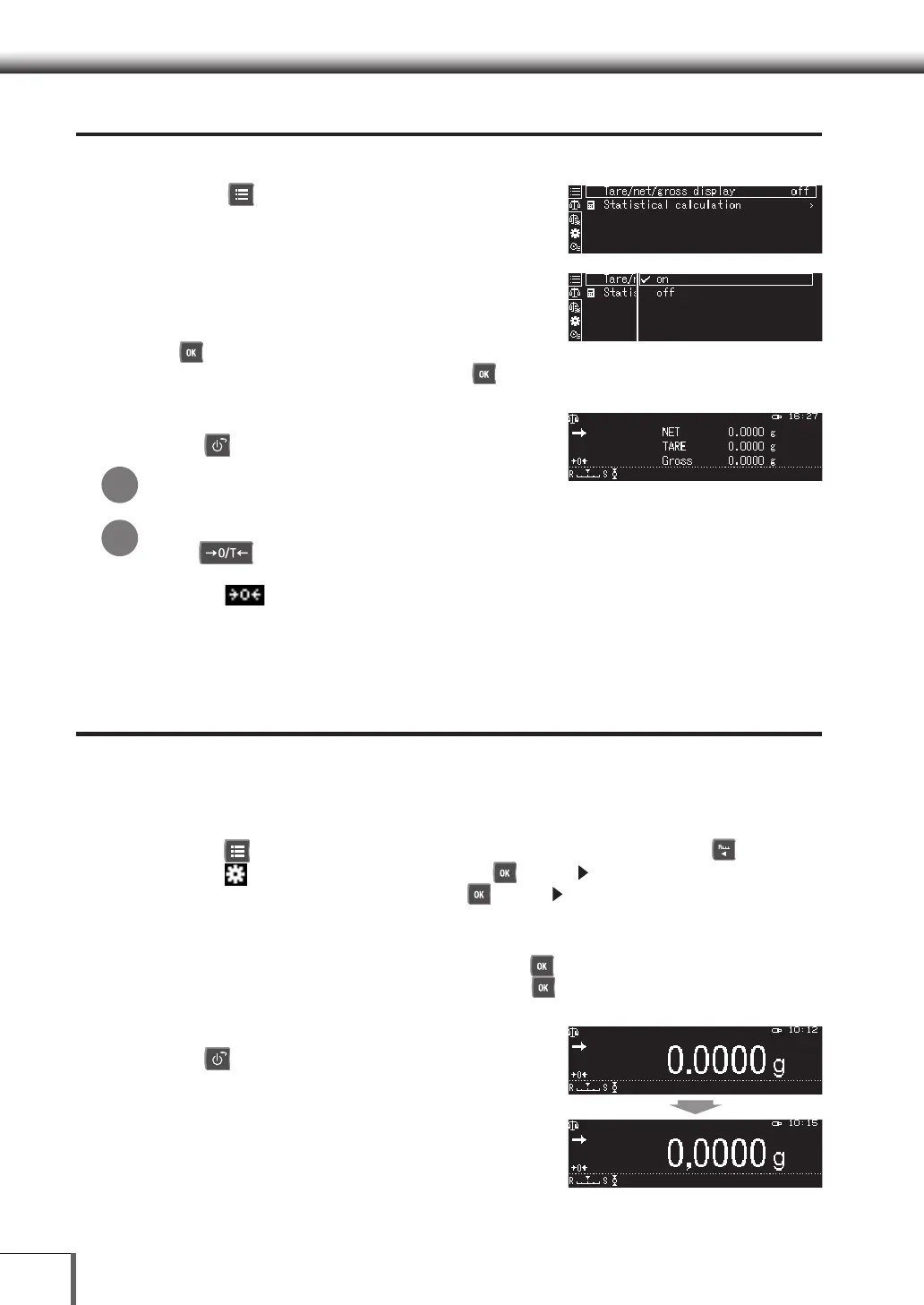
Displaying Tare/Net/Gross
It is possible to switch between Tare/Net/Gross displays.
1.
Press [ MENU] when in the weight
measurement mode
The main menu will be displayed.
2.
Switch between Tare/Net/Gross
displays.
(1) Select [TARE/Net/Gross Display] and then press
[ OK].
(2) Select either [On] or [Off], and then press [ OK].
3. Return to the weight display mode
Press [ POWER]
Cannot be used with the mol unit.
If the tare weight remains at zero without changing
If the [ O/T] key is pressed with the tare weight on the pan at approximately 2% or less
of the capacity, the zero point will be re-set instead of the tare weight being displayed. In this
event, the
zero point mark will be illuminated and the tare weight (net/gross) display will
be zero.
Switching Between Decimal Points (.),
Periods (.) and Commas (,)
It is possible to select [. (Period)] or [, (Comma)] for the decimal point display. If the Decimal point
display is changed, the decimal point for all external data output to printers, etc., will also be changed.
1. Call [System settings]
(1) Press [ MENU] when in the weight measurement mode, and then press [ ].
(2) Select [ System settings], and then press [ OK] or [ ].
(3) Select [System settings], and then press [ OK] or [ ].
2. Select the decimal point
(1) Select the [Decimal point display], and then press [ OK].
(2) Select either [Period] or [Comma], and then press [ OK].
3. Return to the weight display mode
Press [ POWER]
*
*



 To Next Page
 Loading...




