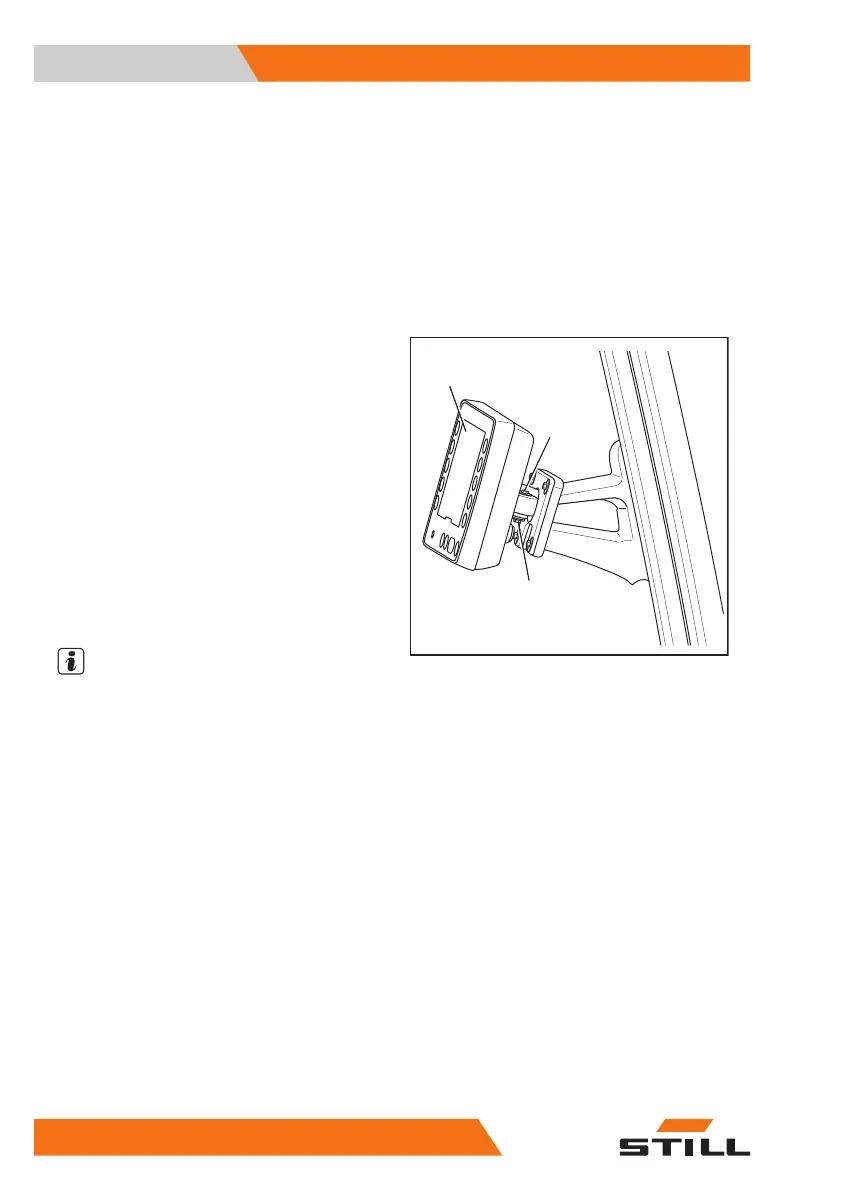
Adjusting the swivelling display-op-
erating unit
If the truck is equipped with multi-lever opera-
tion, the display-operating unit is swivel-moun-
ted on the right A-pillar.
The display-operating unit can be swivelled
from the neutral position to 15° to the left,
right, up and down. The unit cannot rotate
around its own axis.
To change the resistance for adjusting the dis-
play-operating unit, there are two socket head
screws (2) on the support for the display-oper-
ating unit. The hexagon socket wrench for
emergency lowering can be used to loosen or
tighten the socket head screws (2).
– Loosen the socket head screws (2) as re-
quired.
– Hold the display-operating unit (1) in place.
– Adjust the display-operating unit (1) so that
it can be read without glare.
– Tighten the socket head screws (2) as re-
quired.
NOTE
If the angle of the display-operating unit
changes during driving, tighten the socket
head screws. This makes the display-operat-
ing unit more secure in the support mounting.
1
2
2
6219_003-235
Operation
4
Checks and tasks before daily use
100 56368011531 EN - 01/2021 - 05



 To Next Page