Working spotlights
Front and rear working spotlights
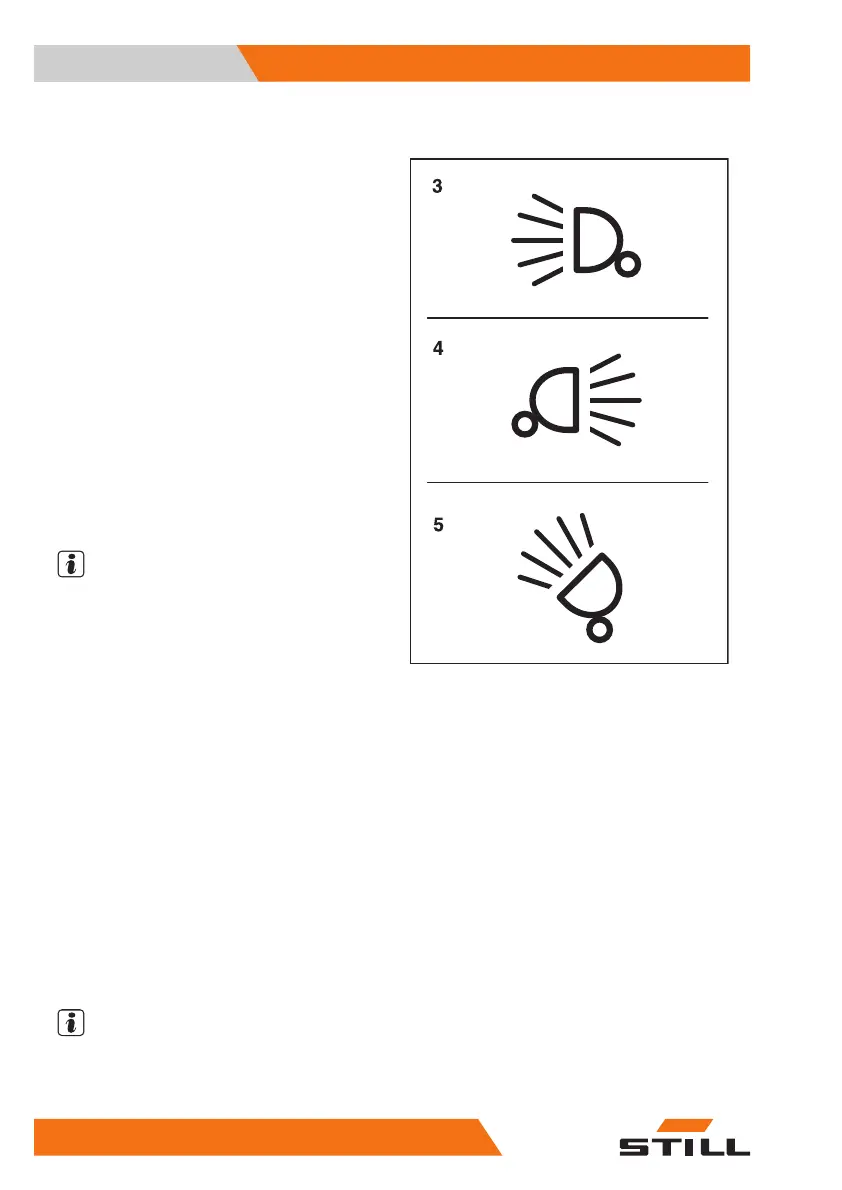
– To switch on the front working spot-
lights (3), push the associated Softkey on
the display-operating unit.
The front working spotlights light up.
– To switch off the front working spot-
lights (3), push the Softkey again.
The front working spotlights go out.
– To switch on the rear working spotlights (4),
push the associated Softkey on the display-
operating unit.
The rear working spotlights light up.
– To switch off the rear working spotlights (4),
push the Softkey again.
The rear working spotlights go out.
NOTE
For the StVZO (German Road Traffic Licens-
ing Regulations) variant, the parking light is al-
so switched on when the working spotlights
are switched on. The licence plate lamp (if
present) is also switched on when the forward-
facing working spotlights are switched on.
Working spotlights on the roof and the
side of the lift mast
The roof spotlights light up the working area
when the fork carriage is raised.
– To switch on the roof spotlights (5), push
the associated Softkey on the display-oper-
ating unit.
The roof spotlights (5) light up.
– To switch off the roof spotlights (5), push
the Softkey again.
The roof spotlights (5) go out.
NOTE
Depending on the configuration, the roof spot-
lights automatically switch on when the fork
carriage is raised.
Front working spotlights
Rear working spotlights
Roof spotlights
3
4
5
Operation
4
Lighting
154 56368011531 EN - 01/2021 - 05



 To Next Page