EasyManua.ls Logo

Still 6219 - Deleting Driver Profiles

Still 6219
540 pages
Print Icon
To Next Page IconTo Next Page
To Previous Page IconTo Previous Page
Loading...
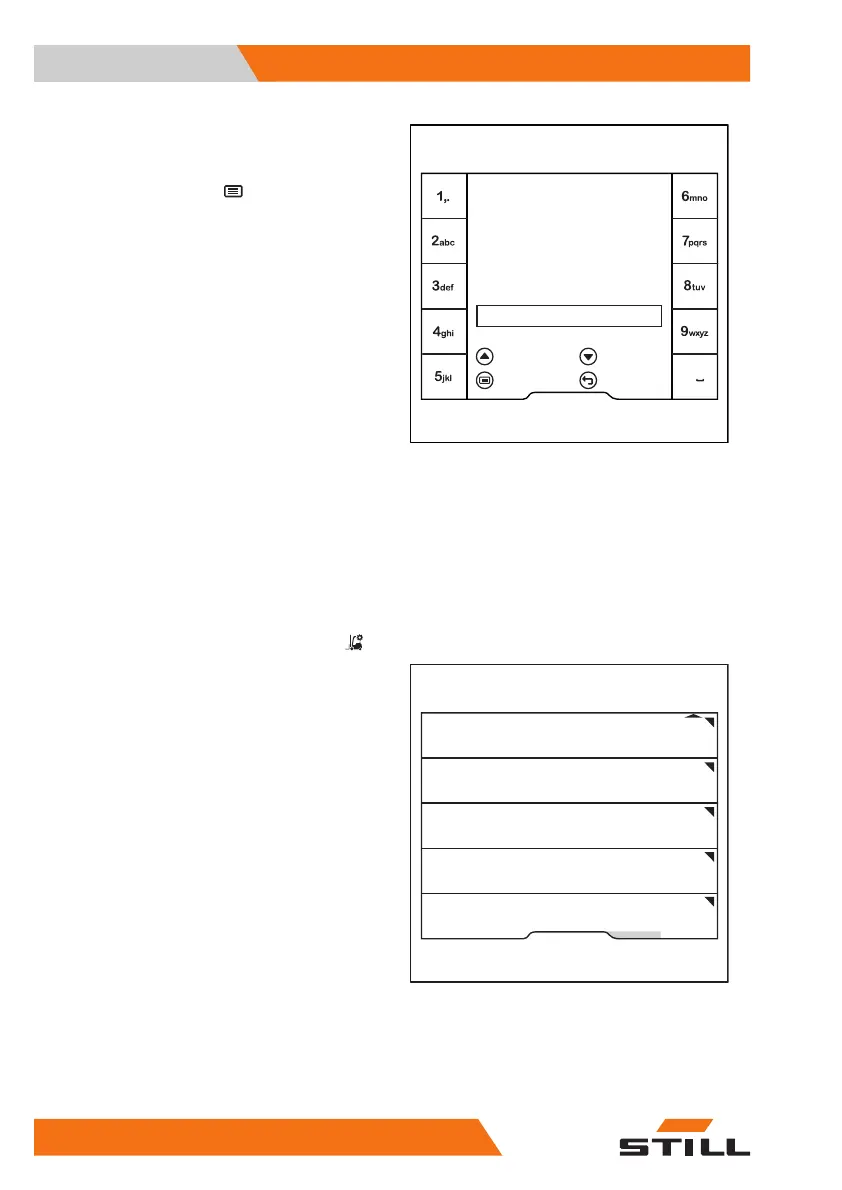
The
Driver name
menu is displayed.
Use the softkeys to enter the desired name.
To confirm, press the
button.
Deleting driver profiles
The fleet manager has access authorisation to
delete driver profiles.
Activate the "Access authorisation for the
fleet manager".
Press the
Truck settings
softkey .
Press the
Manage driver profiles
softkey.
Enter driver name
= Clear
Driver name
Horst
= abc -> ABC
= Save = Cancel
6219_003-295_en
0
Fleet manager
Auxiliary hydraulics
Change PIN codes
Manage driver proles
On-board charger
Lift height preselection
6219_003-296_en
Operation
4
Driver profiles
150 56368011531 EN - 01/2021 - 05

Table of Contents

Related product manuals