NOTE
During commissioning, the first question can
also be answered with "
No
". Truck functions
are not restricted until the question catalogue
has been compiled by the authorised service
centre and the restrictions have been set by
the fleet manager.
Process
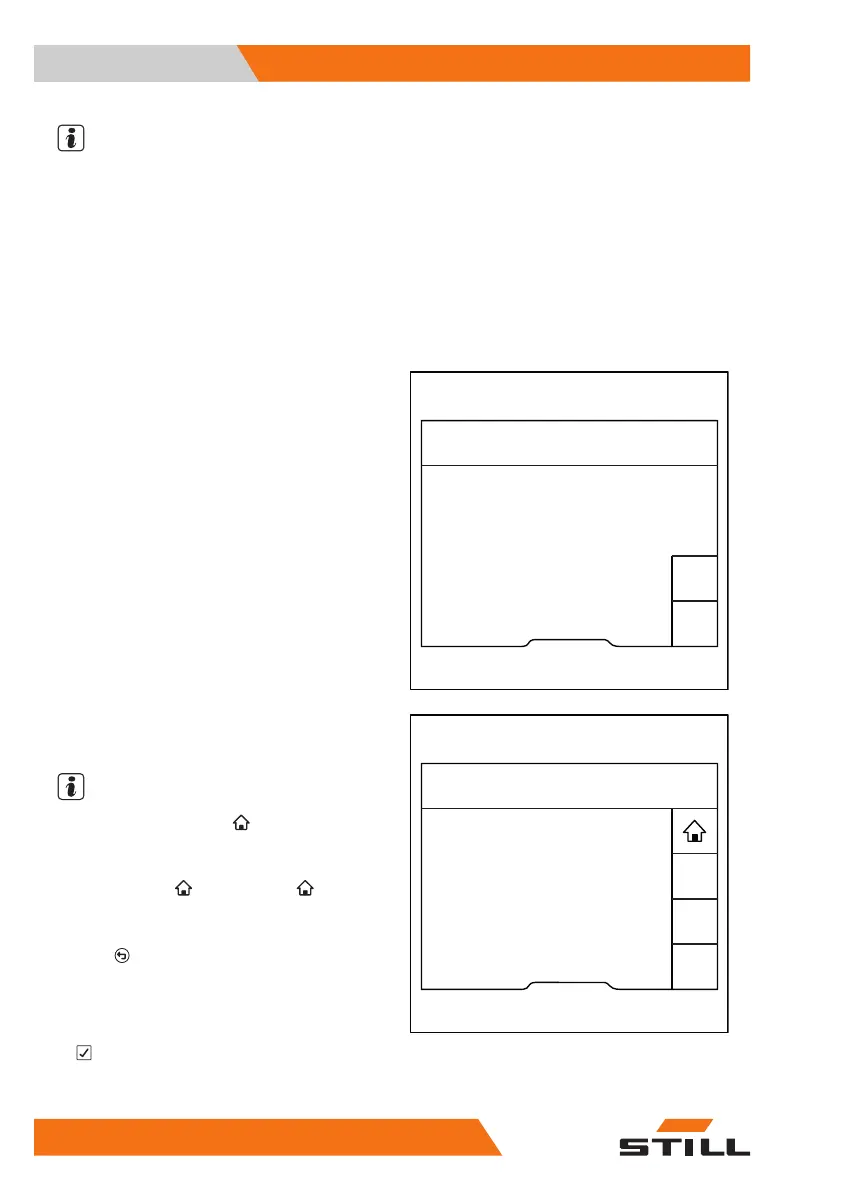
– Switch the truck on.
The first question appears.
– Press the "Yes" or "No" softkey.
The next question appears.
Some of the questions require a functional
test, such as the functional test of the lighting.
NOTE
The main display symbol appears only
when it is required for the test.
– To access the main display, press the main
display button
or the softkey .
The main display contains the message
To
complete Pre-Shift Check,
press
.
This means that the Pre-Shift Check is still ac-
tive and the truck functions are restricted.
– To acknowledge the message, press the
softkey.
Pre-Shift Check
Truck ready for operation?
1/1
No
Yes
6219_003-264_en
Pre-Shift Check 4/6
No
Yes
6219_003-265_en
Does the truck lighting work?
Operation
4
Pre-shift check
130 56368011531 EN - 01/2021 - 05


 To Next Page