– Refer to the chapter entitled "Display mes-
sages".
NOTE
After connecting the battery, the correct
charge state may not be displayed until the
battery is placed under load by driving or lifting
operations.
Switching on via push button (var-
iant)
WARNING
All checks and tasks required before daily use must
have been performed without any defects being iden-
tified before switching on the truck.
– Perform the "visual inspections and functional
checks".
–
Do not
operate the truck if defects have been de-
tected; contact the authorised service centre.
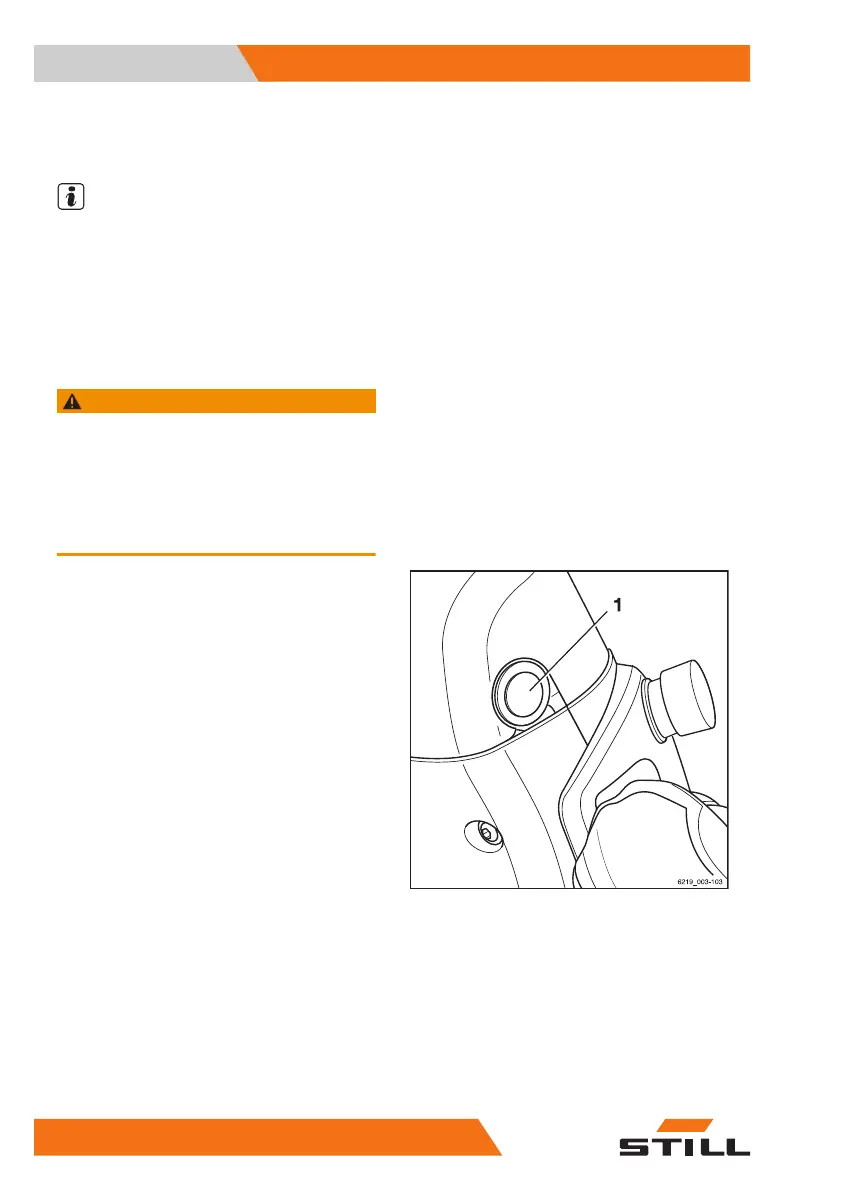
The "Switch on via push button" variant is
available only in conjunction with the "Fleet-
Manager" or "Access authorisation with PIN
code" variants. In place of the key switch, the
truck has a push button (1) that is used to
switch the truck on and off.
– To switch on the truck, press the push but-
ton (1) or sit on the driver's seat. A mes-
sage on the display/operating unit asks the
operator to place the FleetManager card in
position or to enter the PIN code.
Authorisation via the "FleetManager" card or
the PIN code must take place within a speci-
fied period of time:
●
Within 30 seconds if the driver's seat is not
occupied
●
Within 60 seconds if the driver's seat is oc-
cupied
If this does not happen, the truck switches off
again.
– To switch on the truck, press the push but-
ton (1) or sit in the driver's seat.
If authorisation was successful, the truck is
ready for operation. The main view is shown
on the display.
Operation
4
Switching on
120 56368011531 EN - 01/2021 - 05



 To Next Page