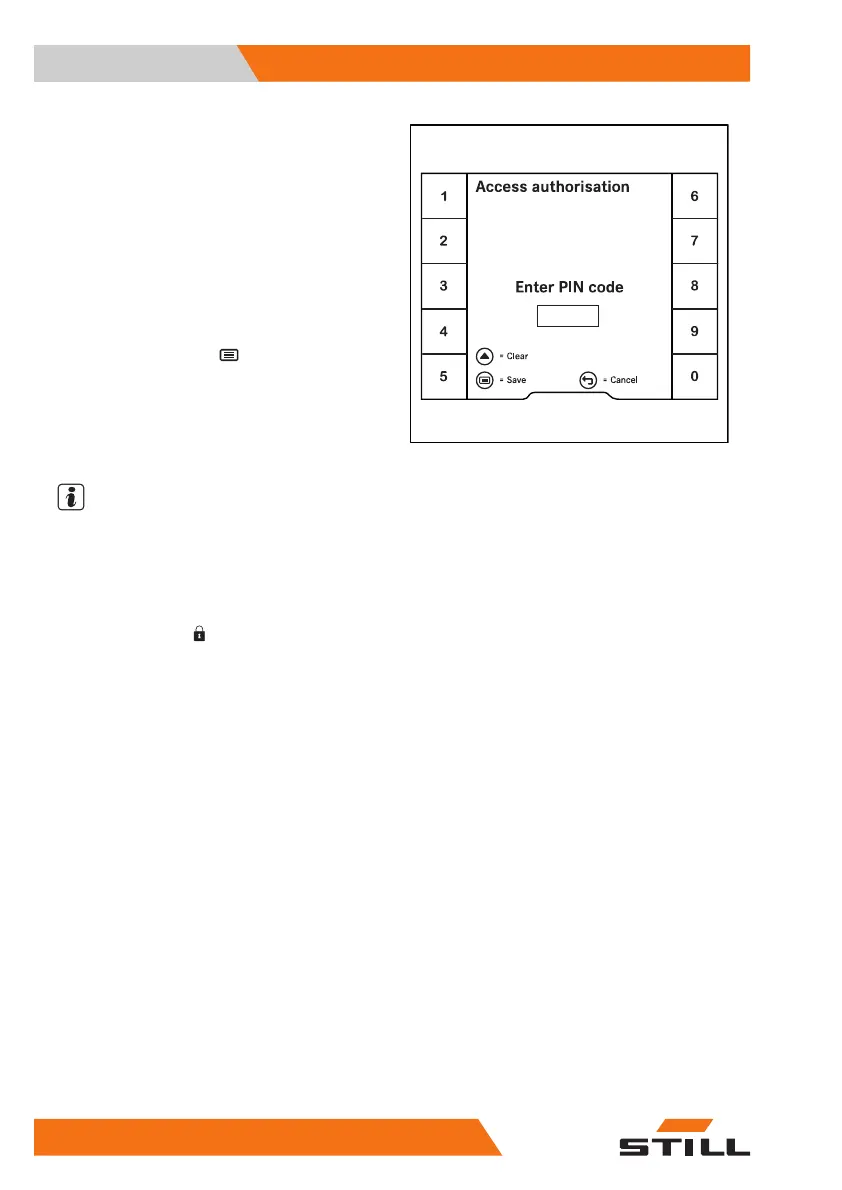
When the key switch is switched on, the
Ac-
cess authorisation
input menu ap-
pears.
All hydraulic functions and drive functions of
the truck are blocked. In the StVZO (German
Road Traffic Licensing Regulations) variant,
the function of the hazard warning system
(variant) is guaranteed.
– To activate the blocked functions, use the
softkeys to enter the PIN code.
– To confirm, push the
button.
If the input was correct, the display changes to
the main display. The truck is ready for use.
– If the input was incorrect, enter the PIN
code again.
NOTE
The authorised service centre can configure
access authorisation so that the PIN code has
to be re-entered each time after someone
leaves the truck.
When the driver's seat is occupied again, the
message
Log in
appears. The display
then changes to the "Access authorisation" in-
put menu.
Changing the PIN codes
The fleet manager can change the PIN codes.
See also the following section entitled "Access
authorisation for the fleet manager (variant)".
– Activate the "Access authorisation for the
fleet manager".
6219_003-196_V4_en
Operation
4
Display-operating unit
124 56368011531 EN - 01/2021 - 05


 To Next Page
 Loading...







