NOTE
The wizard requires access authorisation for
the fleet manager. Access to the settings
menu is only available if the truck is at a
standstill and the parking brake is applied. If
the parking brake is released prematurely, the
settings menu will close.
– Set the load down, if necessary.
– Drive the truck into an area that is to be
used for placing loads into stock and re-
moving loads from stock.
Once the "automatic mast vertical positioning"
assistance system has been calibrated, a pal-
let can be stored horizontally in a rack when
the truck is standing on a HGV ramp, for ex-
ample.
– Lift the fork carriage slightly.
– Apply the parking brake.
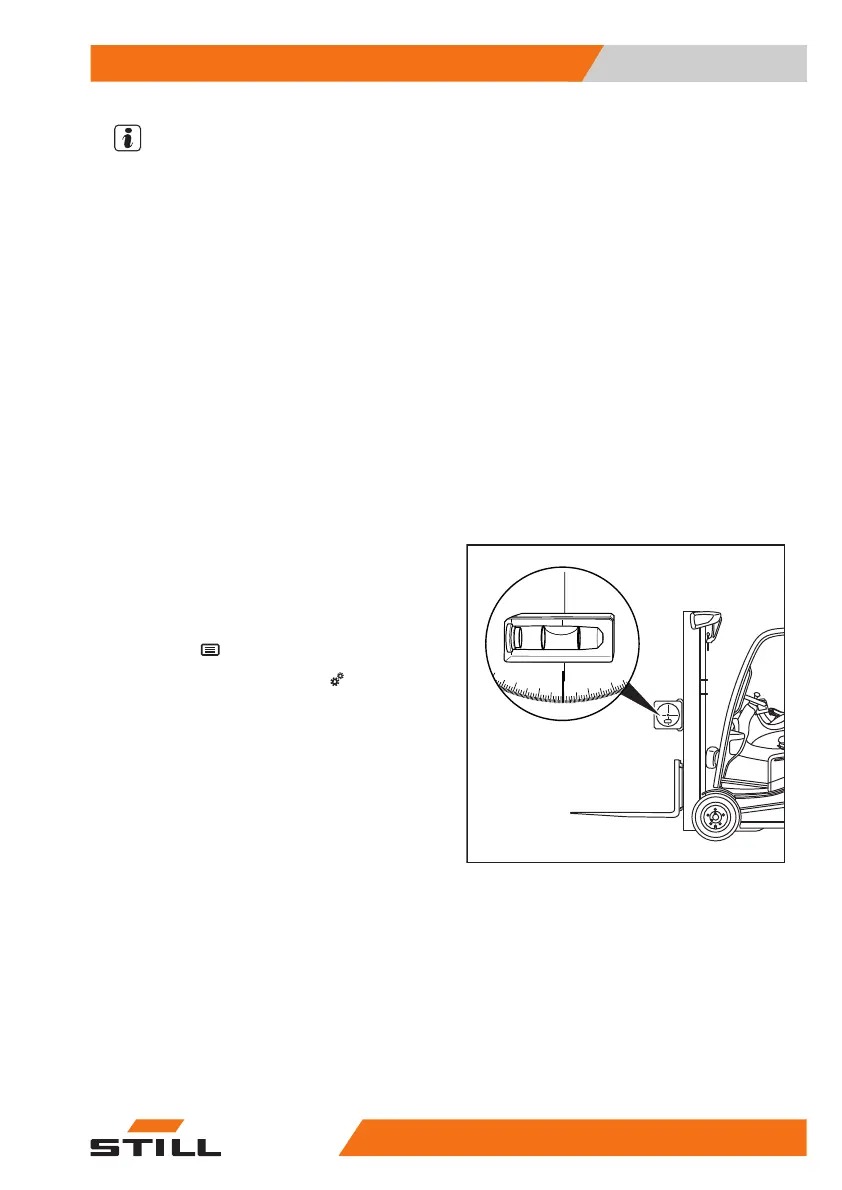
– Attach a tilt angle template with a spirit level
to the outer lift mast.
– Bring the lift mast to the vertical position ac-
cording to the spirit level.
–
Press the
button.
– Press the "Settings" Softkey
.
– Activate the "Access authorisation for the
fleet manager".
Operation
4
Tilt-angle-dependent assistance systems
16556368011531 EN - 01/2021 - 05



 To Next Page