Symbols for the parking brake in the display-operating unit
Symbol Description
The parking brake was applied automatically.
Actuating the accelerator pedal automatically releases the parking brake.
The parking brake was applied by pressing the push button.
Pressing the push button is the only way to release the parking brake.
Releasing the electric parking brake af-
ter the truck has been switched on
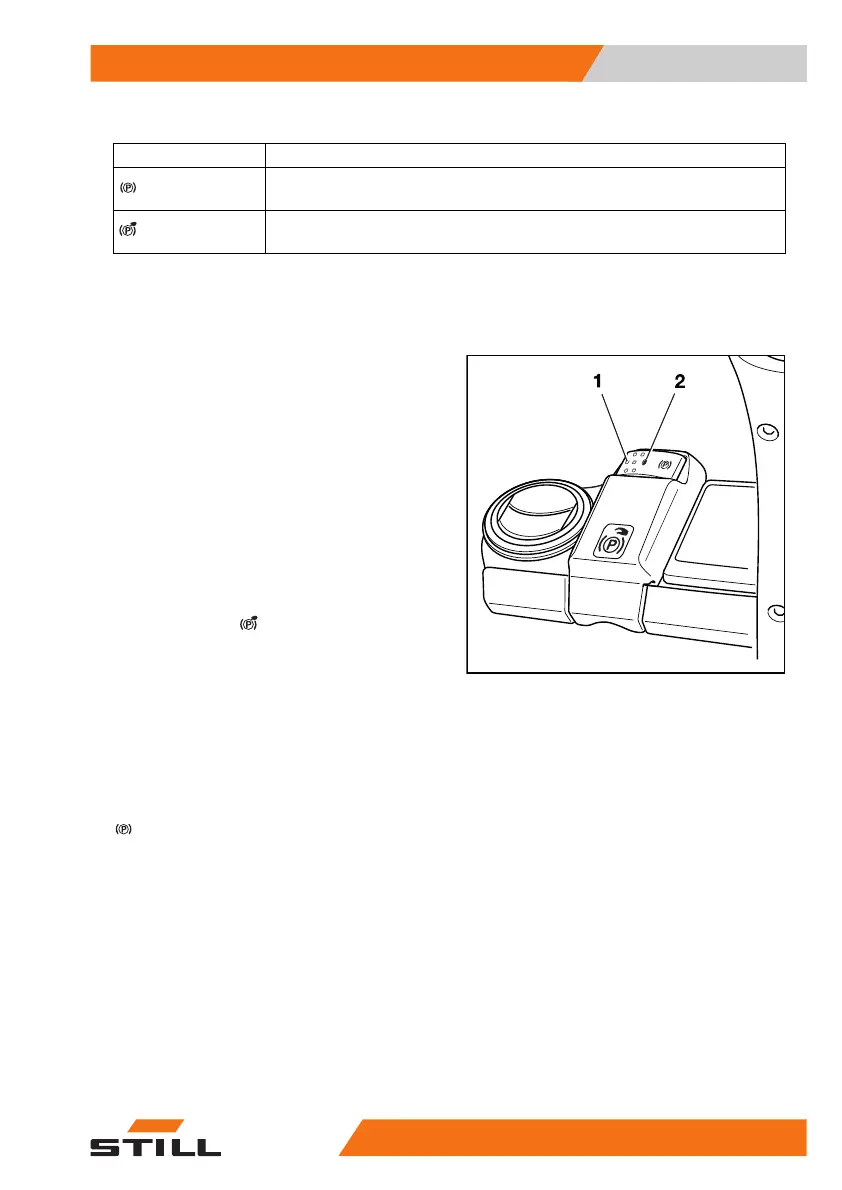
– Press the push button (1) to release the
parking brake.
The truck is held in place by the traction mo-
tor.
Manually actuating the electric parking
brake when the truck is stationary
Applying the parking brake manually
– Press the push button (1).
The electric parking brake will make a noise
when it is applied and the LED (2) lights up
continuously. The
symbol appears in the
display.
Releasing the parking brake manually
– Sit on the driver's seat.
– Press the push button (1).
The electric parking brake will make a noise
when it releases and the LED (2) goes out.
The driving speed display is replaced by the
symbol.
Automatic actuation of the electric park-
ing brake when the truck is stationary
When the truck is stationary, the electric park-
ing brake is applied automatically in the follow-
ing situations:
6219_003-006_V2
Operation
4
Driving
20756368011531 EN - 01/2021 - 05


 To Next Page
 Loading...







