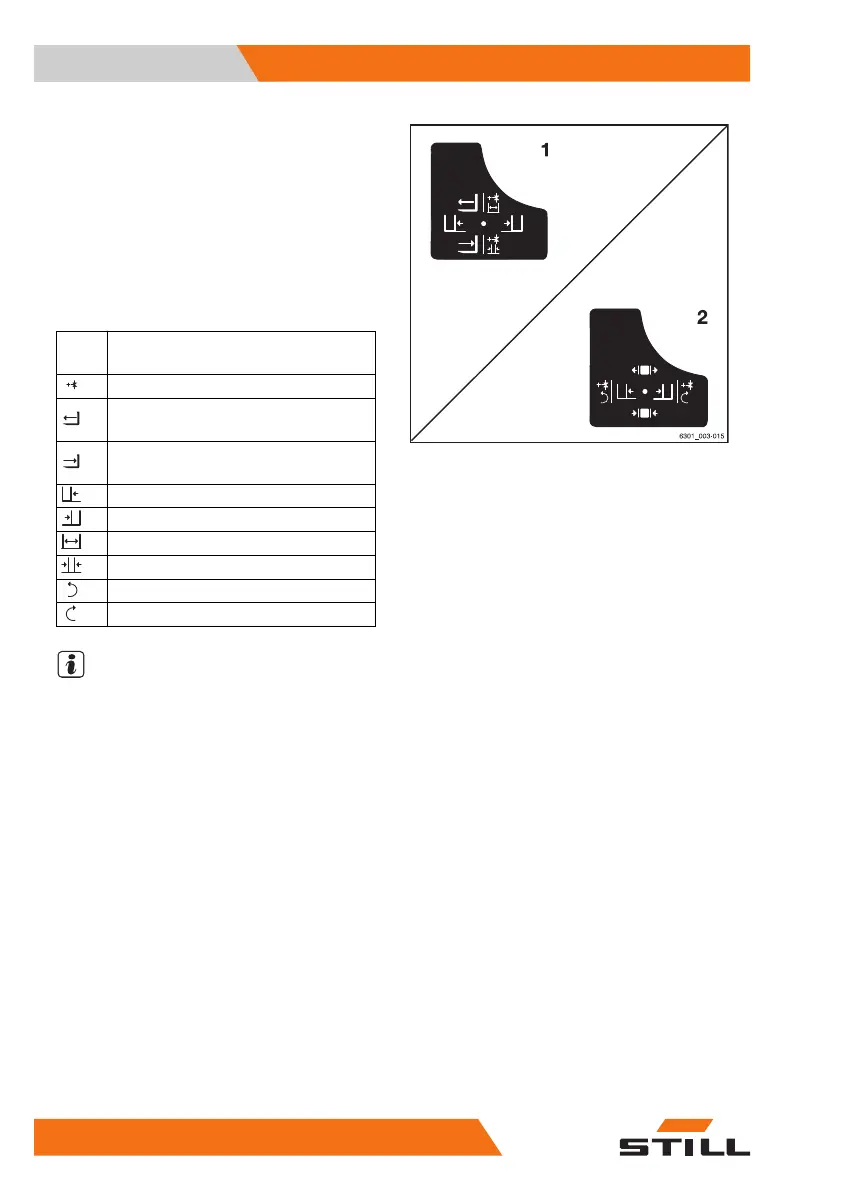
Example using the pictograms for configura-
tion (1):
If the "attachments" cross lever (1) is moved in
the direction of the arrow (A), the fork is exten-
ded.
If the function key for the "5th function" (3) is
actuated and the "attachments" cross lever (1)
is moved in the direction of the arrow (A), the
fork arms open.
Picto-
gram
Attachment function
Auxiliary hydraulics "5th function"
Move the side shift frame or fork for-
wards
Move the side shift frame or fork
backwards
Move the sideshift to the left
Move sideshift to the right
Adjust fork arms: open
Adjust fork arms: close
Rotate to the left
Rotate to the right
NOTE
The pictograms are affixed according to the
attachment fitted at the factory. If an attach-
ment with different functions is fitted, the au-
thorised service centre must check that the
pictograms bear the correct representation
and must change them if necessary.
Operation
4
Attachments
316 56368011531 EN - 01/2021 - 05



 To Next Page