Picto-
gram
Attachment function
Move the side shift frame or fork for-
wards
Move the side shift frame or fork
backwards
Move the sideshift to the left
Move sideshift to the right
Adjust fork arms: open
Adjust fork arms: close
Release load retainer
Clamp load retainer
Open clamps
Close clamps
Rotate to the left
Rotate to the right
Tip shovel over
Tip shovel back
NOTE
The pictograms are affixed according to the
attachment fitted at the factory. If an attach-
ment with different functions is fitted, the au-
thorised service centre must check that the
pictograms bear the correct representation
and must change them if necessary.
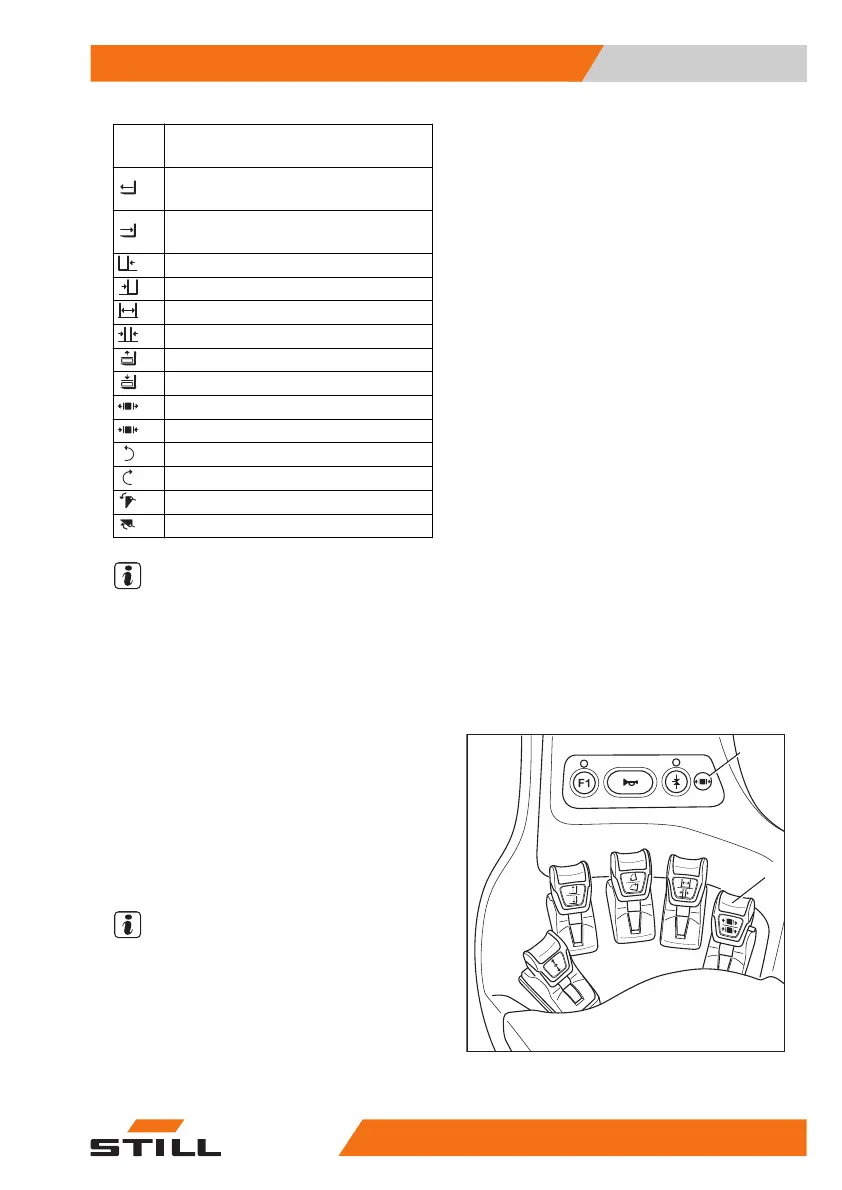
Clamp locking mechanism
– To release the clamp locking mechanism,
push the operating lever (2) forwards.
The clamp locking mechanism is released.
The LED for the "clamp release" (1) lights up
and remains lit while the clamp locking mech-
anism is released.
NOTE
The hydraulic function for opening the clamp
is available for one second after the clamp
locking mechanism is released. After one sec-
ond, the clamp locking mechanism is automat-
ically reactivated.
– To open the clamp, push the operating lev-
er (2) forwards again.
1
2
6219_003-207
Operation
4
Attachments
32556368011531 EN - 01/2021 - 05



 To Next Page