Press softkey Operating stage
3rd time Off
Hold (possible in all
operating stages)
Washer
Front windscreen wiper and washer
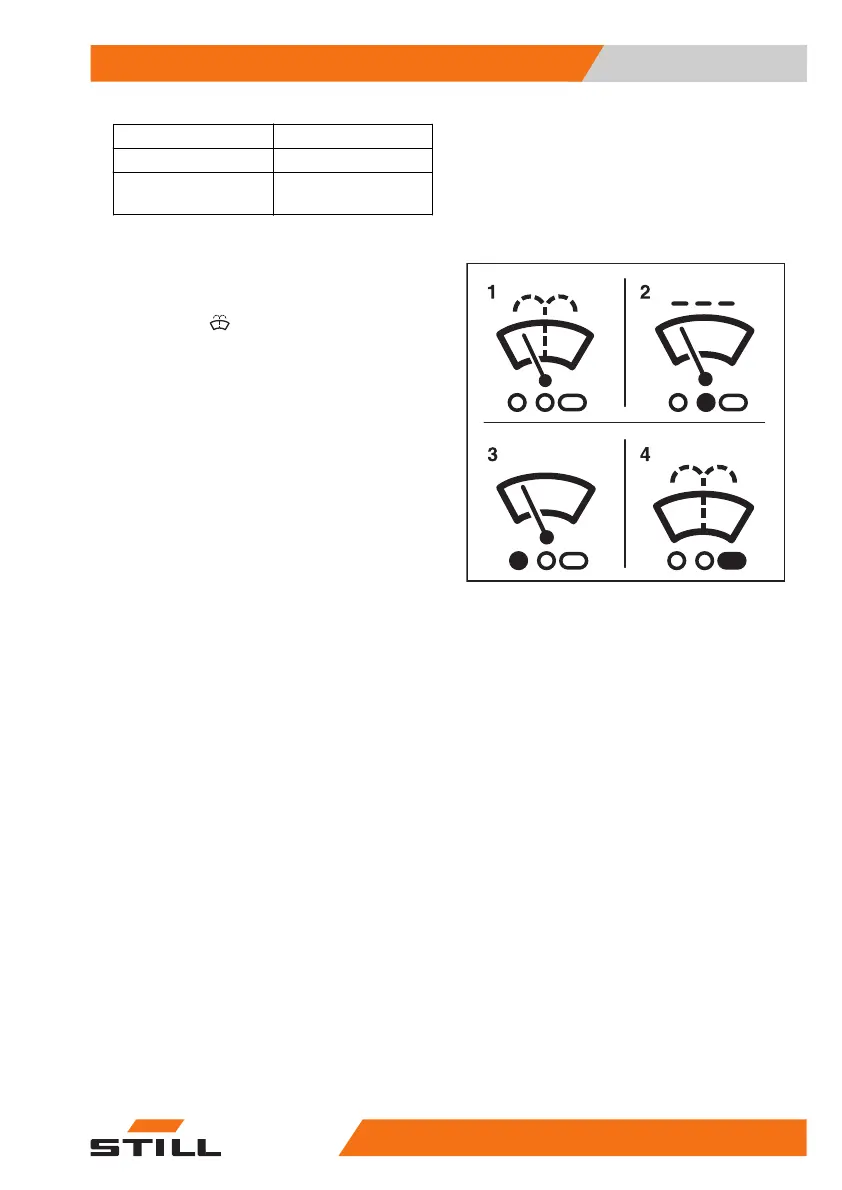
– To activate the "On" operating stage, press
the softkey
(1).
The "On" operating stage is activated. The
symbol (3) appears
– To activate the "Intermittent mode" operat-
ing stage, press the softkey again.
The symbol (2) is shown with an orange back-
ground.
– To activate the "Washer" operating stage,
press and hold the softkey.
The "Washer" operating stage is activated.
The symbol (4) is displayed for as long as the
softkey is pressed.
– Once the window is clean, release the soft-
key.
The previous operating stage is reactivated.
– To switch this operating stage off, press the
softkey repeatedly until the symbol (1) ap-
pears again on the display. The activation
bar next to the symbol goes out.
6219_003-069_V2
Operation
4
Auxiliary equipment
33356368011531 EN - 01/2021 - 05


 To Next Page