Operating & Maintaining the Objet1000 Plus 3D Printer
6–32
DOC-06810 Rev. A
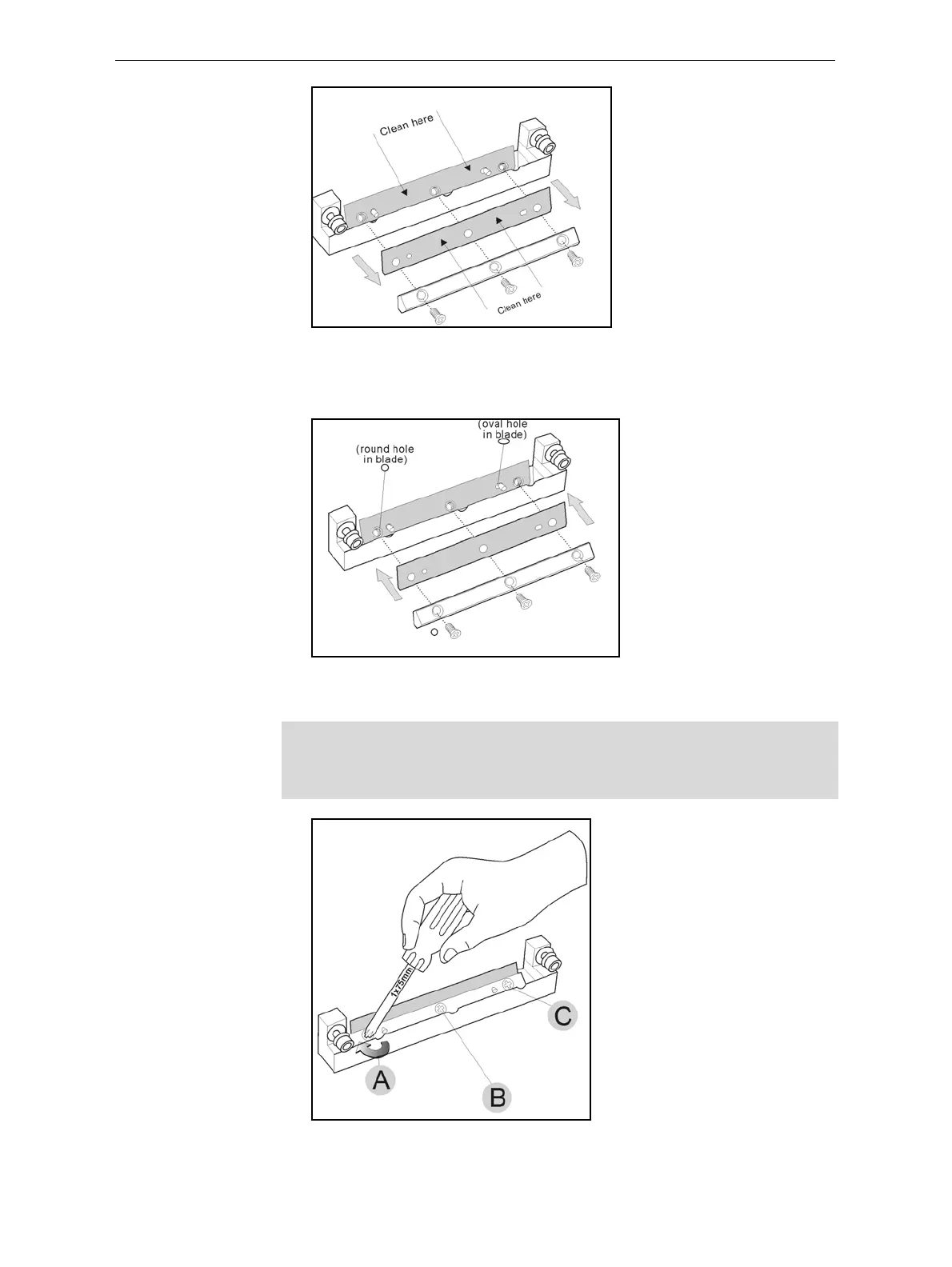
Figure 6-38: Removing the old roller scraper blade
5. Removethescraperbladeanddiscardit.
6. Placethenewscraperbladeontothepinsintheholder,asshown.
Figure 6-39: Inserting the new roller scraper blade
7. Insertandtightentherollerscraperbladescrews.
Figure 6-40: Tightening the roller scraper screws
Important:
¾ Tighten the screws in the order shown in figure 6-40.
¾ Use the new screws supplied in the replacement kit.













 To Next Page