DOC-06810 Rev. A 6–37
Objet1000 Plus User Guide
Note: To accurately test and calibrate print heads, they must be clean. If
necessary, run the Cleaning wizard before beginning this procedure.
To test and calibrate the print heads:
1. Prepare—
• disposablecleaninggloves(anyclean,powder‐freeprotective
gloves)
• pinkpaper
• theMissingNozzlesruler
• thescalesuppliedforusewiththiswizard
Note:Ensure that the scale is calibrated and charged before beginning
this procedure.
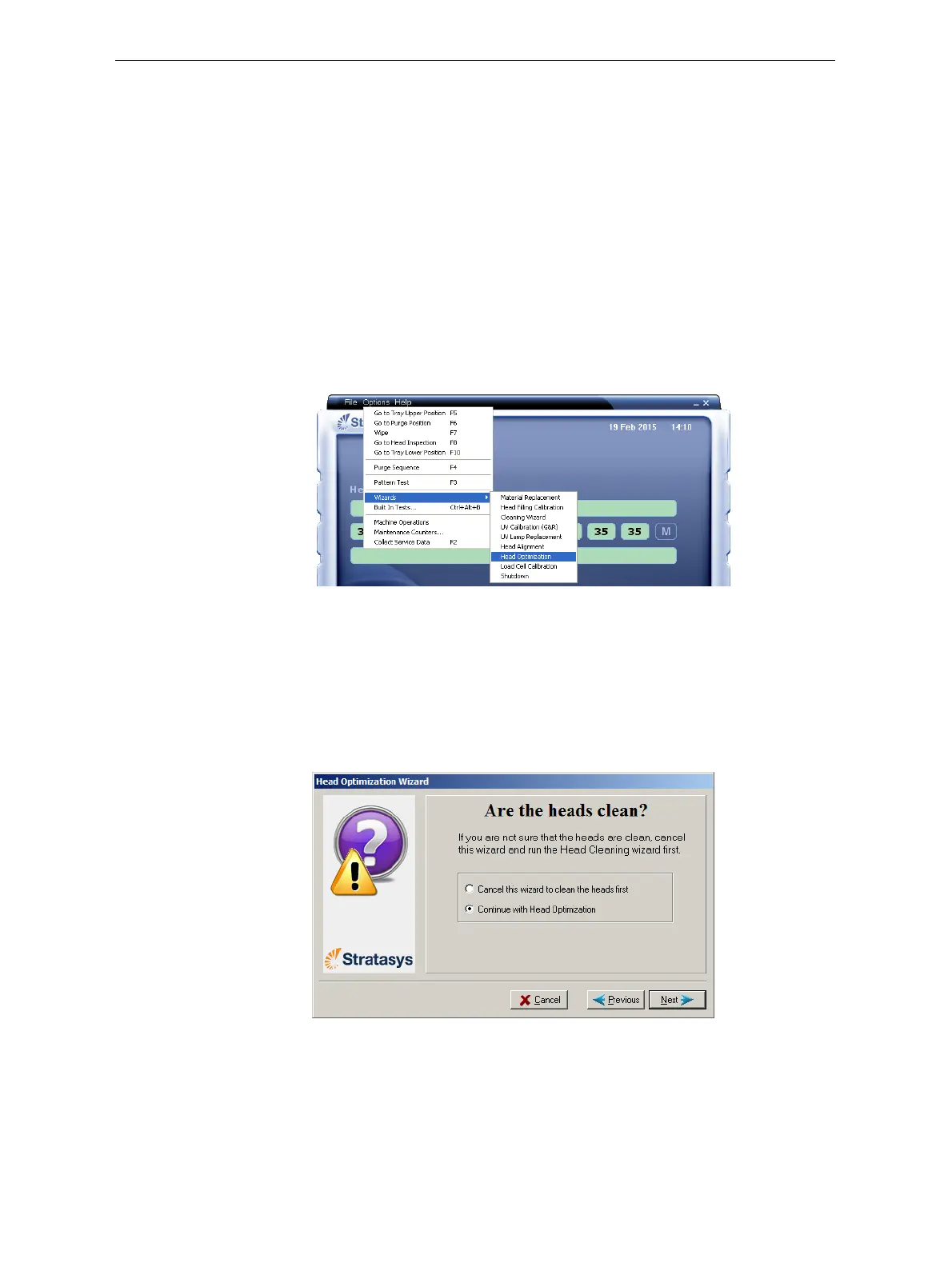
2. StarttheHeadOptimizationwizardfromtheOptionsmenu.
Figure 6-48: Starting the Head Optimization wizard
3. Intheopeningwizardscreen,clickNexttobegin.
TheWizardConditionsscreenappears.
4. Readtheconditions,selectIAgreeandclick
Next.
5. Inthefollowingscreen,select
Continue with Head optimizationifyou
haverecentlycleanedtheprintheads.Otherwise,cancelthewizard
andruntheCleaningwizard.
Figure 6-49: Clean print heads screen













 To Next Page