DOC-06810 Rev. A 6–43
Objet1000 Plus User Guide
20. Inthewizardscreen,confirmthatthebuildtrayisclearandthatthe
doorsareclosedandclick
Next.
Thewizardusesthedatacollectedtoanalyzetheconditionoftheprint
headsandoptimizethemsotheyprintmodelswithauniformlayerof
material.
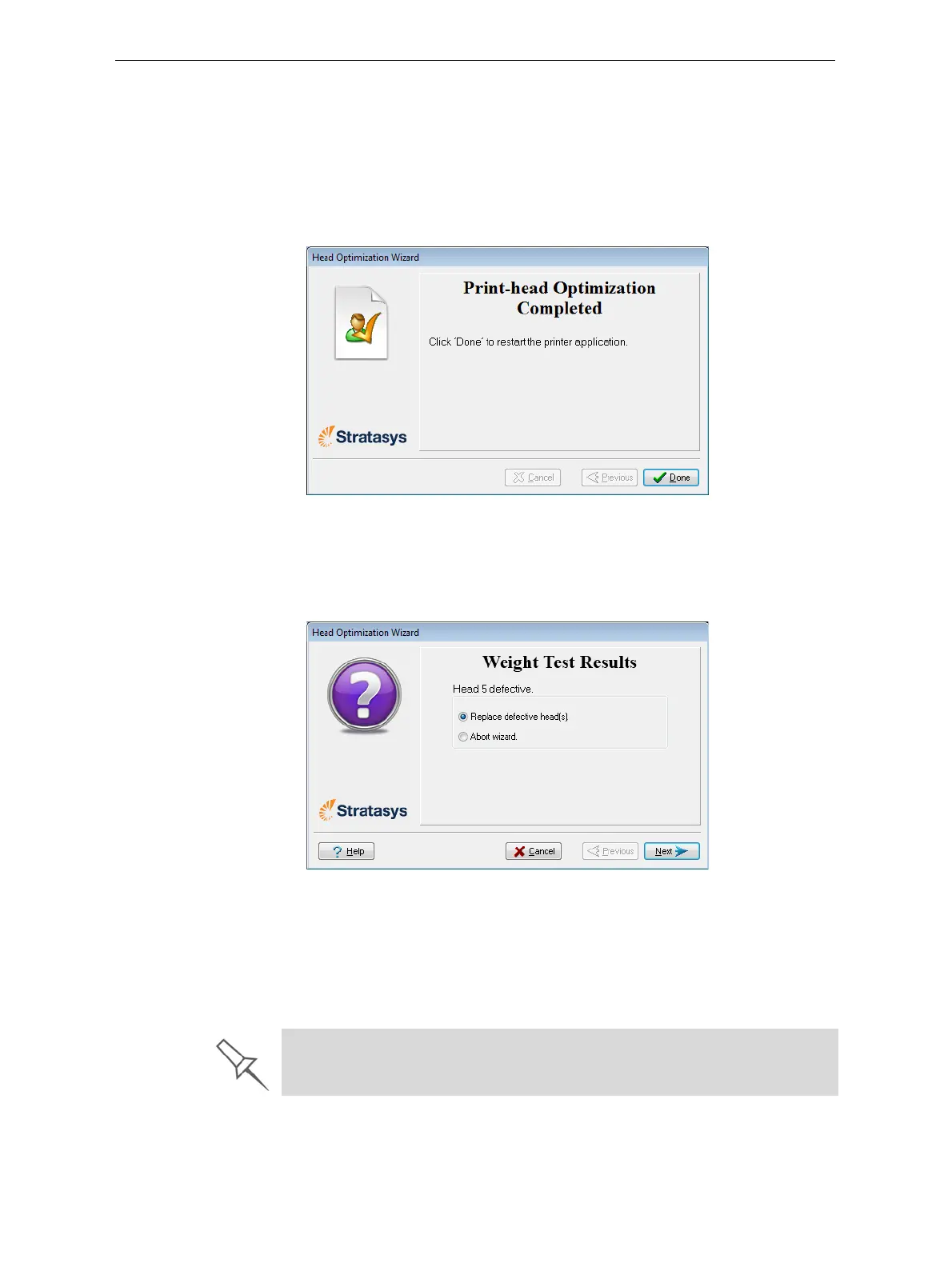
• Iftheheadsareinsatisfactorycondition,thefollowingwizardscreen
appears.
Figure 6-61: Final wizard screen, after optimizing print heads
• Ifthewizarddeterminesthataprintheadisfaulty—orthatitis
negativelyaffectingmodelqualitywiththecurrenthead
configuration—youneedtoreplaceit.Indicatewhetherornotyou
wanttodosonow.
Figure 6-62: Defective print heads found
ChooseReplacedefectivehead(s)ifyouarepreparedtoreplacethe
printheadsnow(seebelow).
or—
ChooseAbortwizardifyouwanttoreplacetheprintheadsatanother
time.
Replace print heads only after consulting with a Stratasys-authorized
customer-support engineer.













 To Next Page