Operating & Maintaining the Objet1000 Plus 3D Printer
6–50
DOC-06810 Rev. A
Installing the
New Head
14. InspectthereplacementheadandmakesurethattheO‐ringsealsare
inplace(seefigure 6‐72).
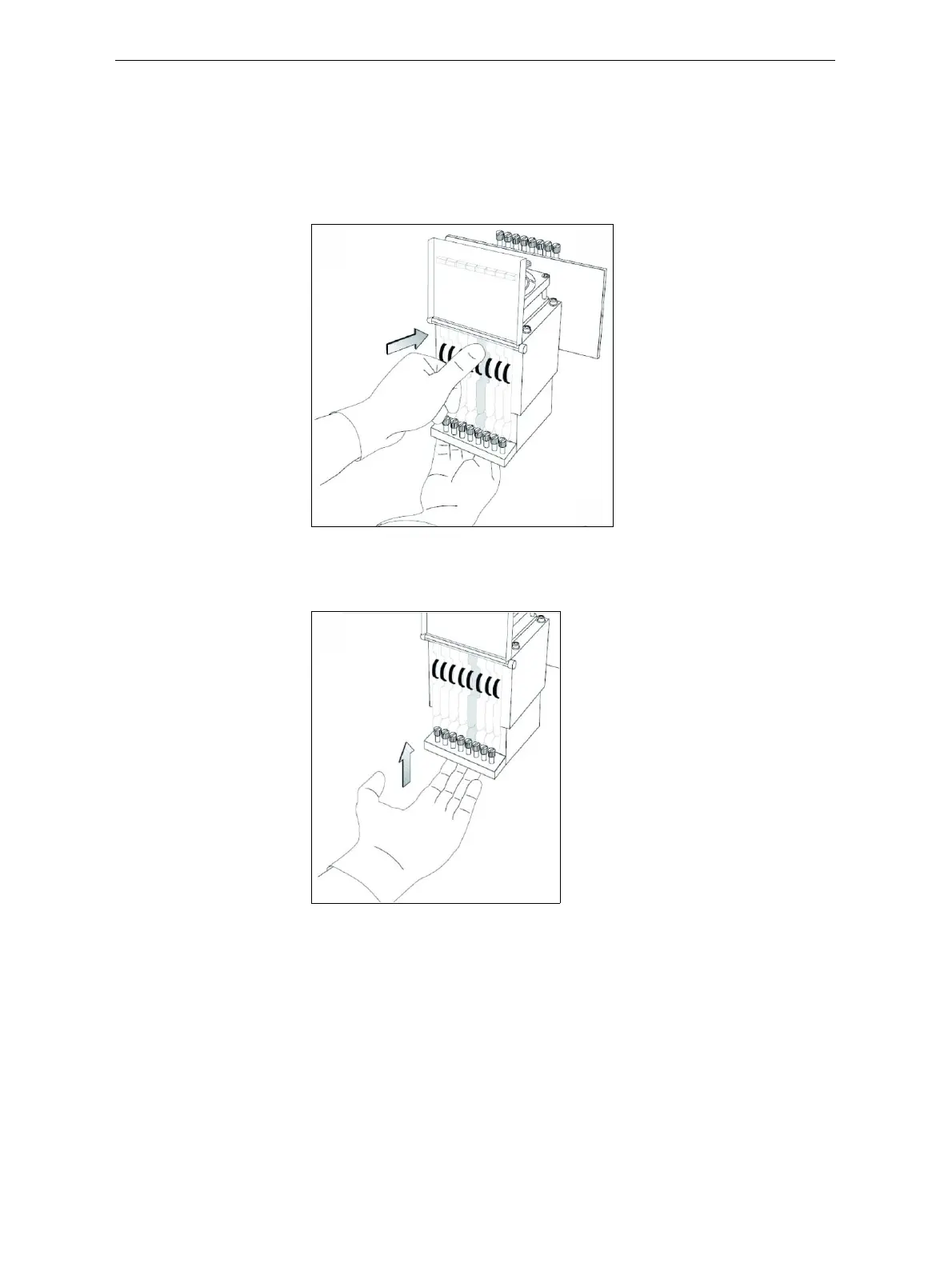
15. Gentlyinsertthereplacementheadintothevacantslotintheprint
blockandpushtheprint‐headdrivercardintoitssocket.
Note: Make sure to insert the head with the driver card facing its socket, in
the rear of the print block.
Figure 6-74: Inserting the print-head driver card into its socket
16. Pushtheheadupuntilyouhearitclickintoplace,inbothfrontand
rearholders.
Figure 6-75: Clicking the head into place in the print block
17. Lowerthedooroftheprintheadcompartmentandtightenthescrews
tolockitinplace.
18. Tightentheupperandlowerscrewsthatsecuretheprintheadinthe
printblock(seefigure 6‐68onpage 47).
Note: Hand-tighten these screws. Do not use a screwdriver.













 To Next Page