DOC-06810 Rev. A 6–51
Objet1000 Plus User Guide
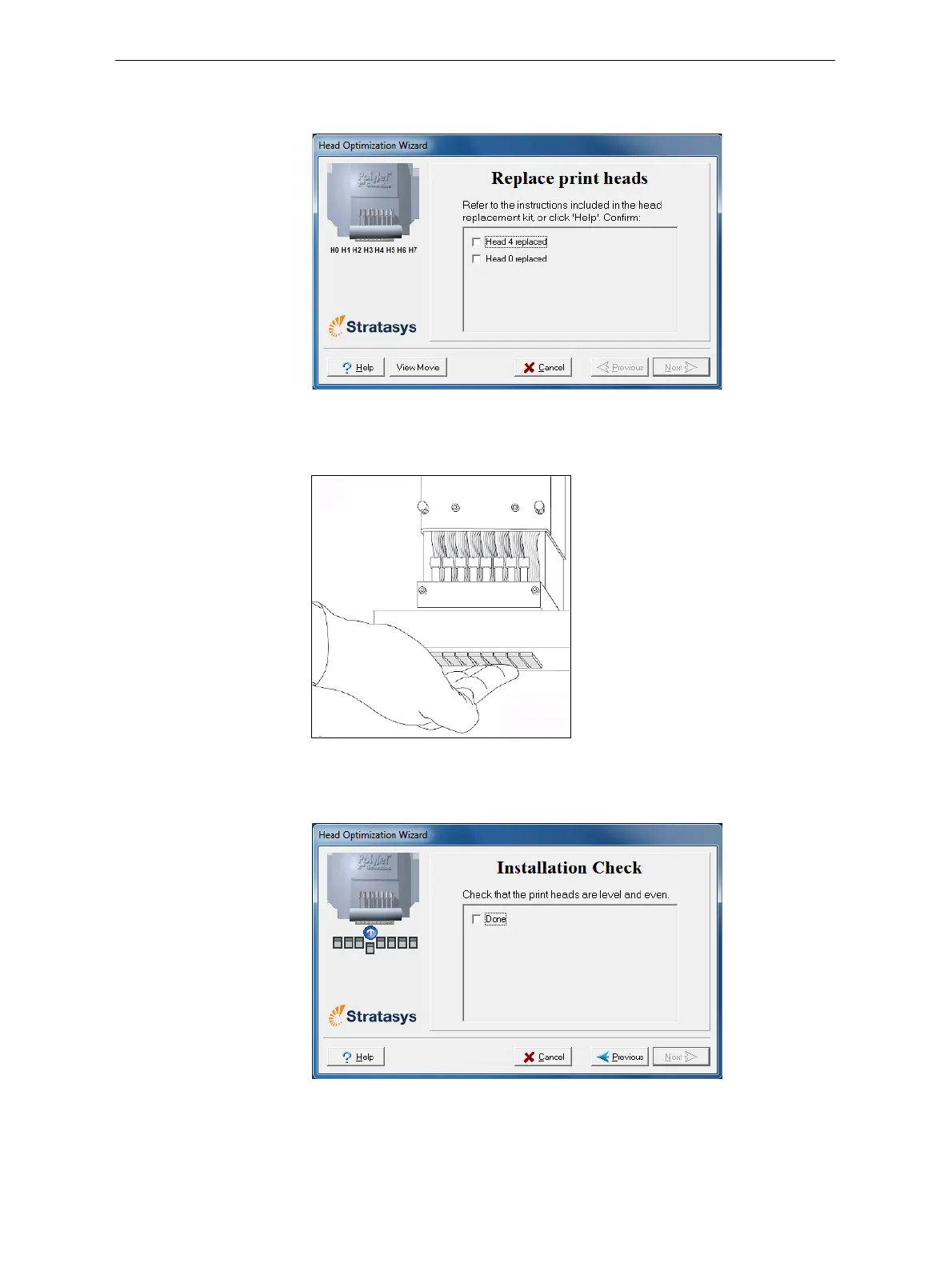
19. IntheReplaceprintheadsscreen,selectthecheckboxtoconfirmthat
youhavereplacedthehead(s)andclick
Next.
Figure 6-76: Head replacement confirmation
20. Withyourfingers,makesurethatthenewheadislevelandevenwith
theotherheads.
Figure 6-77: Checking the level of the new head
21. Confirmthattheheadsarelevelandevenbyselectingthecheckboxin
thefollowingwizardscreenandclick
Next.
Figure 6-78: Installation-check screen













 To Next Page