Operating & Maintaining the Objet1000 Plus 3D Printer
6–52
DOC-06810 Rev. A
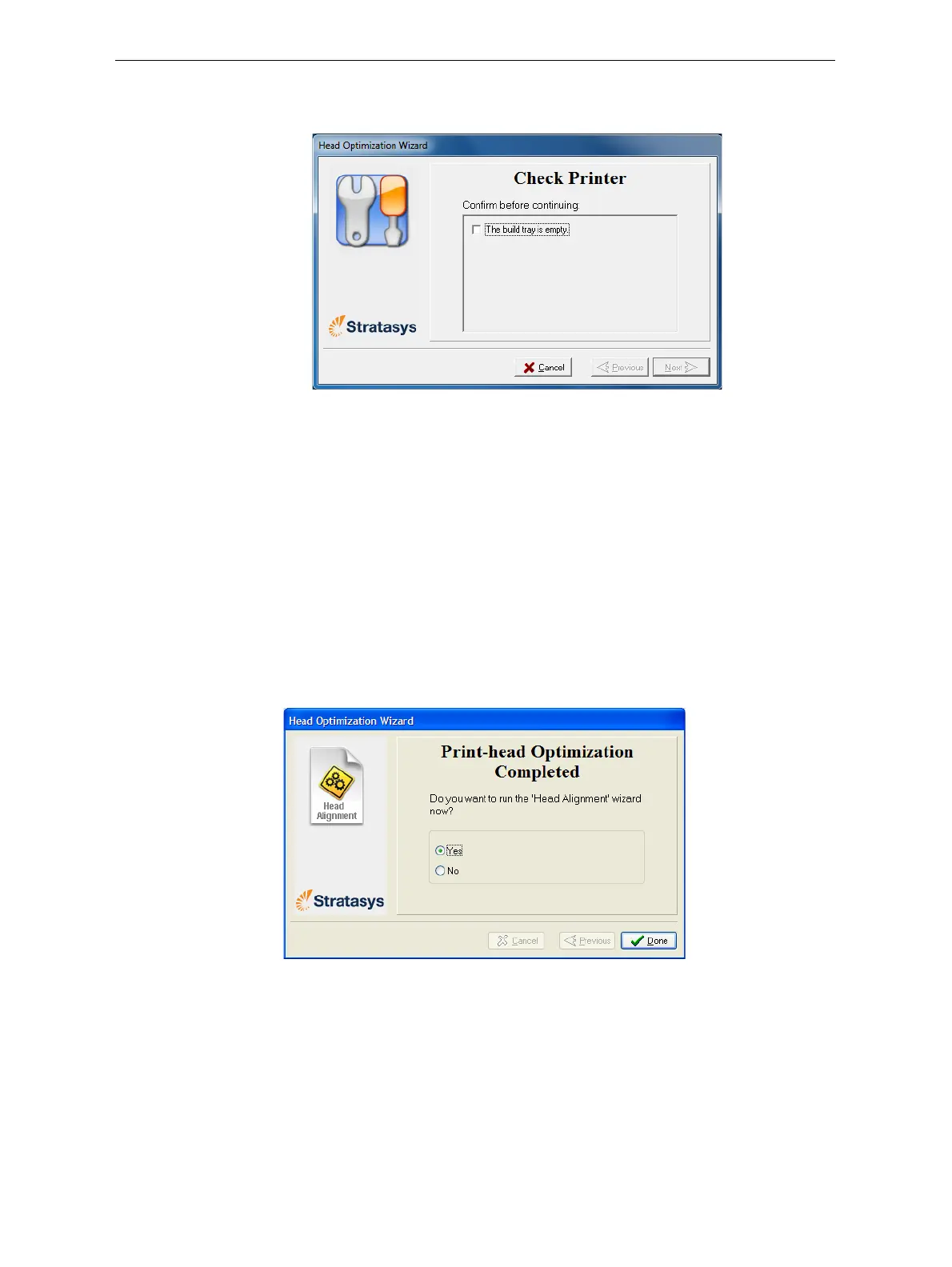
22. Inthenextwizardscreen,confirmthatyouhav eremovedalltoolsand
objectsfromtheprinter.
Figure 6-79: Cleared-tray confirmation screen
23. Closetheprinterdoors.
Thewizardcontinuesbyheatingtheheads,thenfillingandpurgingthem.
Iftherearenoinstallationproblems,theoptimizationprocedurebegins,to
calibratetheprintheadstothebestworkingconfiguration—see
“Optimizing(Calibrating)PrintHeads”onpage 6‐36.
Ifinstallationproblemsaredetected,thewizardalertsyou
andinstructs
youhowtocontinue(see“InstallationProblems,”next).
Afterreplacingprintheads,youshouldchecktheheadalignmentbefore
usingtheprintertoproducemodels.Inthefinalwizardscreen...
¾ SelectYesandclickDonetoopentheHeadAlignmentwizard(see
“AligningthePrintHeads”onpage 33).
¾ SelectNoandclickDonetoaligntheheadsatanothertime.
Figure 6-80: Final wizard Screen













 To Next Page