DOC-06810 Rev. A 6–53
Objet1000 Plus User Guide
Installation
Problems
Iftheprinterdetectsthatthereisaproblemafteryouinstallprintheads,
relevantwarningscreensappear.
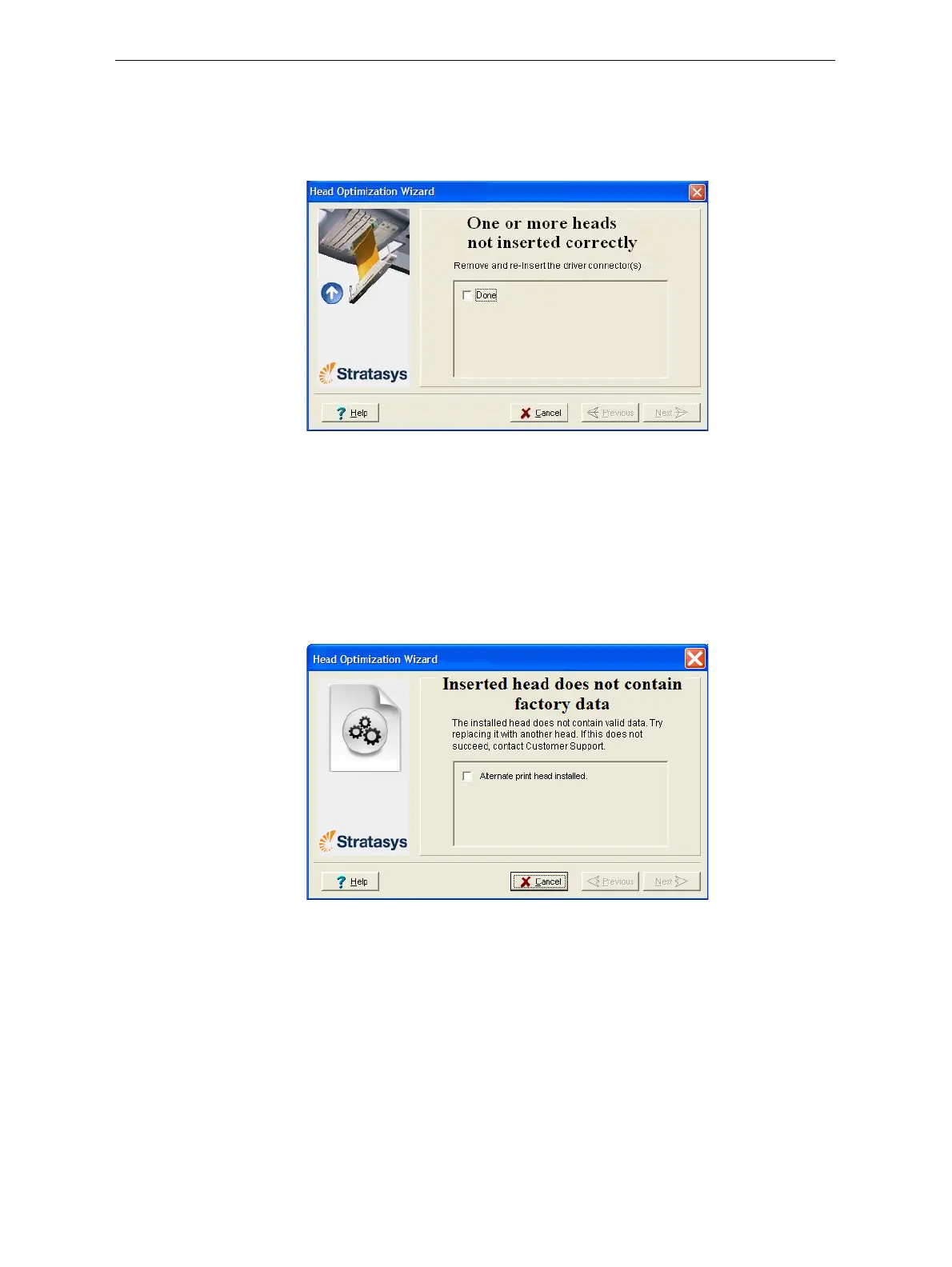
• Iftheprintersoftwaredoesnotdetectthereplacedhead,thefollowing
warningscreenappears.
Figure 6-81: Incorrect-installation screen
Ifthishappens:
a. Opentheprintheadcompartment(seefigure 6‐70onpage 48).
b. Re‐inserttheprint‐headdrivercardintoitssocket(seefigure 6‐74
onpage 50).
c. Inthewizardscreen,selectthecheckboxtoconfirmthatyouhave
re‐insertedthecardandclick
Next.
• Ifthereplacementheadwasnotfactory‐calibrated,thefollowing
warningscreenappears.
Figure 6-82: Invalid-data warning screen
Ifthishappens:
a. Removetheheadandreplaceitwithanotherone(startingwith
step 9onpage 47).
b. Inthewizardscreen,selectthecheckboxtoconfirmthatyouhave
installedanotherprintheadandclick
Next.
c. ContactyourauthorizedCustomerSupportcenteraboutthe
unformattedhead.













 To Next Page