Chapter 5 - Working With Scan Modes Scan Modes Overview
Terason t3000 / Echo Ultrasound System User Guide 101
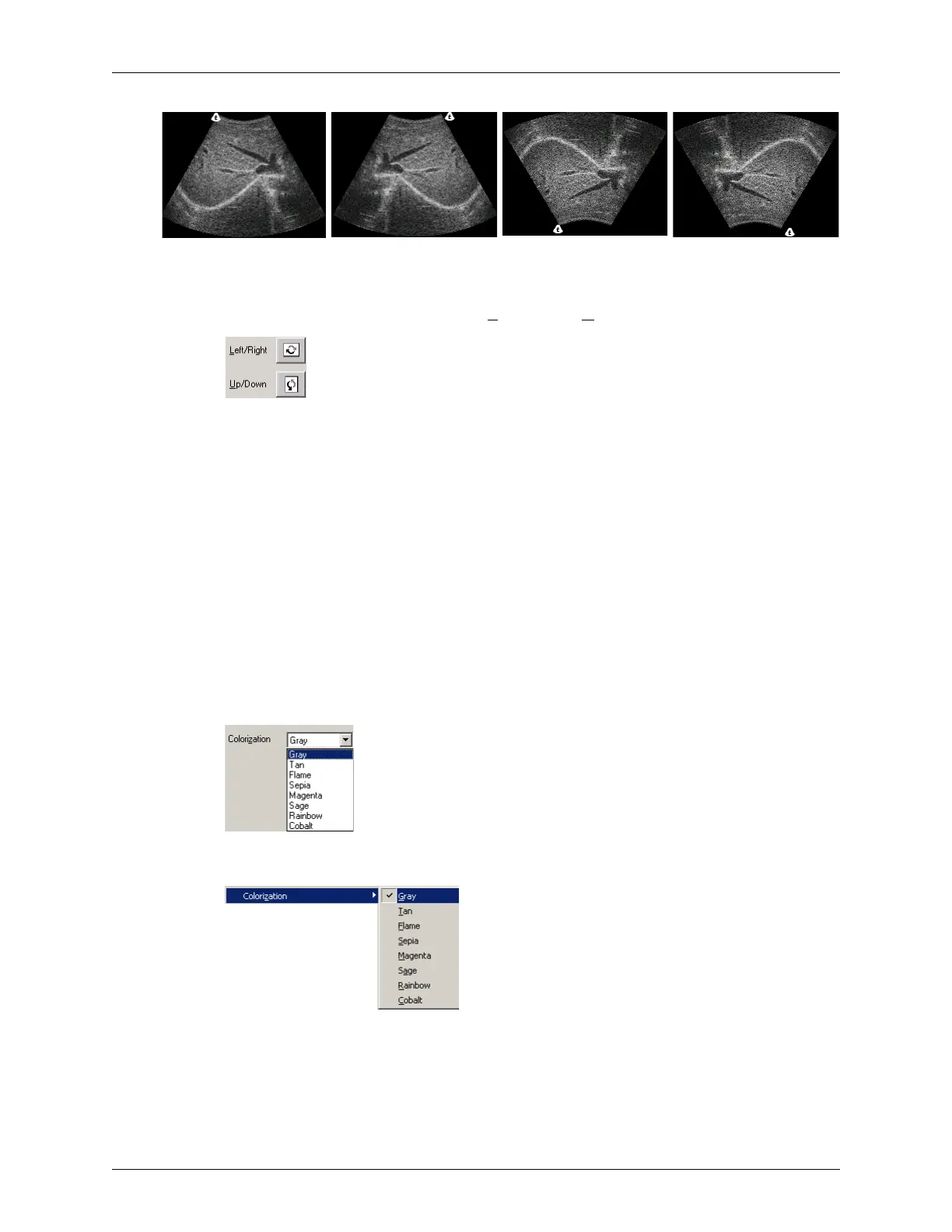
Effect of Inverting an Image
To invert the scanned image, click the Left/Right or Up/Down button as needed.
Inverting Images
You can also select Image > Invert > Left/Right or Image > Invert > Up/Down to invert the
image. You can use the invert options with live or frozen images, or with images saved in
the ULT format.
Adjusting Colorization
By default, the Terason software uses the Gray color scheme for 2D images. the Gray
scheme displays images as shades of gray over a range from white to black. The Terason
software provides several alternate schemes. To determine if another scheme improves
visibility of the anatomy being scanned, cycle through the available options. Which
scheme produces the best image depends on the anatomy that is being scanned.
To select a different scheme, use one of the following methods:
• Click the down arrow next to the Colorization field in the I.Q. tab and select a
colorization scheme from the menu.
Selecting Colorization on the I.Q. Window
• Select Image > Colorization and choose a color scheme
Selecting a Colorization scheme from the Image Menu
Image with no
Invert
Image with Left/Right
Invert
Image with Up/Down
Invert
Image with Left/Right
and Up/Down Invert



 To Next Page