Chapter 7 - Working With Measurements Stress Echo
Terason t3000 / Echo Ultrasound System User Guide 202
Stress Echo
The Terason Echo system license level 7 includes tools for performing cardiac stress
studies. These features are not available on t3000 systems.
Performing a Stress Echo Study
To perform a stress echo study:
1. Inspect the ECG connectors and cables. Do not use the ECG function if a connector
or cable is damaged.
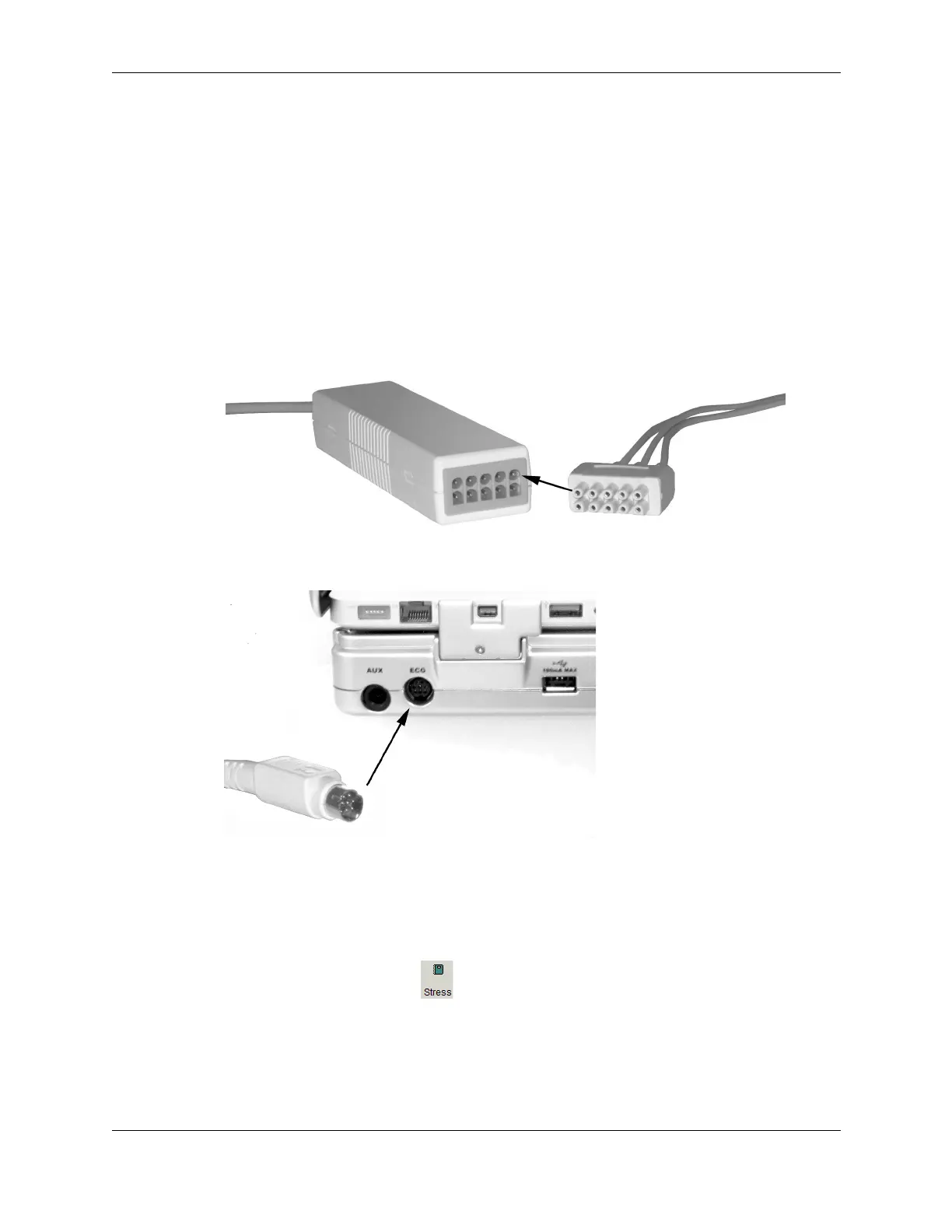
2. Couple the connector from the ECG 3-lead wireset to the ECG cable connector.
ECG Cable connectors
3. Connect the ECG cable to the dock.
Connecting ECG
4. Choose a Cardiac exam.
5. In the Terason Explorer, double-click the Patient Info file for the patient.
This enables the Stress button on the scanning window toolbar.
6. Click the Stress button .
The Open Protocol window opens in front of the Stress Setup window.



 To Next Page