Terason t3000 / Echo Ultrasound System User Guide 237
11 Using System Tools
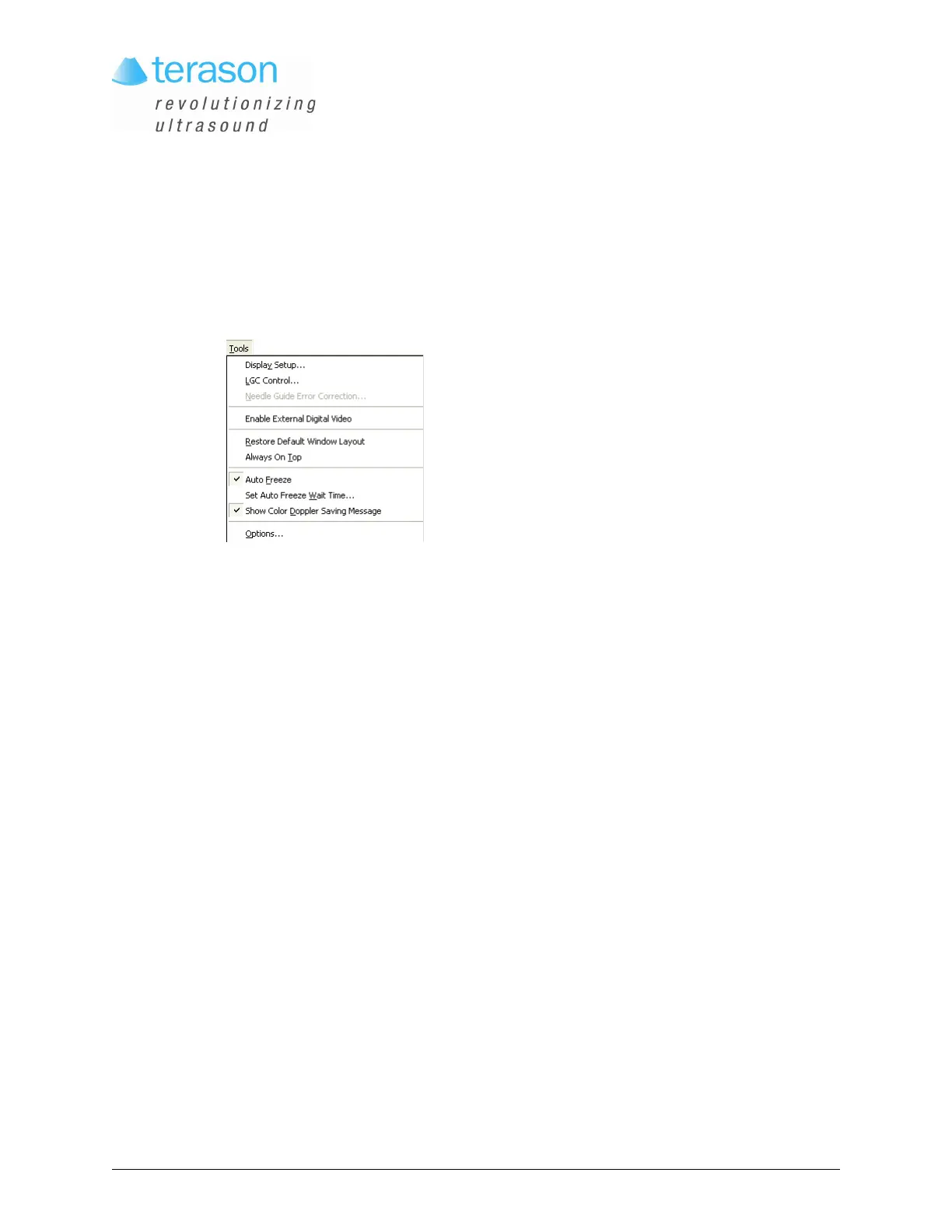
The Tools menu provides utilities that support various functions of the Terason software.
Tools Menu
The tools control the following operations:
• Testing the Monitor Display, see page 237
• Correcting the Position of the Needle Guides, see page 241
• Restoring the Default Layout, see page 241
• Keeping the Terason Software on Top, see page 242
• Setting a Time-Out Value, see page 242
• Enabling or Disabling the Color Doppler Message, see page 243
• Specifying Optional Settings, see page 243
Testing the Monitor Display
When you purchase a laptop from Terason as part of the Terason Ultrasound System, the
monitor is already adjusted for proper display.
Gamma refers to the monitor’s ability to display accurate colors. If you think the colors on
your monitor are no longer accurate, you can perform the tests in this section to verify that
the display is correct. The Display Setup window includes four industry-standard tests.
You can use any combination of these tests to test your monitor’s display. The procedure
shows you how to use all of the tests; you can skip any of them.
To test the gamma for your display, complete these steps:
1. In the I.Q. Image Control window, select
Gray from the Colorization menu.
2. Select
Tools > Display Setup. The Display Setup window opens.



 To Next Page