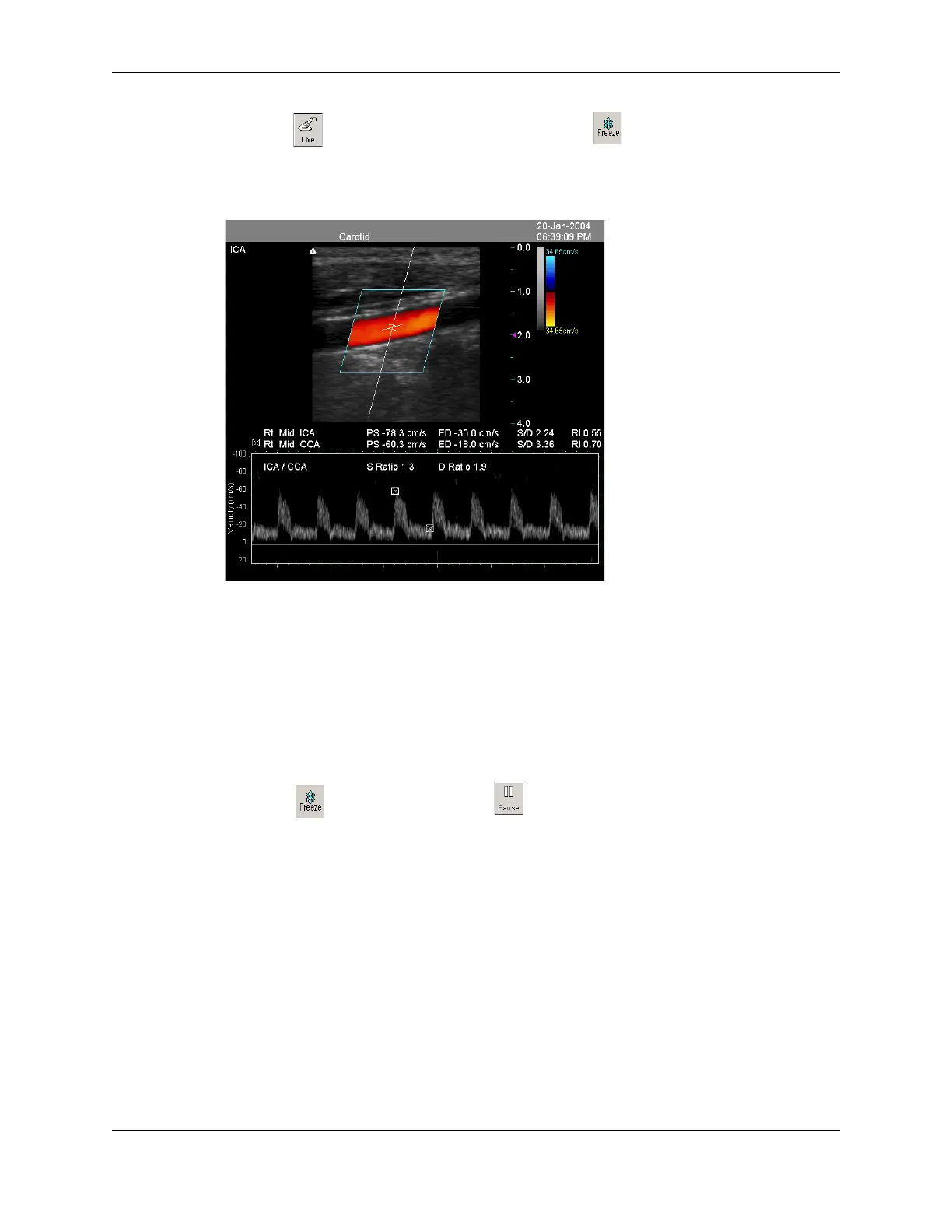
Chapter 7 - Working With Measurements Measuring in the Spectral Doppler Modes
Terason t3000 / Echo Ultrasound System User Guide 173
6. Click and scan the second artery, then click .
7. Repeat steps 3 to 5, selecting the other Artery label (
Artery 2) from the Ratio menu.
PS/ED Ratio for Two Arteries
If the ratio does not display, check the two PS/ED measurements for the following items:
• Both measurements have a vessel name
• You selected opposite sides, but they used different vessels or different locations
Measuring Heart Rate and Rise Time
Complete the following steps to measure the heart rate or rise time values for an artery:
1. Click . If playing a loop, click . The 2D and PWD measure tabs are added to
the Image Control bar.
2. Click the Rt (right) or Lt (left) button to specify the Laterality of the scanned artery.
This is not required.
3. Click the Prox, Mid, or Distal button to specify the Location of the scanned artery.
4. Select the scanned vessel from the Vessel menu.
5. Select
HR (for Heart Rate) or RT (for Rise Time) from the Measurement menu.
6. In the Time Display window, click where you want to start measuring, move the
target cursor to the end location and click.
When you click the second time, the Terason software enters the measurements in the
Time Series window.



 To Next Page