Chapter 7 - Working With Measurements Measuring in the 2D Window
Terason t3000 / Echo Ultrasound System User Guide 155
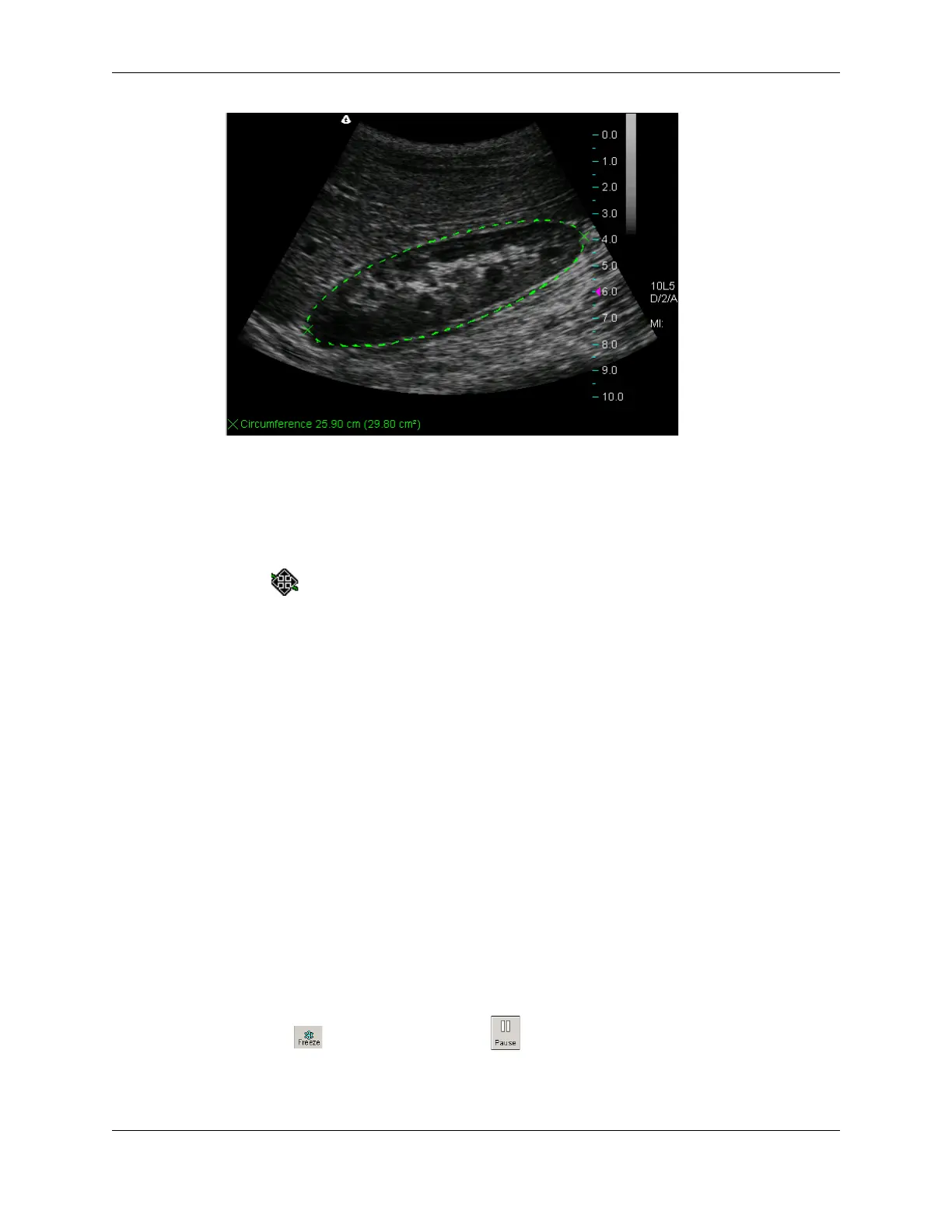
Ellipse Measurement on an Image
If the measurement value does not show on your computer, select View > Image
Display Properties > Measurement Value
.
6. To change the shape of an ellipse:
a. Move the Windows pointer along the perimeter until it changes to a target pointer
.
b. Click to select the ellipse.
c. Move the trackball or mouse to change the shape of the ellipse.
d. Click when finished.
You can also click the caliper and move it to a new location, which changes the shape of
the ellipse.
Tracing Areas on the Image
The Terason software lets you trace the contour of any shape on an image to measure the
circumference and area. You can also use the Ellipse tool to measure a circumference or
area (see Measuring Elliptical Circumference and Area on page 154 for instructions.)
You can use the trace tool to:
• Trace an irregular shape by sketching the outline
• Draw a polygon by clicking on corners of the shape
You can also combine these methods to trace an area on the image.
To trace an area on an image, complete the following steps:
1. Click . If playing a loop, click . The measure tabs for the selected scan mode
are added to the Image Control bar.
2. If necessary, click the 2D Measure tab or click in the 2D window.



 To Next Page