Chapter 7 - Working With Measurements Stress Echo
Terason t3000 / Echo Ultrasound System User Guide 208
Saving and Sending Studies
You can save the study with only the selected loops, or with all the acquired loops.
To save a study:
1. Open the Review window.
2. To save a study or selected loops from a study, use the Save or Save Sel. buttons on
the toolbar. (See Stress Echo Review Window on page 210.)
3. To send all saved DICOM files or selected saved DICOM files to a DICOM storage
server, use the Send or Send Sel. buttons on the toolbar. (See Stress Echo Review
Window on page 210.)
Pausing and Resuming a Stress Study
You can pause a stress study by clicking the Pause/Resume Study button on the scanning
window toolbar. When the study is paused, you can make other examinations and save
them. Clicking the Pause/Resume Study button again resumes the stress study.
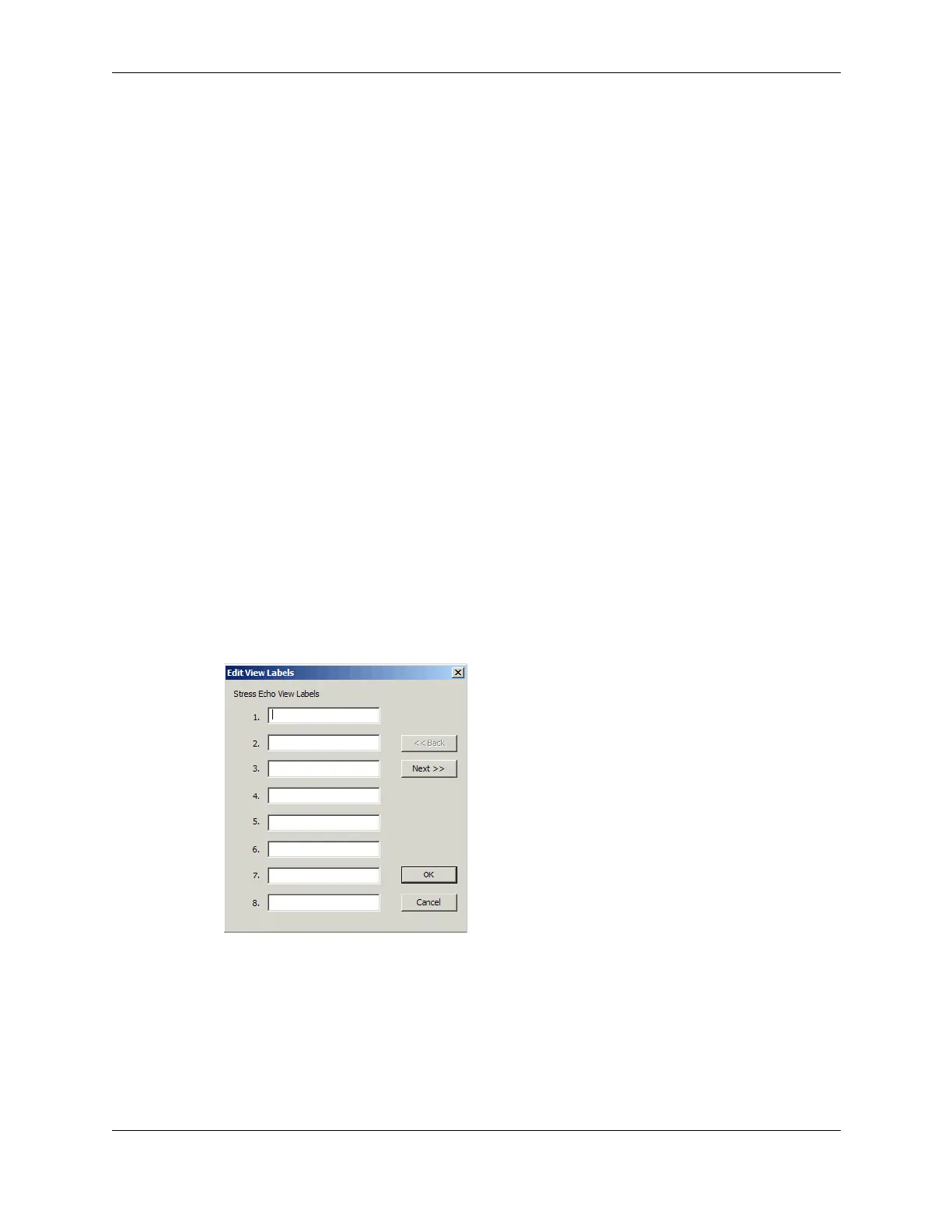
Editing Stress View Labels
You can edit the names of the stress views.
To edit the stress view labels:
1. In the Stress Setup window, click
Edit View...
The Edit Stress View Labels window opens.
Edit Stress View Labels Window
2. Select the label you want to rename, then enter a new label.
3. Click
OK.



 To Next Page