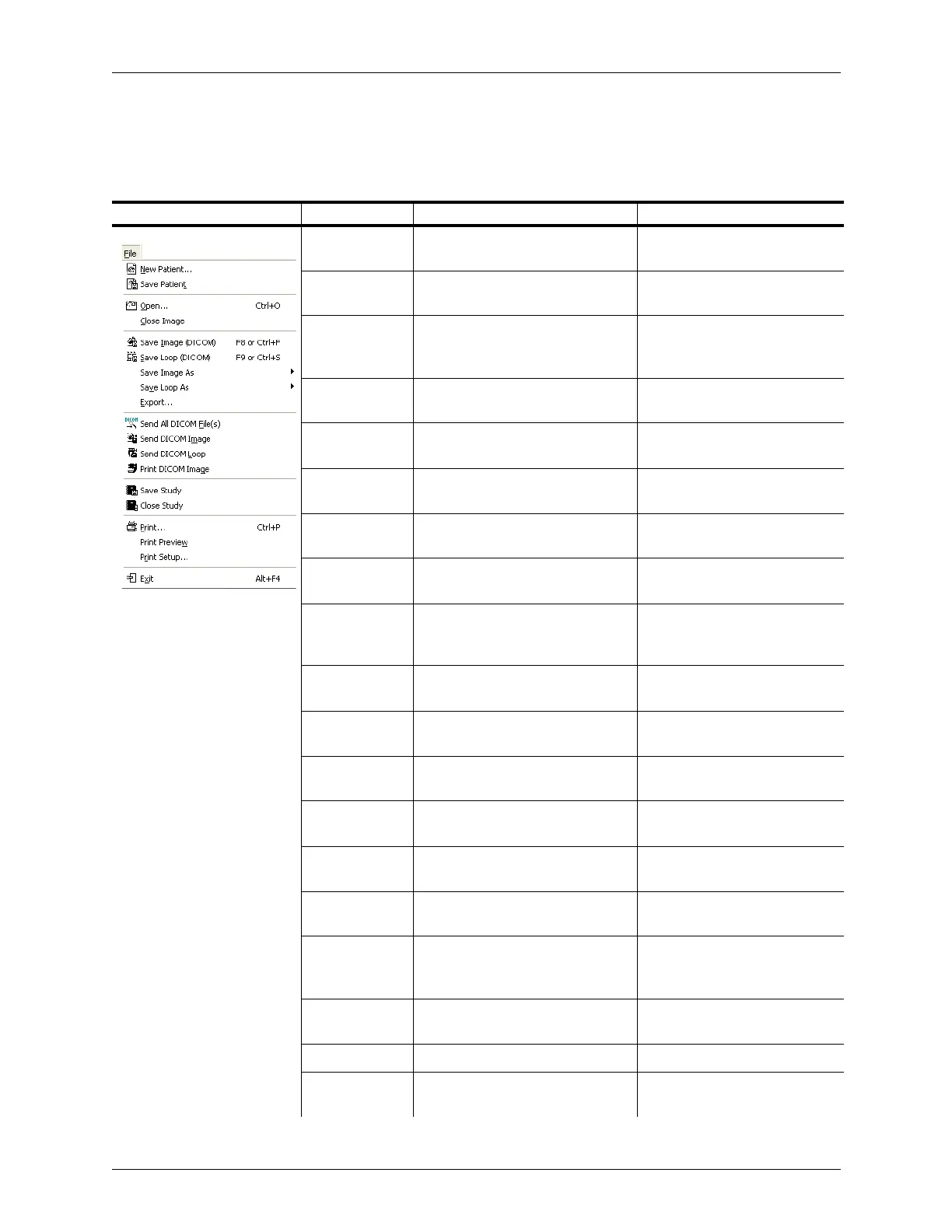
Appendix B - Menu and Toolbar Reference Menu Reference
Terason t3000 / Echo Ultrasound System User Guide 302
Menu Reference
For each menu item, the table provides a brief description, and the location where more
information about that menu item can be found.
Menu Menu Item Description Where Described in Guide
New Patient Clears the current patient info in
the Patient Info tab
Adding a New Patient on
page 57
Save Patient Saves any changes made to the
patient info in the Patient Info tab
Adding a New Patient on
page 57
Open Opens the Windows File Browser
window and you can locate a
needed saved image or loop
Finding Stored Images and
Loops on page 136
Close Image Closes the tab showing a saved
image file
Finding Files in the Terason
Explorer on page 136
Save Image
(ULT)
Saves the displayed frame as a
Terason format (ULT) image file
Saving Images and Loops on
page 133
Save Loop
(ULT)
Saves an image loop as a Terason
format loop file
Saving Images and Loops on
page 133
Save Image As Saves an image in a specific file
format (select from pop-out menu)
Saving Images and Loops on
page 133
Save Loop As Saves an image loop in a specific
file format (from pop-out menu)
Saving Images and Loops on
page 133
Export Specify a filename, location, and
image format when saving an
image or loop
Exporting a File on page 135
Send All DICOM
File(s)
Sends saved DICOM files to the
server
Sending Files to a DICOM
Server on page 228
Send DICOM
Image
Exports an image to a DICOM
server
Sending Files to a DICOM
Server on page 228
Send DICOM
Loop
Exports an image loop to a DICOM
server
Sending Files to a DICOM
Server
Print DICOM
Image
Prints to a DICOM printer Printing Files to a DICOM
Printer on page 227
Save Study Saves Stress Echo study being
reviewed
Saving and Sending Studies on
page 208
Close Study Closes the Stress Echo study
being reviewed
Closing a Stress Echo Study on
page 207
Print Prints the image(s) in the Image
Display window, Image Preview
window, or the Review window
Printing Images on page 146
Print Preview Views a picture of what the print
out will look like when it is printed
Printing from the Print Preview
Window on page 148
Print Setup Configures default printer options Printing Images on page 146
Exit Closes the Terason Ultrasound
System application
Starting and Exiting the
Software on page 63



 To Next Page