Chapter 6 - Working With Image Files Storing Images and Loops
Terason t3000 / Echo Ultrasound System User Guide 135
Exporting a File
To save the image or loop in a different location or with a specific name, you must use the
Export item on the File menu.
You can save the file anywhere on your computer, or on a network server that your
computer can access. To export an image or loop, complete these steps:
1. Click if viewing a live image.
2. Select
File > Export.
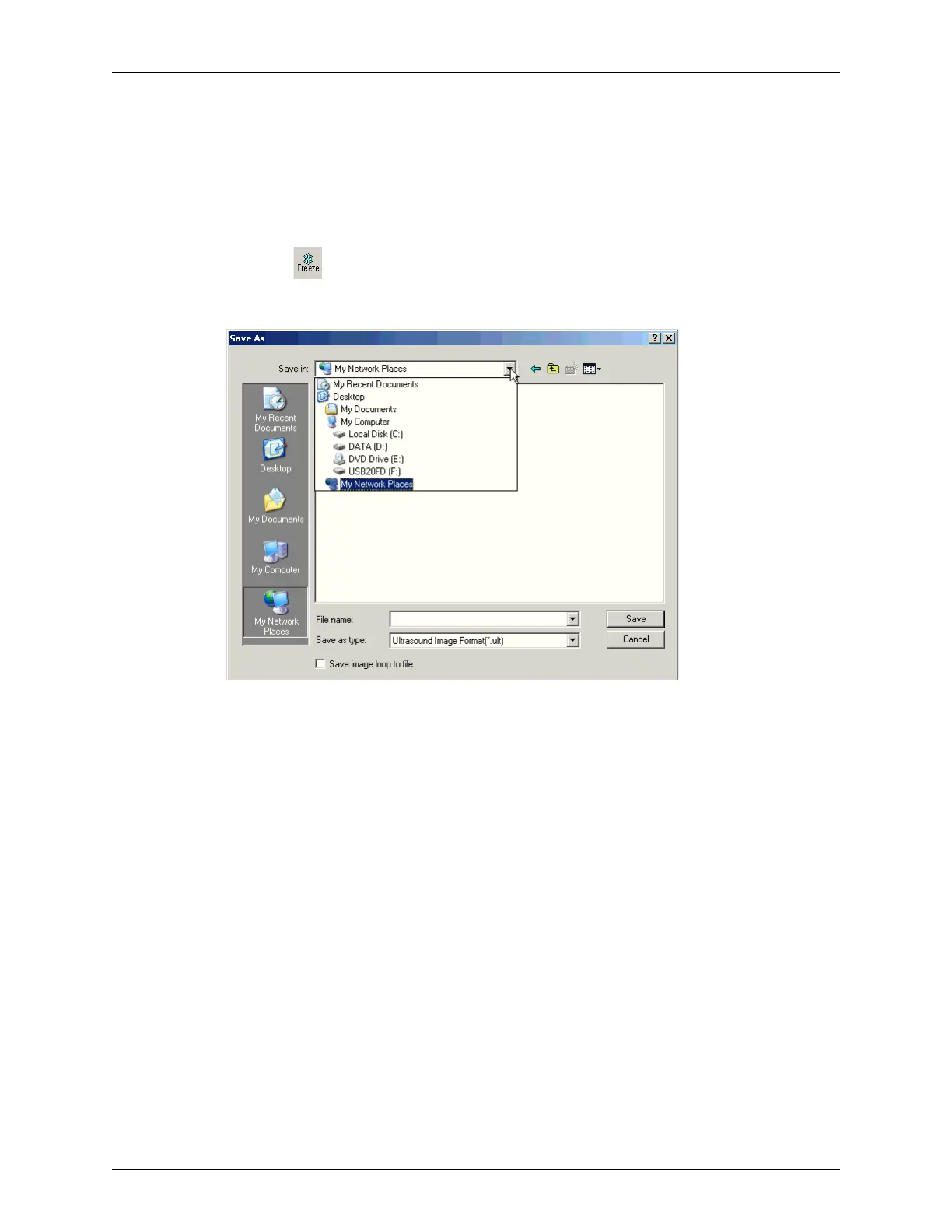
Save As Dialog Box
3. Choose a location from the Save in: menu.
4. Enter a filename in the File name: field.
5. Select a file format from the Save as type: menu.
6. To save the file as a loop file, click the check box.
You can only select the check box if you choose Terason Image File, AVI, or DICOM
file as the format.
7. If you selected a file format other than the Terason format, choose an Image Size from
the menu.
More pixels in an image produce a larger file. Fewer pixels produce a lower-quality
and smaller file.
8. Click Save.



 To Next Page