Chapter 11 - Using System Tools Specifying Optional Settings
Terason t3000 / Echo Ultrasound System User Guide 251
Adding Custom Text to the Annotation Window
The Text tab in the Annotation window provides text you can quickly add to an image
without having to type it. You can add additional text to this window. The text displayed in
the Annotation window depends on the selected exam. To have a text phrase available for
multiple exams, you must add it to each exam.
To add custom text, complete these steps:
1. Select
Tools > Options.
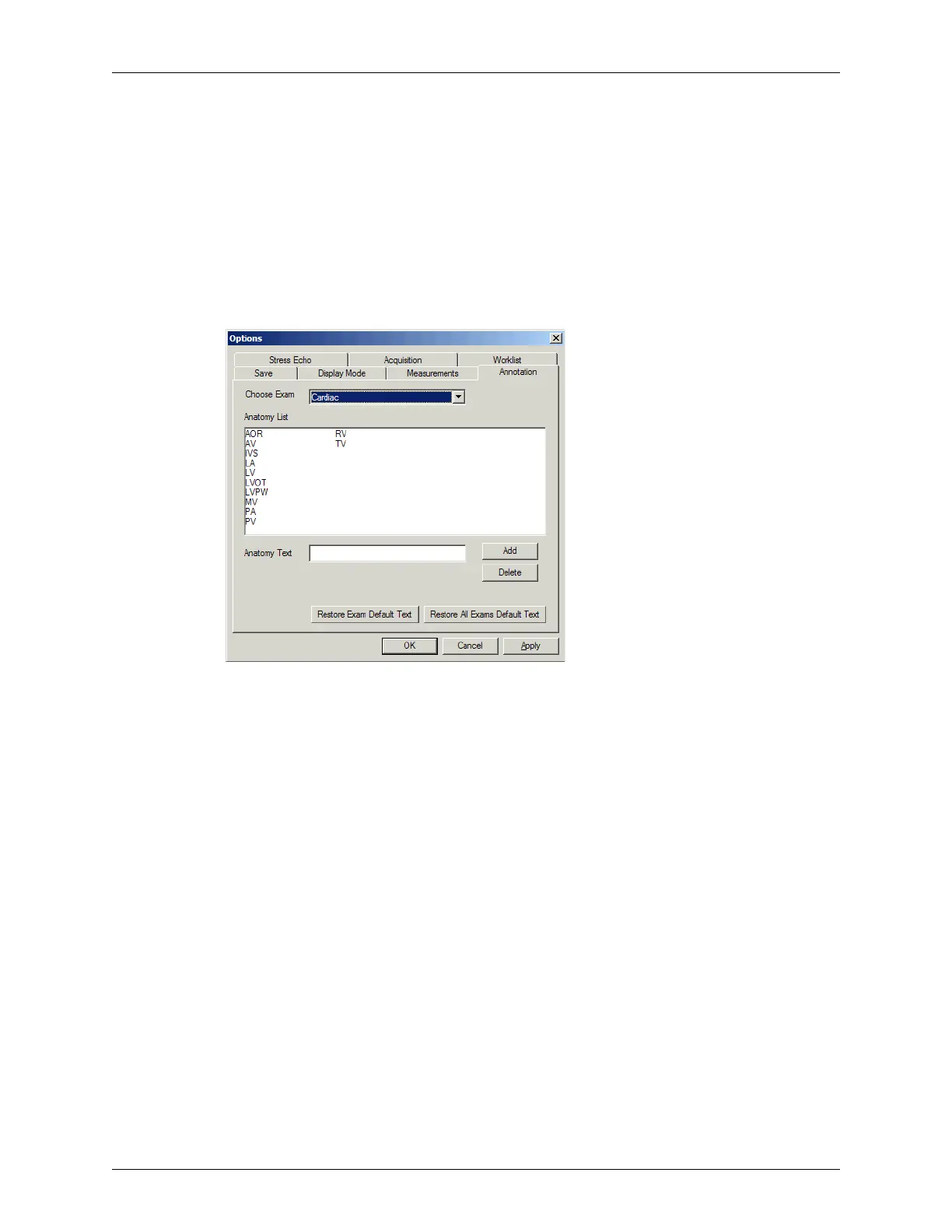
2. In the Options window, click the Annotation tab.
Options: Annotation Tab
3. From the Choose Exam menu, choose the exam for which you want this text to be
available.
4. Type the text into the Add anatomy field.
5. Click
Add. The Terason software adds the text to the list.
6. Repeat steps 3 to 5 for all exams and text you want to enter.
7. Click
OK.
The text you add shows at the bottom of the list in the Text tab of the Annotation window.
For instructions on using this text, see Adding Text to an Image on page 81.



 To Next Page