Chapter 5 - Working With Scan Modes Using Spectral Doppler Image Controls
Terason t3000 / Echo Ultrasound System User Guide 109
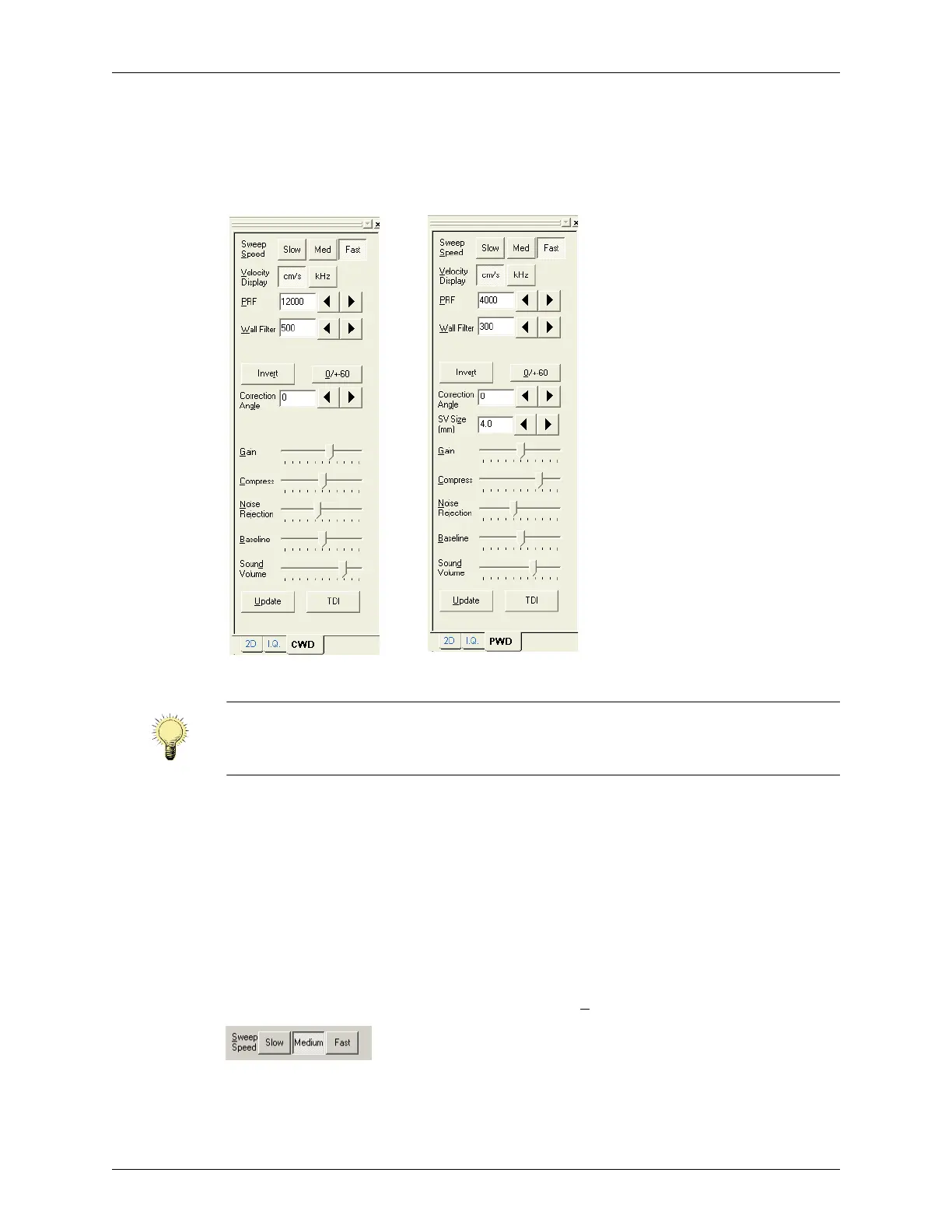
Using Spectral Doppler Image Controls
When you select Pulsed-Wave Doppler, the Terason software adds the PWD tab to the
Image Controls window. When you select Continuous-Wave Doppler, the Terason
software adds the CWD tab to the Image Controls window.
Continuous-Wave and Pulsed-Wave Doppler Image Controls
Adjusting the Sweep Speed
The Terason software lets you choose the sweep speed for Spectral Doppler modes. A
slow speed shows more waveforms over time but less detail. A medium speed is suitable
for normal use. Fast speed shows fewer waveforms over time but with more detail.
The spacing of the ticks along the top of the Time Series window indicates the sweep
speed. Each tick represents one second. When an image is frozen, you cannot change the
setting.
To choose a speed, click the Slow, Medium, or Fast S
weep Speed button.
Sweep Speed Controls
Note: • Continuous Wave Doppler mode is only available with the 4V2 transducer.
• CWD is not available when the Pwr mode is selected.
• Pwr mode is not available when CWD is selected.



 To Next Page