Appendix B - Menu and Toolbar Reference Shortcut Menu Reference
Terason t3000 / Echo Ultrasound System User Guide 309
Shortcut Menu Reference
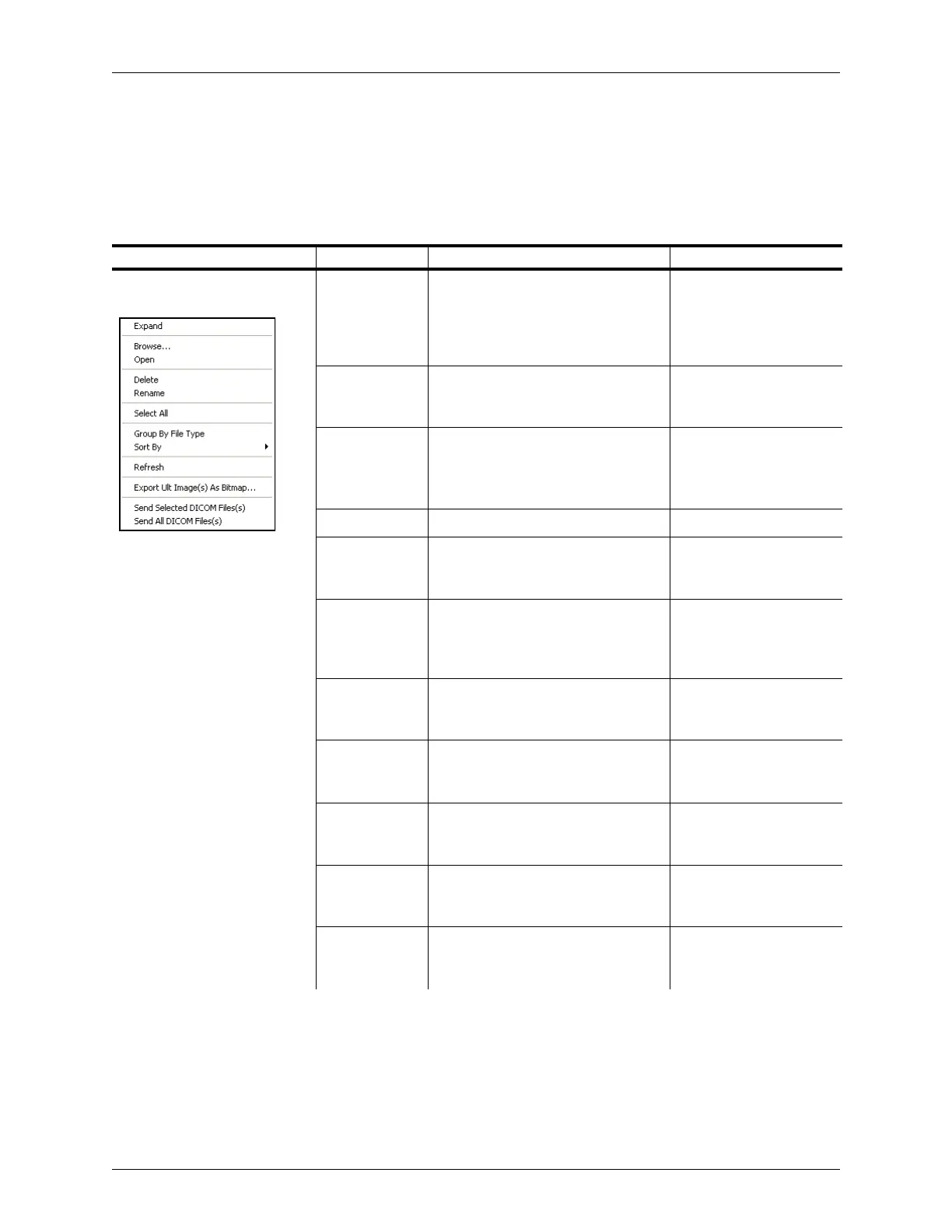
When you right-click on an area in the Terason window, a shortcut menu pops up with
items specific to the location or item where you clicked. The following table lists the
shortcut menus you might see, with a brief description of the available menu items.
Shortcut Menus
Where Active/Menu Menu Item Description Where Described
Any item in the Terason
Explorer Window:
Expand/
Collapse
Shows as Expand if the folder is
closed and shows as Collapse if the
folder is open. Shows (Expand) or
hides (Collapse) the contents of the
folder
Terason Explorer Window
on page 33
Browse Opens the Windows File dialog box.
You can use that dialog box to locate
a Patient info file or an image file
Browsing to Find Files on
page 140
Open Opens the selected item, either a
Patient info file or an image file
Preparing Patient Info for
an Exam on page 60
Finding Stored Images
and Loops on page 136
Select All Selects all images in a folder
Rename Changes the file name to an edit box
where you can type or edit the file
name
Renaming Files on
page 143
Delete Permanently deletes the selected
image file (does not work with Patient
Info files)
Deleting Files Using the
Terason Explorer, Review,
and Thumbnail window on
page 144
Group By File
Type
Sort images in folders based on file
type
Finding Files in the
Review Window on
page 139
Sort by Sort images in folder based on file
name or creation date
Finding Files in the
Review Window on
page 139
Refresh Updates the file listing Finding Files in the
Terason Explorer on
page 136
Export Ult
Image(s) As
Bitmap
Transfers saved .ult images to a
directory as .bmp files
Exporting a File on
page 135
Send DICOM
(Selected or All)
Available if DICOM is installed.
Sends the selected DICOM file to the
DICOM server
Sending Files to a DICOM
Server on page 228



 To Next Page