Chapter 4 - Acquiring Images Connecting a Transducer
Terason t3000 / Echo Ultrasound System User Guide 64
Make sure you save or print any images or loops before exiting the software. You can use
either of these methods to exit the Terason software:
• Click the icon at the top right of the menu bar
• Select
File > Exit from the menu bar
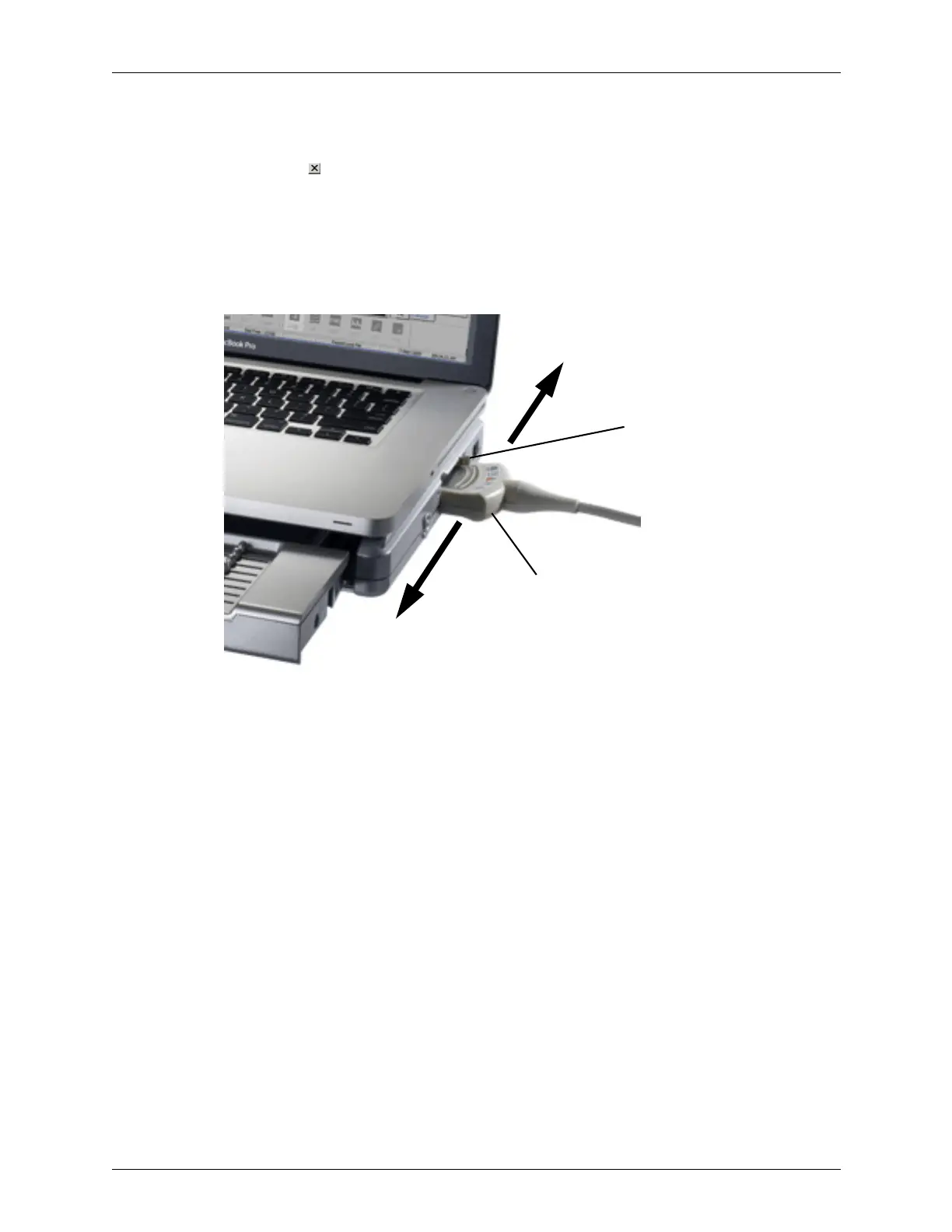
Connecting a Transducer
Supported transducers connect to the system through a special port on the right side of the
system.
To connect a transducer:
1. Make sure the locking lever is in the unlocked position.
2. Insert the transducer connector into the port as far as it will go.
3. Move the locking lever to the locked position.
If the Terason software is running, it detects the transducer and displays its name on
the imaging window. If the software is started after the transducer is connected, the
Terason software will detect and display the transducer name as soon as it starts.
To disconnect a transducer:
1. Move the locking lever to the unlocked position.
2. Pull the transducer connector straight out from the transducer port.
Transducer connector
Locking lever
Locked
Unlocked



 To Next Page