Chapter 7 - Working With Measurements Measuring in the Spectral Doppler Modes
Terason t3000 / Echo Ultrasound System User Guide 172
4. Select the scanned vessel from the Vessel list.
5. Select
PS/ED from the Measurement menu.
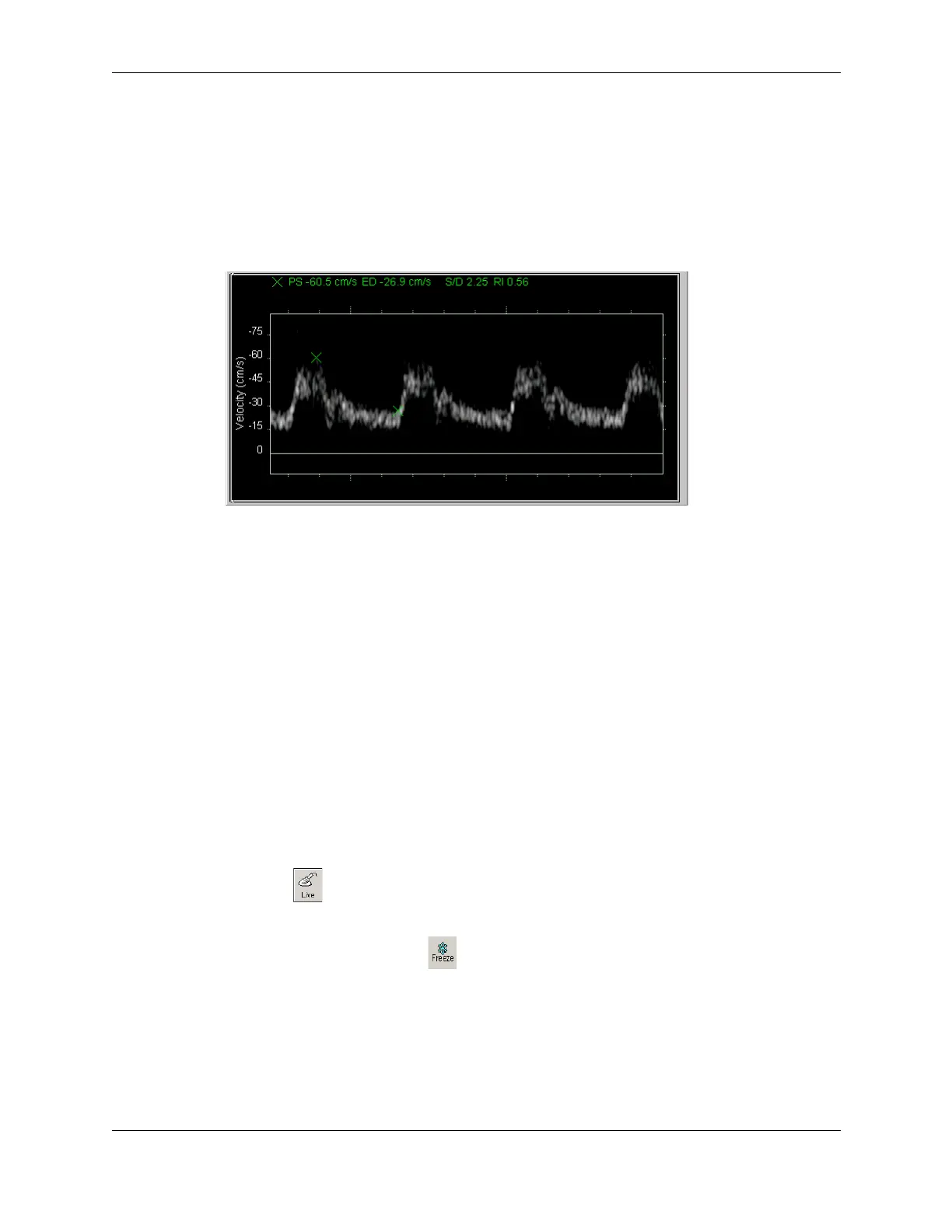
6. In the Time Series window, click where you want to start measuring, move the target
cursor to the end location and click.
When you click the second time, the Terason software enters the measurements in the
Time Series window.
Pulsed-Wave Doppler Measurements
Calculating Arterial Ratios
When scanning in PWD mode and Triplex mode, you can calculate the ratio between two
arteries for selected exams. When using the Carotid, Abdominal, or Arterial exams, you
can measure two arteries (different scans) and the Terason software calculates the S and D
ratios between those arteries. You can use this feature to measure internal carotid artery to
common carotid artery (ICA to CCA) ratios, or systolic renal artery to aorta ratio.
Before you make a PS/ED measurement, select
Artery 1 (denominator) or Artery 2
(numerator) from the Ratio menu. This selection determines the order of calculation for
the ratio. For example, if you scanned the ICA as
Artery 2 and CCA as Artery 1, then the S
and D ratios represent the ICA/CCA ratios. You do not need to select
Artery 1 or Artery 2 to
get an ICA/CCA or Renal Artery/Aorta ratio. The software automatically selects them for
you.
To measure velocities for two arteries and calculate ratios, complete the following steps:
1. Click and select the needed exam from the Exam menu of 2D tab (Carotid,
Arterial, or Abdominal).
2. Scan an artery and click .
3. Complete steps 1-5 in Measuring Vessel Blood Velocities on page 171.
4. Select the artery to use as the denominator (
Artery 1) from the Ratio menu.
5. In the Time Series window, click where you want to start measuring, move the target
cursor to the end location, and click to complete the measurement.
The Terason software shows the PS and ED measurements.



 To Next Page