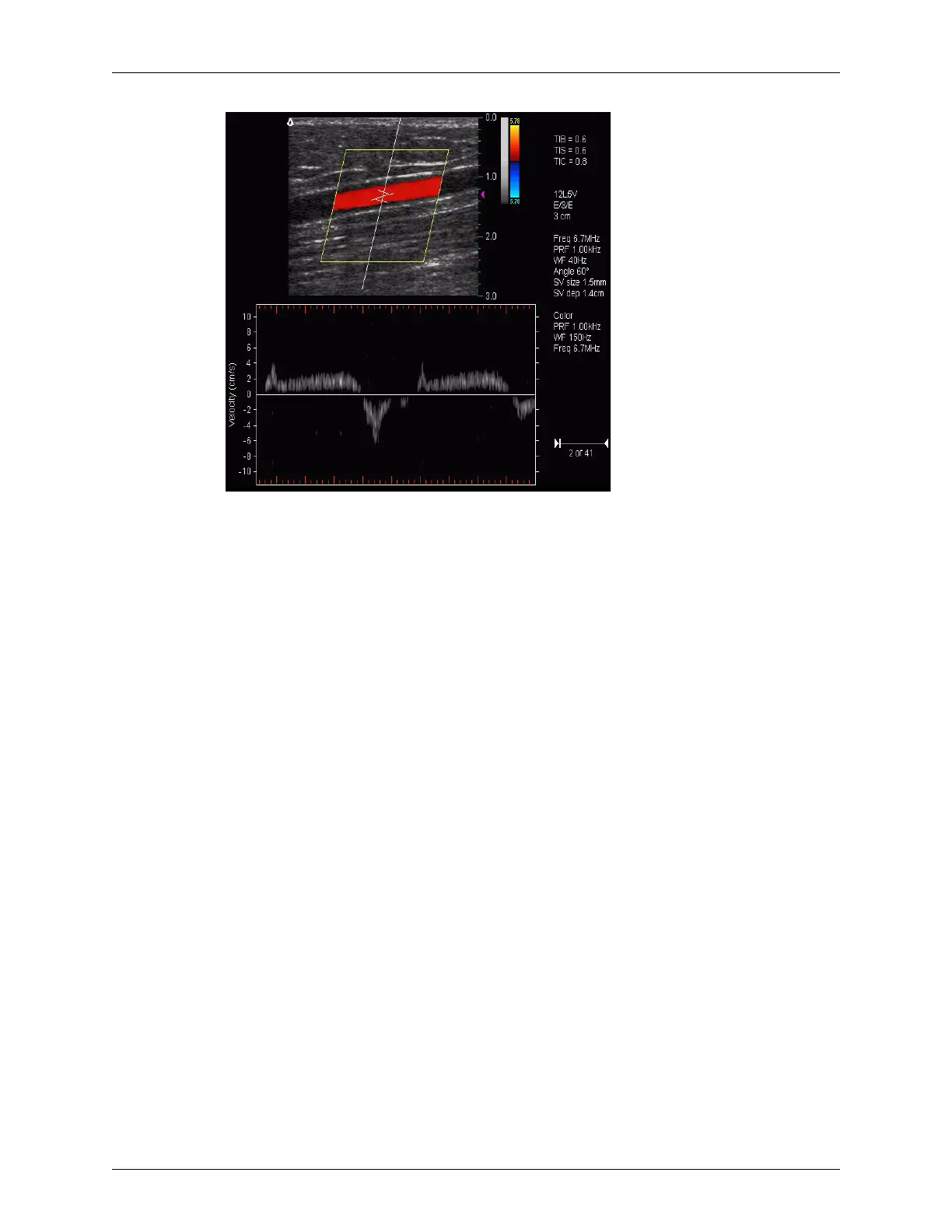
Chapter 5 - Working With Scan Modes Scanning in Triplex Mode
Terason t3000 / Echo Ultrasound System User Guide 127
Live Triplex Scan
Region of Interest
When scanning in Triplex mode, you cannot directly move the region of interest or adjust
its size. However, you can move the range gate, as follows: position the Windows pointer
in the 2D image where you want to set the range gate, then double-click. When you set the
new location for the range gate, the Terason software centers the region of interest around
the new location.
Image Controls
The Terason software does not provide a unique Image Control tab for Triplex scanning.
Use the 2D scan mode controls (CD, DirPwr, or Pwr tab) and the PWD tab to set image
controls for Triplex scanning.
Notice that the Probe Info shows two sets of PRF values. The Terason software requires
the same PRF value for both PWD and the 2D scan. If you change the PRF value on one
tab, the Terason software matches the other tab to that value.
You can independently set the Wall Filter for the 2D and PWD scans.
Updating the Displays
The Update button allows you to freeze the 2D window while acquiring PWD scan data.
This may provide a clearer signal and allows using a higher Doppler PRF.
The default setting for this button is enabled (continuous scanning of the 2D and PWD
data).


 To Next Page