Chapter 7 - Working With Measurements Measuring in the 2D Window
Terason t3000 / Echo Ultrasound System User Guide 158
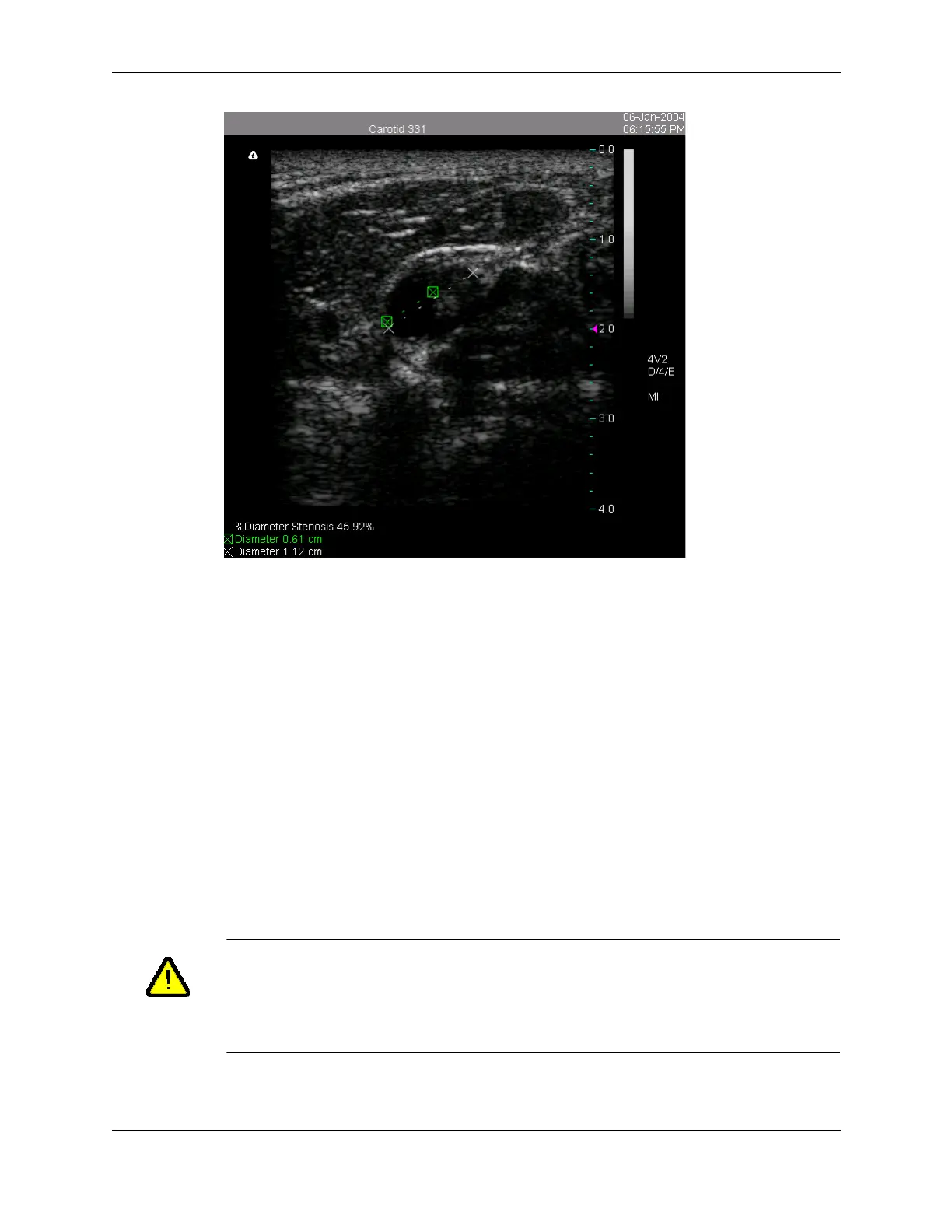
Calculated % Diameter Stenosis
You can use the same procedure to calculate the % Area Stenosis. Select Stenosis Area
from the measurement menu and use the Trace tool to measure the vessel and the residual
lumen.
If you wish to see either Stenosis Diameter or Stenosis area on a report, see Working with
Vascular Reports on page 181.
Working with Measurements on an Obstetrical
Exam
The Obstetrical exam allows you to measure anatomy on up to six fetuses labelled A
through
F. You can make any combination of measurements on any fetus during an exam.
When you freeze an Obstetrical exam, the following operations are enabled:
• Making Obstetrical Measurements; see page 159
• Calculating Estimated Fetal Weight; see page 162
• Calculating Gestational Sac Size and Age; see page 163
Caution:An additional computer or connection installed within the patient
environment may result in non-conformance to safety standards. Use of
non-medical grade peripherals will result in non-compliance of safety and
EMI standards. Non-conformance to these standards can result in risks
to the patient and operator of this equipment.



 To Next Page