Chapter 2 - Installing Software Licensing the Terason Software
Terason t3000 / Echo Ultrasound System User Guide 51
This section explains the following operations:
• Entering the License or Evaluation Unlock Code on page 51
• Extending the Evaluation Period on page 52
• Transferring the License on page 52
• Upgrading the License on page 54
Entering the License or Evaluation Unlock Code
To license the Terason software, complete these steps:
1. Start up the Terason software using either of these methods:
• Double-click the shortcut icon on your computer desktop
• Click the
Start button, and select Programs > Terason > Terason.
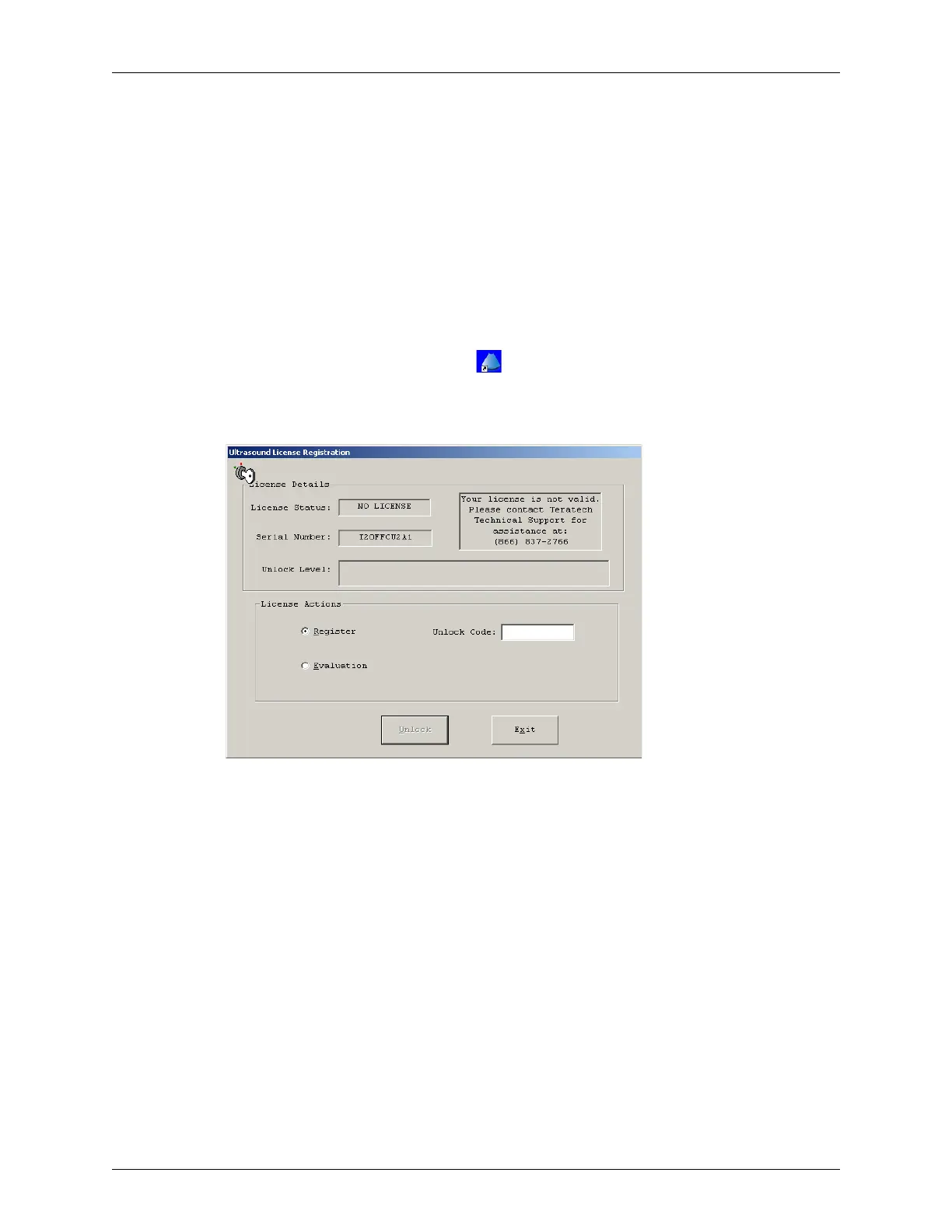
The Ultrasound License dialog box opens.
Ultrasound License Dialog Box
2. To register by phone, call Terason at 1-866-TERASON (1-866-837-2766) and give
the Terason Support Representative the Serial Number shown in the dialog box.
3. To register by email, send an email message to techsupport@Terason.com and
provide these details:
• Serial number (see the Terason Ultrasound License Registration dialog box)
• Computer serial number (on a label on the bottom of the laptop)
• Company name
You will receive, by phone or return email, a 10-digit unlock code.
4. To use the software without entering the code, click
Continue Ultrasound.
5. To enter the code, type the unlock code into the text field and click
Unlock. The
Terason software updates the status to Licensed.
6. Click
Continue Ultrasound. The Terason software starts up.



 To Next Page